
Expert WordPress Development services & solutions mean you get a tailored WordPress build (or upgrade) that turns your business goals into a working, secure, and maintainable website. A strong WordPress Development approach combines UX, performance, and a codebase your team can safely update as WordPress evolves. In 2026, that also means planning for modern block-editor workflows, plugin security expectations, and long-term compatibility.
This guide helps you choose the right provider by showing what a professional process looks like, what deliverables you should receive, and how quality and security checks should work. You will also learn what can go wrong when requirements, content models, or testing are handled poorly. Use the section checkpoints below to compare proposals and reduce risk before you commit.
Contents
- 1 A clear discovery-to-delivery process prevents most WordPress project failures
- 2 Expert WordPress Development improves user experience through templates, UX states, and interaction details
- 3 Choosing the right build approach balances brand differentiation, editing needs, and long-term maintainability
- 4 Quality assurance, security, and maintainability checks protect your business after launch
- 5 Common misconceptions about WordPress Development lead to avoidable rework and higher long-term costs
- 6 Migrations, integrations, and optimization after launch turn a build into a growth system
- 7 Questions to ask before you hire WordPress Development services in 2026 clarify cost, timeline, and success criteria
- 8 Frequently Asked Questions About Expert WordPress Development Services & Solutions
- 8.1 What deliverables should I expect from professional WordPress development services?
- 8.2 How much do WordPress Development projects cost?
- 8.3 What is the typical timeline for WordPress Development work?
- 8.4 How do I know if a WordPress theme choice is truly maintainable?
- 8.5 Can WordPress Development improve user experience without changing my brand design?
- 8.6 What’s the best way to plan a content migration to WordPress with minimal downtime?
- 8.7 Which is safer for my site: a custom theme or using a plugin-heavy approach?
- 8.8 How do expert teams handle security when multiple plugins are required?
- 8.9 What should be included in an acceptance testing checklist before launch?
- 8.10 How do you approach accessibility in WordPress development for business websites?
- 8.11 Can you integrate WordPress with my existing tools like CRM and email marketing?
- 8.12 What should I do if a client needs to edit content frequently after launch?
- 9 Conclusion: Expert WordPress Development means structured delivery, UX-first implementation, and safe maintenance
A clear discovery-to-delivery process prevents most WordPress project failures
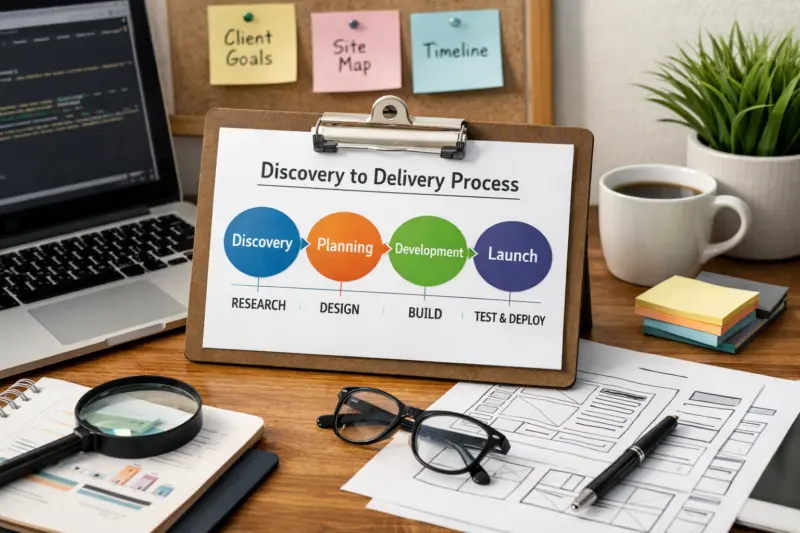
Expert WordPress Development services start with a structured process, not a vague “we’ll build your site” promise. A buyer should expect clear decisions, documented requirements, and staged delivery so you can review progress before anything goes live. WordPress Development succeeds when teams align on goals, content structure, user paths, and measurable acceptance criteria early.
In the discovery phase, professional teams map business outcomes to website behavior. They gather input on target users, key conversion paths, navigation logic, page types, and content ownership. They also identify what must be migrated from your current site and what new assets are needed, such as images, forms, and reusable page sections.
Then they move into architecture and implementation. This typically includes a content model, template plan, and component strategy before full styling begins. QA comes next, using real devices, real browsers, and realistic content so issues surface in staging, not after launch. Finally, the launch phase includes a rollback plan and monitoring so the site stays stable even when third-party services behave unexpectedly.
A key tradeoff is scope drift. When “nice-to-have” features are added without acceptance criteria, they often break maintainability or delay launch. A good team handles this by capturing requests, estimating impact, and updating the plan safely.
Common failure modes show up fast. Buyers often see unclear content ownership, missing migration steps, or testing only on a developer’s laptop. If your proposal does not spell out deliverables by phase, you may pay for rework later. Ask how requirements get locked, how changes get approved, and what “done” means for each milestone.

Expert WordPress Development improves user experience through templates, UX states, and interaction details
User experience is not just visuals, and development is where many UX gains are actually implemented. A professional build improves navigation clarity, mobile usability, accessibility, and conversion flows through the way templates and components behave. WordPress Development supports UX outcomes by controlling layout rules, interaction states, and performance-sensitive rendering.
How it works is practical. Teams design responsive templates with consistent typography, spacing, and grids. They implement accessible components like semantic headings, keyboard-friendly menus, and form controls with clear error messages. They also build UX across states, such as logged-in dashboards, logged-out landing pages, search and filter results, and empty-state guidance when content is missing.
You can also connect UX to measurable performance. Core Web Vitals are influenced by how pages render media, how layout stability is handled, and how JavaScript is loaded. Developers can reduce UX friction by lazy-loading below-the-fold assets, optimizing image delivery, and keeping template logic efficient. This matters because a site that looks good but shifts layout or delays key interactions feels unreliable to users.
For practical application, look at what your provider will implement for user journeys. For example, they should define and build conversion paths like pricing exploration, lead form submission, or booking actions. They should explain how they handle form validation UX, confirmation messages, and error recovery. Those details often matter more than changing colors.
The tradeoff is responsibility boundaries. Designers may define a layout, but developers must implement responsive behavior and accessibility. Content editors may write copy, but content templates must support it without breaking. Clear collaboration prevents repeated rework when the same page is iterated across roles.
A useful edge case is multi-step forms. If the build does not plan for partial completion, browser back behavior, and validation messaging, users may lose progress. Another nuance is how search results display when content is sparse, which can frustrate users and increase bounce. Ask how your build handles UX when data is incomplete.
Choosing the right build approach balances brand differentiation, editing needs, and long-term maintainability
The best WordPress solution depends on what your team needs to edit and how your business differentiates its brand. Expert WordPress Development services should help you choose between a tailored custom theme, block-based templates, or a plugin-driven approach with careful customization. The goal is not one “best” option, but a maintainable strategy aligned to your content model and editing workflow.
A custom theme with a design system fits brands that need unique layouts, complex interactions, or heavy component reuse. It can also deliver strong control over accessibility and performance when built thoughtfully. The tradeoff is that custom code requires disciplined maintenance and upgrade planning, especially for WordPress core changes and evolving block-editor patterns.
Block-based templates fit organizations that want non-technical editors to build pages using consistent blocks, patterns, and reusable sections. It supports modern content workflows and helps teams scale landing pages. The limitation is that too many constraints can frustrate editors, while too little constraint can create design drift and inconsistent UX.
Plugin-driven solutions can speed up launches when requirements match standard patterns. However, plugin-heavy builds can introduce security risk, update conflicts, or inconsistent UX if plugins render output differently. A professional team should treat plugins as dependencies with governance, not as interchangeable add-ons.
In real-world projects, “hybrid” is common. Many expert implementations use a controlled set of blocks plus custom templates and a limited plugin set. This keeps editing flexible while preserving code-level consistency. Ask your provider how they will prevent bloat, standardize component behavior, and reduce lock-in.
When evaluating recommendations, ask what they will build versus configure. A good proposal clarifies what is custom code, what is a configured plugin, and what is simply a template choice. Also ask how they will minimize future lock-in if you change agencies or internal ownership.
| Build approach | Maintainability | Editing needs | Typical time-to-launch | Main risk |
|---|---|---|---|---|
| Custom theme / tailored design system | High with disciplined architecture and documentation | Best for teams that can rely on templates and controlled components | Varies by component count and integrations | Upgrade effort if code structure is unclear |
| Block-based templates and patterns | High when block standards are enforced consistently | Best for non-technical editors using reusable blocks | Often faster for content-heavy sites | Design drift if patterns and style rules are weak |
| Selective plugin-driven solutions | Depends on dependency governance and update discipline | Mixed, often easier for basic editing | Often quickest for standard requirements | Security and compatibility issues from plugin interactions |
Quality assurance, security, and maintainability checks protect your business after launch
Expert WordPress development services separate good outcomes from fragile builds through quality gates. Quality is not a single “test before launch” step. It should include staging rehearsal, regression checks, and acceptance criteria that confirm the site works with real content and real user behavior.
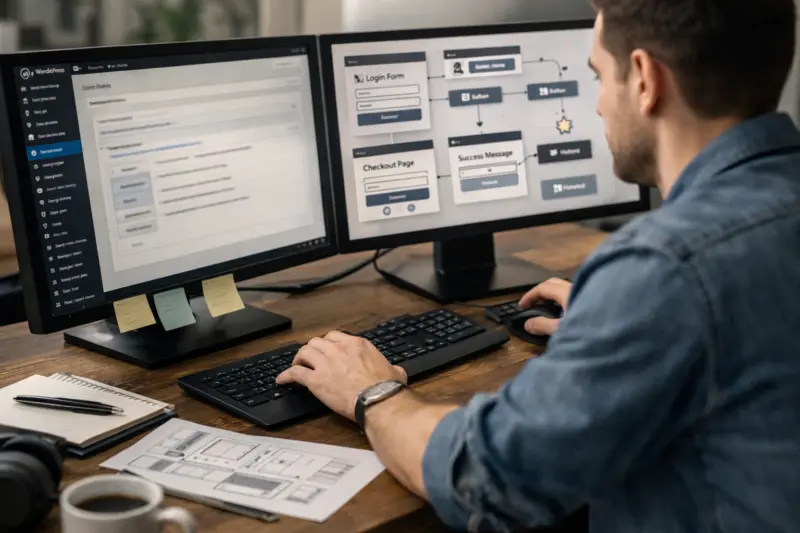
Professional teams start with a staging environment and a deployment plan. They verify templates render correctly across devices and browsers. They run regression testing for key flows like navigation, search, form submissions, checkout or booking steps, and error handling paths. They also validate media loading, content formatting, and typography at scale, because small template issues become big problems on multiple pages.
Security expectations matter just as much as layout. Builders should follow least-privilege access patterns, limit admin exposure, and implement secure form handling to reduce risk from spam and malicious submissions. Plugin and theme hygiene matters too, because vulnerabilities often come from dependencies rather than custom code. Providers should also monitor for issues and keep dependencies aligned with a clear upgrade cadence.
For maintainability, look for code organization and documentation, plus a planned upgrade path. Teams should use reusable components and consistent naming so changes do not ripple unpredictably. They should also explain how they update blocks, templates, and third-party dependencies safely over time.
Edge cases often reveal whether a team is truly expert. For example, background jobs and scheduled tasks must work correctly with caching layers and hosting rules. Role-based permissions can break when templates use the wrong capability checks. Multisite adds additional complexity, such as network-level configuration and site-level roles, so your provider should confirm how they handle it if you need it.
At launch, “done” should include a rollback plan and post-launch monitoring. That means you know what gets deployed, how to revert quickly, and what signals will be checked after release. If your proposal lacks these elements, you may be paying for avoidable downtime.
For security fundamentals, many teams align with guidance from OWASP and plugin and site hardening practices from the WordPress Developer Handbook. Good providers translate these principles into concrete build steps, not generic security claims.
Common misconceptions about WordPress Development lead to avoidable rework and higher long-term costs
Many WordPress project problems begin with myths that buyers repeat when choosing services. A premium theme is rarely “enough,” and plugins are not automatically interchangeable. Expert WordPress Development services & solutions avoid these pitfalls by tying decisions to UX, content modeling, security risk, and maintainability.
One misconception is that SEO is separate from UX development. In practice, template efficiency, accessible headings, readable content structure, and predictable interaction patterns affect user engagement and performance. If a provider treats performance and UX as “later,” you may face rework when you add features that increase rendering complexity.
Another common mistake is underestimating content modeling. If your provider does not define page types, reusable sections, and data relationships early, templates become hard to maintain. Content editors then struggle, and you end up with one-off pages that break consistency. That increases the cost of future updates because each page needs manual fixes.
Performance budgets also get ignored in weaker builds. A team might ship a design with many heavy assets, then hope later optimization fixes it. Professional WordPress Development work includes media strategy, asset loading patterns, and template-level efficiency from the start.
Operational pitfalls can be even more damaging. Many projects fail because no one owns plugin updates, no dependency governance exists, and no plan covers what happens when a plugin breaks. Ask who updates plugins, how compatibility gets validated, and how emergencies are handled when third-party code fails.
Watch for red-flag behaviors during discovery. Vague plans, no staging or testing strategy, no acceptance criteria, and no security approach are all warning signs. If your provider cannot explain how they will test real forms, real content, and key user journeys, you should treat the build as high risk.
Migrations, integrations, and optimization after launch turn a build into a growth system
Expert WordPress Development services do not stop at launching pages. Growth-focused solutions include migration, integration, and long-term optimization so your site keeps improving without breaking. This is where businesses often see the biggest ROI after an initial redesign or platform change.
Website migration requires careful handling of content, users, media, and URLs. A professional plan covers URL mapping and redirects, data validation, and staging rehearsal. It also defines a downtime-safe cutover so users do not hit broken pages or inconsistent forms. If your provider does not include rehearsal and rollback planning, migrations become stressful and error-prone.
Integrations connect WordPress to business workflows. Common needs include CRM lead capture, email marketing, analytics event tracking, booking or payment flows, and internal automation when a form is submitted. Expert teams implement data flows carefully, verifying field mapping and handling edge cases like failed submissions or duplicate records.
Scalability is also part of “solutions.” As you add landing pages or new content types, your templates and components must scale without turning into custom one-offs. Teams should plan component reuse and editorial workflows so new pages match existing UX patterns.
Post-launch reality matters. Tracking accuracy can drift if scripts load inconsistently, and UX can regress if plugin updates change behavior. A professional provider sets a measurable optimization roadmap with KPIs, an experiment backlog, and change governance to reduce regressions between releases.
A common edge case is when a migration includes old tracking scripts or incompatible plugins. That can cause inconsistent analytics or broken forms after cutover. Ask your provider how they verify redirects, form submissions, and event tracking in staging before production.
Questions to ask before you hire WordPress Development services in 2026 clarify cost, timeline, and success criteria
You reduce risk when you ask concrete questions about deliverables, testing, and handoff before signing. Expert WordPress Development services should provide clarity on scope, quality gates, and support options so you know what you are buying. In 2026, that clarity should also include plugin security governance and block-editor workflow support.
Start by asking what you will receive at the end of each phase. For example, you should expect templates or component sets, a clear content model, and documentation for editors and internal owners. You should also ask about performance and security validation steps, including what they test and what “pass” means. Many buyers ask only about the final design, but deliverables matter most when you plan future updates.
Timelines also need realistic inputs. Your provider should consider dependencies like content readiness, approval cycles, domain or DNS readiness, and third-party access for integrations. Typical projects can range from a few weeks for simpler sites to several months for complex redesigns with migrations and integrations. A strong proposal gives a staged plan and explains what could shift dates without promising impossible guarantees.
Pricing should be described through structure, not surprise. Many WordPress projects use project-based pricing, milestone-based billing, or a combination of build plus support retainer. Pricing varies based on component complexity, number of templates, migration scope, integration depth, and the level of editorial training required. If a proposal does not explain what is included or excluded, request a breakdown before you commit.
Contract clarity protects you long-term. Confirm code and asset ownership, plugin licensing responsibilities, and who updates what after launch. Also clarify SLAs for support if you need fixes after release, and what constitutes a change request.
To evaluate proposals, look for architecture clarity, documented acceptance criteria, a security plan that addresses dependencies, and a maintainability commitment. A great WordPress Development plan makes it easy to approve work because you can see what gets delivered and how it gets verified.
Frequently Asked Questions About Expert WordPress Development Services & Solutions
What deliverables should I expect from professional WordPress development services?
Expect a documented plan of templates or components, plus a content model that matches how your team will publish. Professional work also includes QA evidence like staging testing for key user journeys and device checks, and it should cover security and performance verification for key flows.
You should receive handoff materials, such as editor guidance or training, plus developer documentation that explains how components are structured. If integrations are part of the scope, you should also get a clear mapping of fields and event tracking behavior.
How much do WordPress Development projects cost?
Costs vary widely based on template count, customization depth, number of integrations, and whether a migration is included. A basic block-based build for a small content site will cost less than a redesigned, component-heavy build with advanced forms, CRM sync, and analytics event mapping.
Some providers price by milestone, others by project scope, and many offer ongoing support retainers. Ask for a written breakdown of what is included, which plugins are covered, and what counts as a change request.
What is the typical timeline for WordPress Development work?
Typical timelines depend on content readiness, approval cycles, and integration complexity. Many standard builds take several weeks, while redesigns with migrations and multiple integrations can take a few months.
A professional provider should share a staged schedule that shows discovery, architecture, development, QA, and launch rehearsal. Your timeline will also depend on how fast you can provide content, assets, and access to required third-party systems.
How do I know if a WordPress theme choice is truly maintainable?
Maintainable themes follow a customization strategy that avoids fragile overrides and reduces upgrade conflicts. Ask how changes will be implemented so core updates and plugin updates do not break styling or layout behavior.
Also ask which parts are custom code and which parts are configuration. A maintainable approach documents dependencies, keeps customization consistent, and defines how updates are validated before release.
Can WordPress Development improve user experience without changing my brand design?
Yes, UX improvements often come from interaction and template behavior rather than visual redesign. Developers can improve mobile usability, accessibility, readable content structure, and form validation UX while keeping the same design system.
Common enhancements include better empty states, more consistent headings and navigation, and predictable search and filter results. If performance is optimized, users also experience smoother interactions even when brand visuals stay the same.
What’s the best way to plan a content migration to WordPress with minimal downtime?
A low-risk migration plan uses staging rehearsal, URL mapping, and a cutover strategy with redirects. The provider should validate content, media, and forms on staging using real sample data before production changes happen.
For minimal downtime, confirm how they will execute the cutover, what gets changed during the final window, and how rollback would work if errors appear. This planning reduces the chance of broken links and failed form submissions after launch.
Which is safer for my site: a custom theme or using a plugin-heavy approach?
Safety depends on governance, not on the label alone. A custom theme can be safe if code is structured, well tested, and maintained, but it adds responsibility for ongoing updates.
A plugin-heavy approach can be safe if the plugin set is controlled, tested for compatibility, and updated with a clear cadence. Ask your provider how they manage dependency risk and how they validate updates in staging.
How do expert teams handle security when multiple plugins are required?
Expert teams select plugins based on compatibility, update history, and security posture, then apply least-privilege access for administrative roles. They also implement secure form handling, spam controls, and validation patterns that reduce harmful submissions.
They should monitor vulnerabilities and run dependency updates with testing. The provider should explain what happens if a plugin update conflicts with your templates or blocks.
What should be included in an acceptance testing checklist before launch?
An acceptance checklist should include cross-device and cross-browser checks for key pages and critical flows. It should also include functional testing for forms, search and filters, navigation menus, and any booking or payment steps.
In addition, the checklist should cover accessibility checks and performance baselines for important templates. Finally, it should include staging-to-production verification so what you tested is what you launch.
How do you approach accessibility in WordPress development for business websites?
Accessibility is implemented at the template and component level using semantic structure, keyboard navigation support, and clear focus behavior. For forms, expert teams provide error messages tied to fields and ensure validation UX is understandable without relying on color.
Providers also maintain consistent heading order and readable contrast within reusable components. This prevents accessibility issues from being fixed only on one page while other templates remain non-compliant.
Can you integrate WordPress with my existing tools like CRM and email marketing?
Yes, integrations are typically implemented by mapping fields and handling submission behavior consistently. Expert WordPress Development teams confirm data flow from forms to CRM or email systems, then validate it with staging tests and real example submissions.
They should also verify analytics event tracking and error handling for failed requests. This reduces data gaps and avoids silent failures that hurt lead attribution.
What should I do if a client needs to edit content frequently after launch?
Frequent editors need guardrails, such as reusable blocks, consistent page templates, and training on how to use them correctly. Expert teams design content models so editors can add content without breaking layout or UX states.
Your provider should offer training and define which areas are flexible and which areas must stay consistent. This keeps the site usable as content grows.
Conclusion: Expert WordPress Development means structured delivery, UX-first implementation, and safe maintenance
Expert WordPress Development Services & Solutions give you more than a new theme or a redesigned page set. You get a clear discovery-to-delivery process, UX-focused implementation through templates and interaction states, and quality gates that protect the site after launch. You also gain maintainability through disciplined architecture and documented upgrade planning.
To choose well, evaluate providers by deliverables, acceptance criteria, testing evidence, and their approach to security and dependency governance. Compare proposals using a checklist that covers architecture clarity, staging rehearsal, rollback planning, and post-launch support scope, not just visual samples.
If you want a practical next step, request a discovery call or audit and ask for a scoped plan tied to your business goals and success metrics. Then compare 2–3 proposals using the same questions so you can reduce risk before work starts. Remember that Expert WordPress Development is an ongoing discipline that includes migrations, integrations, updates, and UX optimization as your site grows in 2026 and beyond.
Updated September 2026