
Building or fixing an online store often comes down to how reliably the cart, checkout, and order flow work. That is why many teams hire WooCommerce Development specialists instead of relying on basic setup tutorials. With the right WooCommerce Development, you can launch faster, customize storefront and checkout safely, connect payments and shipping correctly, and improve performance without breaking purchases. This guide explains what WooCommerce development services usually include, what deliverables to expect, common integration and customization risks, and how costs and timelines typically vary. You will also get a copy-and-paste checklist to request a quote that matches your exact needs.
What WooCommerce Development services typically include
WooCommerce Development services focus on building and maintaining the parts of a store that go beyond configuration. They cover storefront experiences, checkout behavior, admin workflows, and the integrations that move money and orders. Most projects also include quality checks so your store works in real purchase scenarios, not just in a demo.
Teams often start with a discovery step, then move into design and implementation. After build, they deploy to staging first, test key flows, and then launch. If your store is already live, the service may begin with audits and repairs.
Common engagement types for online stores
Here are engagement types you will often see when hiring a WooCommerce-focused development team.
- New store build: theme setup, core configuration, custom pages, and integration foundations.
- Theme and UI customization: storefront layout changes, cart and checkout adjustments, and reusable components.
- Feature expansion: custom product logic, order management tools, and admin enhancements.
- Plugin and code integration: payments, shipping, tax support, and external systems.
- Migration and remediation: fix broken checkouts, resolve upgrade issues, and move to a new host.
- Ongoing improvements: iterative development under a maintenance or retainer model.
Deliverables you should expect
A solid development engagement produces clear outputs, not just “changes made.” Ask for a deliverables checklist before work begins so you know what you receive.
- Requirements and scope outline: functional goals and non-functional needs like stability and performance.
- Milestones and acceptance criteria: what must work for each phase to be considered complete.
- Environment plan: local or staging workflow, plus a safe deployment approach.
- Code changes and documentation: what changed, where it lives, and how to update it safely.
- Test coverage basics: verification steps for cart, checkout, and key admin workflows.
- Handoff and support boundaries: what is included after launch, and what is separately billed.
Customizing storefront and checkout without creating fragility
Storefront and checkout are where conversion meets risk. Customizing them can boost clarity and reduce friction, but the wrong approach can cause failures during updates. A good WooCommerce Development partner focuses on safe customization patterns that remain stable after changes.
Most customization work targets themes, templates, checkout fields, and cart logic. Teams should also plan how customizations will behave across devices, shipping methods, and discount scenarios.
Storefront customization patterns that scale
Storefront improvements usually include theme configuration, template overrides, and custom UI components. Developers also make sure changes keep working for different product types and stock states.
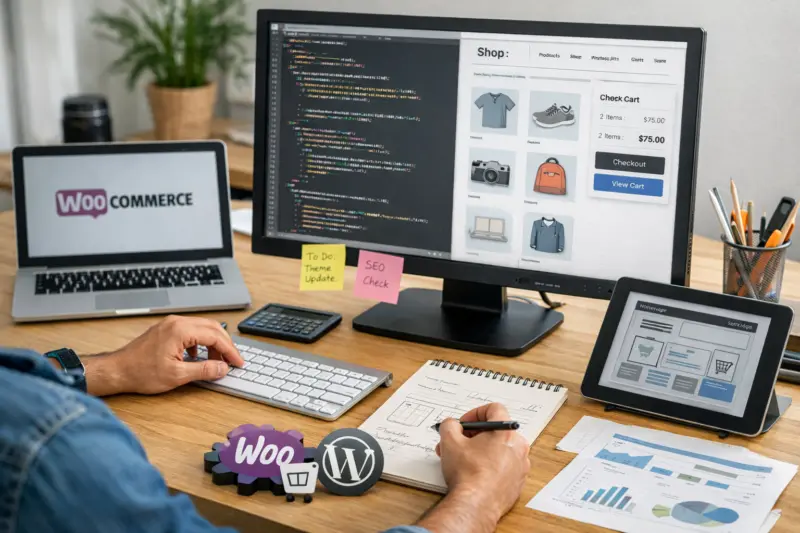
- Product page layout: reorder sections, adjust media, and add product metadata safely.
- Cart and upsells: dynamic cross-sells based on cart contents and rules.
- Localization of storefront copy: consistent wording across product, cart, and checkout.
- Conditional visibility: show or hide content based on customer role or purchase behavior.
Checkout customization areas that often change scope
Checkout changes can be small on the surface and large under the hood. That is because checkout depends on totals, taxes, shipping rates, and order status updates.
- Checkout fields: add, validate, and map fields to orders and notifications.
- Coupons and discounts: control eligibility rules and how totals are recalculated.
- Cart rules: enforce inventory or quantity constraints before payment.
- Shipping-driven behavior: modify checkout steps based on chosen shipping.
When custom development beats plugin-only solutions
Sometimes configuration and off-the-shelf plugins are enough. But custom development becomes preferable when you need unique logic, fewer overlapping plugins, or better performance during checkout.
For example, if you need a flow that combines conditional fields, strict validation, and custom order tagging, a custom feature built with WooCommerce hooks can be cleaner than stacking multiple plugins. It also helps you keep ownership of the logic over time.
Integrating payments and shipping without breaking order flow
Payment and shipping integrations are core store systems. If they fail, customers cannot complete purchases. Good WooCommerce Development work treats these integrations as end-to-end workflows, not single settings screens.
Integrations usually involve gateway setup, order status mapping, webhook or callback handling, and correct tax and shipping calculations. Developers also ensure the totals shown to customers match what the system records after payment.
What developers typically implement for gateways and carriers
Integration scope varies by provider, but common work includes:
WooCommerce Experts at Your Service
Build a Seamless, Custom Online Store
Partner with eDesignerz for WooCommerce development that ensures flawless cart, checkout, and payment integration. Launch faster with tailored storefronts and checkout flows that boost conversions and keep your store running smoothly.
29+ Years Experience Custom WooCommerce Development Satisfaction Guaranteed
- Gateway configuration and validation: currencies, payment methods, and environment settings.
- Webhook or callback processing: updating order statuses from the payment provider.
- Error handling: clear customer messaging and internal logging for support.
- Shipping rate display logic: rates that update correctly during address changes.
- Zone mapping: tying providers to WooCommerce shipping zones and regions.
Planning questions that prevent costly mistakes
Before development starts, ask your team to confirm integration requirements. This reduces surprises when testing begins.
- Go-live requirements: which payment and shipping methods must work first?
- Callback rules: how webhook endpoints will be tested and secured in staging?
- Order state mapping: what statuses should change for each provider event?
- Totals consistency: how rounding and tax rules will match between systems?
Good teams also run failure-mode tests. They check what happens on timeouts, invalid addresses, duplicate events, and partial captures. That is how you prevent double-charging and “paid but not fulfilled” situations.
Information your developer will request
To integrate reliably, your team needs provider credentials and shipping settings. Expect questions about test credentials, callback URLs, and which regions should use each option.
- Payment gateway API credentials and test keys
- Staging and production endpoint details for callbacks
- Shipping carrier accounts and packaging or rate rules
- Your current tax and shipping calculation approach
Extending WooCommerce with custom functionality and business rules
Many stores eventually need features that standard WooCommerce settings do not cover. Custom WooCommerce development adds business logic, automates workflows, and connects data between systems. The goal is to extend capabilities while keeping code update-safe.
Before writing custom code, the best teams confirm whether configuration or existing plugins can handle the requirement. Then they build only what you truly need.
Configuration versus custom functionality
Configuration changes your store behavior through settings. Custom functionality changes store behavior through code, using WooCommerce hooks and extensibility points.
As a simple rule, choose configuration when rules are standard. Choose custom functionality when rules are unique, multi-step, or require coordinated updates across cart, checkout, and order processing.
Examples of implementable custom needs
Here are realistic examples of business rules that are often better handled with custom development.
- Segment-based pricing logic: set pricing and totals based on customer group rules.
- Custom order workflows: add approval flags, routing rules, or extra admin steps.
- External system synchronization: send customer and order events to CRM or ERP systems.
- Conditional product requirements: enforce custom fields based on product selections.
How teams keep custom code maintainable
Maintainability matters because WooCommerce and WordPress update over time. A maintainable approach avoids direct core edits and concentrates logic in modular plugins.

- Plugin-first development: build custom features as separate plugins.
- Hook strategy: attach logic to appropriate actions and filters.
- Clear documentation: explain data flow and configuration steps.
- Regression testing: verify custom behavior after updates.
Improving performance, reliability, and ongoing quality
Performance and reliability affect both conversions and support costs. WooCommerce Development Services should treat quality as part of development, not as a one-time audit.
Storefront performance often depends on how themes, plugins, and caching interact. Checkout reliability depends on data accuracy and safe code deployment.
Performance work that protects checkout correctness
Performance improvements must not interfere with cart and checkout totals. Teams typically look at compatibility with page caching, cart fragments, and object caching patterns.
Developers also review slow patterns in themes and plugins. That can include heavy queries, repeated API calls, or unnecessary asset loading on the storefront.
Reliability checks that reduce “works on my machine” issues
Reliable deployments rely on staging parity and clear testing. A good team also uses monitoring and logs so issues are easier to diagnose.
BUILD YOUR ONLINE STORE WITH CONFIDENCE
Launch or fix your WooCommerce store with expert custom development. We create scalable storefronts, smooth checkout flows, and reliable payment integrations that keep customers coming back. Request a free consultation today!
SCHEDULE YOUR FREE CALL- Error monitoring: capture payment, order, and checkout errors.
- Logging standards: record webhook events and failure reasons.
- Staging parity: match plugin versions and configuration as closely as possible.
- Safe deployments: use rollback plans for checkout-related releases.
What to trade off when optimizing
Some optimizations can change how dynamic content loads. For example, caching can conflict with cart fragments if configured incorrectly. Developers should explain these tradeoffs so you understand what is protected and what may be adjusted.
Handling migrations and repairs for existing online stores
Not every project starts fresh. Many online stores need fixes after theme upgrades, plugin conflicts, failed gateway changes, or hosting moves. WooCommerce development for repairs usually begins with diagnosis, then prioritized fixes.
A strong remediation approach protects the checkout flow first. Then it addresses performance, admin usability, and any broken product or order features.
Common reasons stores get “broken” after changes
These issues often appear after updates or migrations.
- Plugin version conflicts: incompatible gateway or checkout-related plugins.
- Theme template overrides: custom templates that no longer match updates.
- Outdated gateway configuration: missing keys or incorrect environment settings.
- Webhook failures: callbacks not reaching the store after changes.
- Performance regressions: slow pages that time out during checkout steps.
How migration scope usually gets decided
Migration scope depends on what you move and how you protect continuity. Most teams separate data migration, configuration migration, and SEO-safe redirects.
- Content and products: what gets migrated, reformatted, or cleaned up.
- Customers and orders: what must remain intact and verifiable.
- Redirects and SEO: mapping old URLs to new ones to reduce traffic loss.
- Staging validation: test key flows before switching DNS or domains.
What a repair plan typically includes
Expect an initial inventory of your current stack and a structured diagnosis process. Then the team prioritizes changes by impact on purchases.
- Inventory of active themes, plugins, and versions
- Checks for checkout and payment failures
- Verification of shipping rate calculation and discounts
- Fix plan with milestones and acceptance criteria
WooCommerce Development pricing and what drives cost
Pricing for WooCommerce Development varies by scope and risk. Most providers do not quote a single flat price because store complexity changes the effort. Your best estimate comes from a scoping call and a written proposal.
Instead of trying to guess a fixed number, use a budget framework. It explains what usually pushes cost up or down, and it helps you compare quotes apples-to-apples.
How service providers commonly price projects
- Project-based pricing: one package tied to a defined scope and milestones.
- Milestone-based billing: payments released when acceptance criteria are met.
- Retainer or ongoing development: a monthly allocation for improvements and bug fixes.
Key cost drivers for store build, customization, and fixes
These factors usually determine the final cost.
- Scope complexity: unique features cost more than standard configuration.
- Integration count and difficulty: multiple payment and shipping systems add work.
- Checkout customization depth: changes to logic and validation raise risk.
- Testing and documentation: more acceptance scenarios increase effort.
- Performance and reliability requirements: safe caching and monitoring can add hours.
- Migration or repair urgency: urgent fixes may cost more due to constrained schedules.
What you can provide to reduce estimation uncertainty
You can often get a more accurate quote if you share store context early. That reduces back-and-forth during discovery.
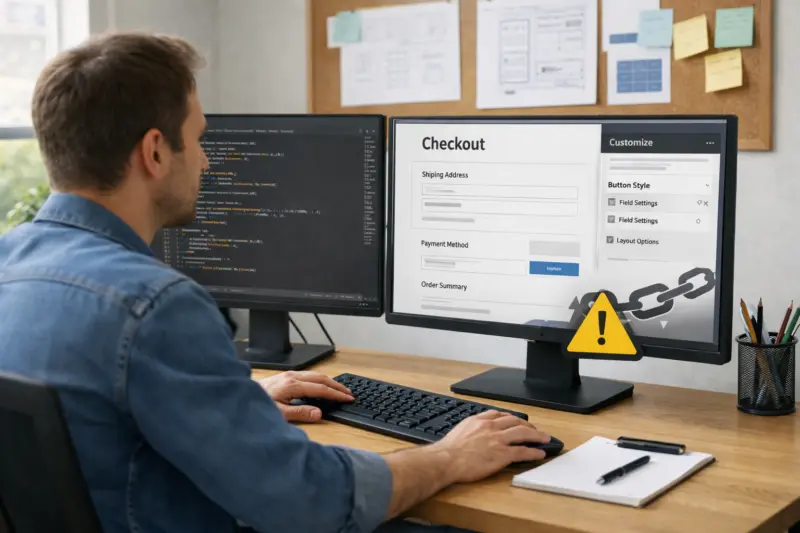
- Access to the staging environment or a dev copy
- A list of must-have features and must-not-break behaviors
- Current theme and plugin list, including payment and shipping options
- Examples of checkout issues or desired flows
A realistic range framework for your budget
Rather than a single number, most budgets for WooCommerce development fall into tiers. Smaller configuration-heavy projects can be lower, while custom integration and checkout logic projects are usually higher.
In practice, you may see quotes that range from a few thousand dollars for limited changes to substantially higher amounts for full builds, complex integrations, or remediation. The exact range depends on scope complexity, integrations, and quality requirements. Use the checklist below to request a quote that matches your needs.
Choosing the right WooCommerce Development partner
The best partner protects your checkout and makes customizations update-safe. When you evaluate providers, focus on evidence of WooCommerce implementation skill, not only plugin installation. Ask how they approach maintainability, testing, and integration debugging.
Custom WooCommerce Store Solutions
Boost Sales with Expert WooCommerce Stores
Avoid common pitfalls in WooCommerce setup and customization. Partner with eDesignerz for expert development ensuring seamless checkout, custom features, and reliable payment integration that drive conversions.
29+ Years in Web Development • Custom WooCommerce • Satisfaction Guaranteed
You are hiring a team to reduce risk. The right questions help you confirm they can deliver stable outcomes.
Decision criteria you can apply immediately
- Proven WooCommerce experience: custom plugins and hooks, not only setup.
- Checkout and integration competence: test plans for payments and shipping changes.
- Maintainability practices: plugin-first code, minimal template brittleness.
- Documentation and handoff: clear instructions for updates and configuration.
- Quality approach: staging parity, regression checks, and rollback planning.
- Communication clarity: defined milestones and fast issue escalation.
Questions to ask during a discovery call
- How do you handle custom functionality when WooCommerce updates?
- What does your staging and testing workflow look like for checkout and payments?
- How do you document custom code and hand off ownership?
- What support do you provide after launch, and what is billed separately?
- How do you prevent overlapping plugins from causing checkout conflicts?
Red flags that often lead to store problems
- Plans that rely on fragile core edits for custom features
- Vague descriptions with no acceptance criteria or milestones
- No staging/testing plan for payment, shipping, and cart/checkout recalculation
- “Add more plugins” answers instead of coherent implementation and integration design
How to request a quote for WooCommerce development services
A good quote request saves time for both sides. It helps providers understand your goals, your current setup, and what “done” means for your store. Use this step-by-step intake so you get a response that includes scope, timeline assumptions, and deliverables.
The aim is to get an accurate estimate of effort, risk, and testing needs for your specific checkout and integration requirements.
Step-by-step quote request process
- Share your store context: current URL or environment and what is working today.
- List the target changes: storefront updates, checkout changes, admin changes, and custom logic.
- Provide integration details: payment gateways, shipping carriers, tax approach, and any external systems.
- Send examples or recordings: screenshots or short videos of current flows and pain points.
- State constraints: hosting limits, target launch date, languages, and regions.
- Define acceptance criteria: which pages and purchase scenarios must work at launch.
- Ask for a staged plan: discovery, scope proposal, implementation milestones, then acceptance and launch.
When you request a quote, use the same service language your provider should understand. Mention that you want WooCommerce Development work that includes safe checkout customization, integration handling, and update-safe implementation.
Quote request checklist you can copy
- Store context: current site status, theme and plugin list, and target launch or migration timing.
- Feature list: storefront, cart, checkout, admin/order workflows, and any custom logic requirements.
- Integrations: payment gateways, shipping providers, tax calculation approach, and any CRM or ERP needs.
- Constraints: hosting details, required regions or currencies, expected traffic level, and access limitations.
- Acceptance criteria: what must work at launch, including specific cart and checkout scenarios.
Frequently Asked Questions About WooCommerce Development Services for Online Stores
What does WooCommerce development cost for an online store?
Pricing varies based on scope, integration complexity, and how much customization you need. Projects that involve custom checkout logic, multiple payment or shipping methods, and thorough testing tend to cost more. Some providers price per project, per milestone, or as an ongoing retainer.
A realistic way to budget is to ask for a written estimate after discovery. Share your current stack, the feature list, and acceptance criteria so the quote reflects your actual risk and testing needs.
How long does WooCommerce development take?
Timelines depend on the work type and the number of integrations you need. Smaller tasks like UI updates can take days to a few weeks, while full store builds, complex checkout changes, or migration repairs can take several weeks to a few months. Testing time also matters, especially when payments and shipping webhooks are involved.
Ask your provider for a phased timeline with milestones and acceptance criteria. That helps you plan around staging testing and launch readiness.
What’s the difference between setup and custom WooCommerce development?
Setup typically means configuring settings, installing a theme, and enabling standard WooCommerce features. Custom development means building new logic, extending workflows, or integrating external systems through code. It is often needed when your requirements do not match standard settings or common plugin behavior.
A good provider explains which parts are configuration and which parts require custom code before implementation begins.
Which tasks can I handle in-house to reduce development costs?
You can often reduce cost by preparing content and non-technical assets before development starts. Examples include finalized copy, product images, and a clean product catalog export. You can also gather clear examples of the current checkout flow and the exact changes you want.
Your developer should still own access setup, technical requirements, and any logic changes tied to cart, checkout, or order processing.
How do you prevent customizations from breaking WooCommerce updates?
Update-safe customization usually means avoiding direct core edits and building custom features as plugins. Developers also prefer hook-based logic and minimize brittle template overrides. They then test key purchase scenarios after changes to confirm nothing regressed.
Ask how they handle version compatibility and whether they plan regression checks as part of each release.
BOOST YOUR ONLINE STORE
Get custom WooCommerce solutions tailored to your business. From storefront design to seamless payment integration, we ensure your store runs flawlessly and converts visitors into customers.
FREE WEBSITE REVIEWCan I integrate multiple payments and shipping methods by region?
Yes, multi-region setups are common. The implementation typically maps payment and shipping methods to WooCommerce zones and country rules, then tests checkout behavior end-to-end. Developers also ensure totals and shipping rates update correctly when a customer changes the address.
You should confirm which methods must work for each region on day one, and how the store should behave when a method is unavailable.
What should I do before development starts on my store?
Prepare access details, backups, and a staging-ready environment if possible. Provide your theme and plugin list, your payment and shipping provider details, and clear success criteria for the checkout and order flow. If the store is already live, confirm how urgent issues should be handled and what rollback options are allowed.
This preparation improves estimate accuracy and reduces time lost during discovery.
How do you handle bugs found after launch?
Most teams triage post-launch issues by severity and impact on purchases. Bug fixes can be included in a limited support window or billed separately, depending on your agreement. Providers often request reproduction steps and logs so they can diagnose quickly.
Ask what “included support” means in your contract, and how communication and response time are handled.
Conclusion
WooCommerce Development Services for Online Stores should align three things: the features you want, the integrations that process orders, and the quality practices that protect checkout. When customization touches cart and checkout logic, safe implementation and real staging testing matter as much as the UI itself. Use the quote request checklist to describe your goals, integrations, and acceptance criteria clearly so you can compare proposals fairly.
Your next step is to shortlist partners based on how they plan testing, maintain custom code, and manage payment and shipping reliability. Then request a discovery call and ask for a staged plan with milestones tied to cart, checkout, and order states.
Updated November 2026
FOR ONLINE STORES WOOCOMMERCE EXPERTISE
Optimize your WooCommerce store with expert development, custom integrations, and seamless checkout workflows that boost sales and enhance user experience.