
SEO friendly content makes it easier for people to understand your page and for search systems to interpret it correctly, so your content earns visibility over time. The main question is simple: how do you make content both comprehensive and optimized end-to-end? This guide walks through a practical workflow you can reuse in 2026, from planning and structure to on-page signals, technical readiness, and ongoing measurement. It also keeps scope clear: you are improving search performance, not stuffing keywords or choosing technical SEO alone. If you follow the model of intent → structure → depth → on-page signals → technical readiness → evaluation, you will publish pages that hold up in real search results.
Contents
- 1 What makes content “SEO friendly” in measurable terms
- 2 Map search intent before you write: a decision path to the right outline
- 3 Design a comprehensive structure that keeps readers oriented
- 4 Use on-page relevance signals to support rankings without gimmicks
- 5 Ensure technical readiness so your content can actually perform
- 6 Recognize common failures that look optimized but miss the outcome
- 7 Choose the right approach for building SEO friendly content
- 8 Build trust and depth with evidence, expertise, and a 2026 maintenance plan
- 9 How do you know if your content is truly comprehensive enough
- 10 How does search intent alignment show up in rankings and clicks
- 11 How should you target multiple topics without confusing the page
- 12 How long should SEO friendly content be to perform in 2026
- 13 Which formatting choices improve SEO friendly content on-page
- 14 Why your page may rank poorly even when it seems optimized
- 15 How to update an existing page without causing content overlap
- 16 How do you demonstrate credibility for informational content
- 17 How do you measure improved online visibility from SEO friendly content
- 18 How do you optimize SEO friendly content for mobile readers
- 19 Frequently Asked Questions About SEO Friendly Content: A Comprehensive Guide
- 19.1 What does “SEO friendly” content include beyond keywords?
- 19.2 How do I know if my content is comprehensive enough for search?
- 19.3 Should I target one keyword or multiple related topics in a single article?
- 19.4 How long should an SEO friendly content guide be in 2026?
- 19.5 What are the most common on-page formatting mistakes that hurt SEO friendly content?
- 19.6 Why does my article rank poorly even though it seems optimized?
- 19.7 How can I update an existing page without causing content cannibalization?
- 19.8 What should I include to build credibility for informational guides?
- 19.9 How do I measure “improved online visibility” from SEO friendly content?
- 19.10 How can I optimize SEO friendly content for readers on mobile?
- 20 Conclusion: Build SEO friendly content as a repeatable system
What makes content “SEO friendly” in measurable terms
SEO Friendly Content is content that satisfies users and can be understood by search systems. It should match what someone is trying to accomplish, not just include words that resemble a query. In practice, it means your page is both useful and readable, with clear structure and enough coverage to resolve the topic.
At a measurement level, “good” usually shows up in multiple ways. You may see higher impressions in search, better click-through rates, and stronger rankings for relevant queries. You may also see more engaged sessions, more newsletter signups, or more leads, depending on your site goals. Therefore, SEO friendliness is not one metric. It is a set of signals that work together.
This approach also corrects a common misconception. SEO friendly does not mean “written for bots.” Instead, it means humans can scan and learn quickly, while systems can reliably extract the main topic, subtopics, and relationships. When you write clearly and structure logically, search engines benefit because the content is less ambiguous. For example, a step-by-step guide with labeled sections is easier to interpret than a vague essay.
To keep it practical, turn the idea into a checklist you can reuse. Your page should answer the main question early, cover the subtopics users expect, and use headings that match what readers look for. It should also provide evidence or examples when claims need support. If something feels missing to a reader, it will likely feel incomplete to search systems too.
Finally, remember that comprehensiveness has limits. Adding every possible detail can dilute the main point. Instead, aim for depth where users need clarity, and cut what does not move the reader forward. This keeps your page both comprehensive and focused.
Map search intent before you write: a decision path to the right outline
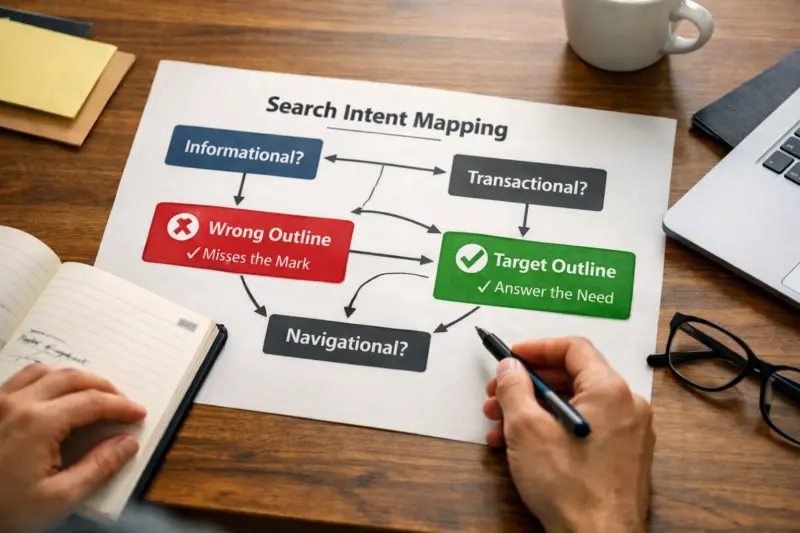
Start with intent, because SEO friendly content begins with answering the right problem. A page that covers the topic but misses the user’s goal can underperform even if it looks optimized. Your first job is to decide what kind of content the searcher wants, then structure your draft accordingly.
Use a repeatable workflow. First, collect target queries from search console, keyword research tools, and SERP observations. Next, cluster those queries by what they ask for: definitions, overviews, steps, comparisons, or troubleshooting. Then decide the content type. For example, “what is” often needs an overview, while “how do I” needs an actionable process. In addition, “best” queries usually want criteria and comparisons.
To infer intent, look at patterns in the SERP. Featured snippet formats, “People also ask” questions, and the types of pages that rank all signal what Google expects. If the top results are list-heavy, a list format can fit better than an essay. If results show step-by-step guides, a narrative without steps can feel mismatched. Therefore, you are not guessing in the dark. You are reading the market.
Be careful with intent mismatch, because it is one of the hardest failures to notice. A glossary might rank poorly for “how to” queries, even with strong writing. A vendor comparison might also fall flat when users really want setup basics. A nuance that many guides miss is hybrid intent. Some searches blend beginner questions with advanced needs, like “learn SEO for beginners with an audit checklist.” In those cases, separate sections clearly. Put the beginner steps first, then add optional depth later, and label it so readers do not get lost.
Your outline should also include “must-cover” entities. These are the concepts, tools, and steps readers expect to see for that intent. To ensure depth without filler, define what you will explain and what you will not. That boundary helps you cut fluff while still answering the full query.
Design a comprehensive structure that keeps readers oriented
A comprehensive structure helps readers find answers fast, and it helps search systems understand your page hierarchy. That means your headings should reflect real subtopics, not only your internal organization. When structure is clear, your content becomes easier to scan, and it reduces drop-offs.
Use a consistent pattern for each major section. First, state what the section covers in one clear sentence. Next, provide the key details readers need to apply it. Then add a short “so what” transition that connects to the next section. Meanwhile, keep paragraphs tight and focused so scanning stays easy on mobile. For example, a two-paragraph explanation can outperform a long block when each paragraph starts with a clear topic.
Topic coverage depth should feel complete, not bloated. Depth comes from entities, definitions, steps, examples, edge cases, and tradeoffs. Instead of adding random facts, include what a reader would search for next. If you explain a concept, add a quick scenario that shows when it applies. For instance, if you explain how to decide between guide and comparison content, include a mini example of each.
Internal linking is also part of structure, even though this site disables on-page links. You can still plan your future internal link targets conceptually. Think about which supporting articles or category pages would help a reader take the next step. Then write your copy so those topics are mentioned naturally. This avoids orphan sections where the reader cannot easily move forward.
Finally, handle “comprehensive versus overlong” with a simple rule. If removing a paragraph would prevent the reader from completing the task, keep it. If the paragraph only repeats what is already clear, merge it or remove it. Therefore, your final page stays comprehensive by necessity, not by length.
Use on-page relevance signals to support rankings without gimmicks
On-page relevance helps search systems confirm your page matches the query. It also helps readers decide quickly whether your page is for them. SEO friendly content uses on-page signals as reinforcement, not as tricks.
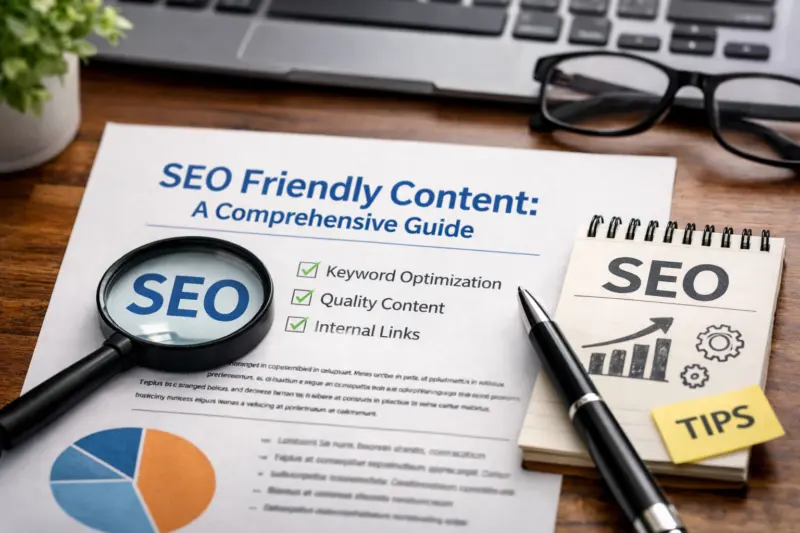
Start with title and introduction alignment. Your title should reflect the actual topic and the user’s main goal. In the introduction, confirm relevance in plain language. Then preview what the reader will learn. This reduces pogo-sticking because users know what they are getting before they scroll.
Next, write headings that mirror real subtopics. Strong headings tell both readers and systems what each section delivers. Also, ensure your first paragraph under each heading actually substantiates the heading’s promise. A common pitfall is a headline that sounds specific while the body stays generic. Therefore, your headings and content must match in scope and detail.
Semantic coverage also matters. Include key terms and entities users expect for that topic. You do not need to repeat every phrase from a keyword list. Instead, include the concepts that remove ambiguity. For example, if the topic is content structure, explain how to build depth with examples and what “coverage” means in practice. That makes your page easier to interpret than a shallow list of tactics.
Use keyword placement carefully as a supporting tactic. Place key phrases naturally in the title, introduction, and a couple of headings when it truly fits. Avoid repeating the same phrase in every paragraph. If your writing becomes repetitive, your readability drops. And readability affects engagement, which can indirectly influence outcomes.
Multimedia can help when it adds comprehension. Use diagrams for process flow, tables for comparisons, and screenshots when steps depend on interface details. Caption media so it supports the text goal. If a diagram is decorative, skip it.
Ensure technical readiness so your content can actually perform
Technical readiness ensures your page is crawlable, indexable, and usable. Even the best SEO friendly content can struggle if it cannot be accessed reliably. Therefore, you should treat technical checks as part of content quality, not an afterthought.
At a high level, focus on indexability and crawl accessibility. Make sure your page returns the correct status codes and is not blocked by robots rules. Also check for duplicate versions of the same content, because duplicates can confuse ranking signals. Canonical tags can help when duplicates are unavoidable, but they work best when your site architecture is consistent.
Usability affects engagement signals, too. Mobile readability is essential in 2026. Keep the layout stable so users do not bounce from layout shifts. Use accessible structure like proper heading order and sufficient contrast. When readers can comfortably consume the page, they are more likely to stay and act.
Structured data can help in specific cases, but it is not a universal requirement. For many informational guides, you can improve clarity through on-page structure alone. If you add schema, do it only when it matches your content type accurately. Misleading schema can harm trust and may cause validation issues.
Distribution readiness is another technical reality. If your page has no paths from relevant categories, it may not get discovered. Even without adding internal links , plan your site structure so the page belongs in a logical place. Also avoid creating near-duplicates that target the same intent. Overlapping pages can compete with each other and weaken your overall visibility.
Finally, confirm that your page loads quickly and renders correctly. While raw speed is not the whole story, poor performance increases abandonment. Therefore, review real-world user experience and fix the issues that visibly affect reading and interaction.
Recognize common failures that look optimized but miss the outcome
Many pages fail because they check formatting boxes but still do not satisfy search intent. SEO friendly content requires alignment, evidence, and clarity, not only a tidy layout. Learning the failure modes helps you avoid expensive revisions later.
One failure is keyword stuffing disguised as relevance. Repeating phrases can make the page harder to read, which undermines engagement. Another failure is writing for one query while the SERP expects multiple sub-answers. If a page answers only part of the question, users will look elsewhere. Therefore, completeness matters, but it must be purposeful.
Readability mistakes also hurt. If headings are vague, readers cannot find the section they need. If paragraphs are long and dense, scanning becomes painful. Meanwhile, if the page “answers around” the question, it creates frustration. The content may mention the topic, but it does not provide the steps or criteria the reader wants.
Another serious failure is credibility gaps. Unsupported claims, outdated sections, and missing sources make the page feel risky. For informational guides, evidence matters because users may apply your advice. When readers cannot trust details, they stop engaging and share less. Also, AI summary tools can become less confident when pages lack clear support for key points.
Duplicate or overlapping content can also suppress visibility. If you publish multiple pages that target the same intent, you split ranking opportunities. Instead of strengthening authority, the pages compete. As a result, each page can underperform even if each is decent on its own.
A deeper nuance is the “optimized but unmet” mode. Your on-page signals might look good, but the content still misses the real need. For example, you might explain terms yet skip the decision framework. Or you might list tools yet avoid a process. Therefore, always validate against what a reader is trying to accomplish.
Choose the right approach for building SEO friendly content
You should not write every page the same way. The best approach depends on your site goals, resources, and how competitive the topic is. Choosing the right method reduces rework and improves the chance your content earns rankings and citations.
One effective method is an intent-first long-form guide. This works well for broad topics where you need end-to-end coverage. The tradeoff is higher research and editing cost. However, a well-structured guide can become a reference page and earn ongoing visibility.
A second approach is a topic cluster with supporting pages. This fits sites that already have content and want to connect it logically. You create one stronger hub page, then add supporting articles that handle sub-questions. The tradeoff is that the cluster needs ongoing internal linking and maintenance to stay coherent over time. If your site cannot link internally, you must compensate with structure and clarity within each page.
A third approach is refreshing and expanding existing top performers. This is often best for established sites. Instead of starting from scratch, you identify why competitors rank higher. Then you improve depth, update facts, and clarify steps. The tradeoff is cannibalization risk if the refresh creates overlap with another similar page. You need to decide which page should own the primary intent.
A fourth method is modular content updates. This works for topics that change often. You keep core sections stable, then update modules like examples, tools, or best practices. The tradeoff is process overhead. You need a consistent system so modules remain aligned with headings and internal structure.
In practice, decision criteria matter. New sites benefit from intent-first guides, because you need an anchor page that proves expertise. Established sites often win with refresh cycles. Limited budgets favor modular updates, because you can improve without rewriting everything. Therefore, pick the method that matches your capacity and your competitive reality.
Build trust and depth with evidence, expertise, and a 2026 maintenance plan
Comprehensive content earns trust when it shows understanding and supports key claims. SEO friendly content also needs a maintenance plan so it stays accurate. In 2026, topics evolve, user questions change, and platform behavior shifts.
To make “comprehensive” real, include examples and counterpoints. If there are tradeoffs, explain them. If there are common limitations, say so. This helps your page feel honest and useful. Also define terms the first time you use them. That reduces confusion and makes your guide more accessible for newer readers.
Evidence should be responsible. Use original sources where possible, especially for data, definitions, and regulatory or policy statements. For general best practices, cite authoritative references from major organizations. For example, you can align with Google guidance via Search Engine Optimization (SEO) Starter Guide and validate indexing concepts using How Search Works for conceptual alignment.
For technical clarity around accessibility and layout, consider Web Content Accessibility Guidelines (WCAG) as a reference point. When you connect structure to accessibility, you improve usability and trust at the same time.
Next, implement a freshness strategy. Update when user expectations shift, when best practices drift, or when your own examples become outdated. For a guide, that often means refreshing screenshots, checking steps against current interface behavior, and expanding sections based on new search questions. Keep a simple review cadence, such as quarterly for high-change topics and semiannually for stable ones.
Finally, add QA steps before publishing. Factual checks prevent credibility loss. Internal link checks are not possible , but you can still ensure your content references the right concepts and does not leave readers stuck. Also review for consistency in terminology and ensure each section supports its heading promise. That is how you avoid the “looks optimized, misses intent” problem.
How do you know if your content is truly comprehensive enough
You know your content is comprehensive when it resolves the full user journey implied by the query. That means the reader can finish the task without searching for a second source. SEO friendly content should cover the “must answer” parts, plus the common follow-ups that appear in real SERPs.
Use SERP-informed criteria to validate coverage. If top results include definitions, steps, and examples, your page should include all three where they apply. Also review “People also ask” questions and section headings in ranking pages. You do not copy structure blindly, but you learn what users expect. Therefore, completeness is partly about matching user expectations, not just topic breadth.
Then test with a reader lens. Imagine a beginner landing on the page. If they understand what to do next, you are probably covering the basics. Now imagine a power reader landing next. If they find edge cases, tradeoffs, and deeper explanations, you are probably providing useful depth. This two-level approach helps when a single page must serve multiple experience levels.

A common mistake is confusing “long” with “complete.” Adding more paragraphs can still leave gaps if the missing pieces are the ones users actually searched for. Another mistake is placing the right content in the wrong order. If readers need steps first, putting them near the end can reduce usefulness. Also watch for thin sections under strong headings. If a heading sounds like a full process but the content gives only definitions, you will under-deliver.
Real-world scenario: you publish a guide about content structure. It includes definitions but no templates. The page may rank for basic curiosity queries. However, it may fail to capture readers who want a usable outline framework. When you add a reusable structure method and practical examples, the page becomes more complete for that intent.
How does search intent alignment show up in rankings and clicks
Intent alignment affects whether people click, stay, and return, which then influences performance. Even if you rank, you can lose visibility if your snippet and page content do not match what searchers expect. SEO Friendly Content aims to align the promise at the top with the actual help inside.
Start with the snippet promise. Your title and introduction shape what users think they will get. If the page delivers something different, users bounce. As a result, click-through can drop and engagement can suffer. Meanwhile, if you match intent well, you get better session quality and a stronger chance to earn repeat impressions.
Rankings are also tied to topical relevance. When your page consistently covers the intent, it becomes more likely to be selected for related queries. That selection improves over time if users respond well. Therefore, intent alignment is not only a one-time win. It is the foundation for broader query coverage.
A nuance that many overlook is how different intents can coexist. Some topics require both an overview and practical steps. If you only cover one, you might see partial gains. For example, you could rank for definition queries but fail for “how to” queries. You fix this by separating sections clearly and by signaling which part applies to beginners versus advanced readers.
Also consider “good for search” versus “good for the task.” A page can be semantically strong yet still not provide the decision criteria the reader needs. When you include criteria, examples, and tradeoffs, you improve task completion. That typically improves engagement and makes citations more likely.
How should you target multiple topics without confusing the page
Target multiple related topics by focusing on user outcomes, not by cramming every keyword into one page. A single page can cover adjacent subtopics, but it must keep a clear main goal. Otherwise, readers feel scattered, and search systems find mixed signals.
Start by choosing one primary intent and one primary question. Then add secondary sub-questions that naturally support that primary goal. For example, an informational guide can cover definitions, structure, and measurement, if those steps directly help the reader complete the task. However, if you start adding unrelated topics, the page stops being coherent.
Tradeoffs matter when you decide whether to consolidate or split. Consolidation can work when multiple queries share a single user journey. Splitting makes sense when different queries imply different tasks. In addition, watch for cannibalization. If you already have a page that answers a subtopic in depth, adding the same coverage here can compete for the same queries.
An edge case is when one query blends beginner and advanced needs. You can handle this by writing a beginner path first, then adding advanced sections that only appear later. Use clear headings so each reader type can self-select what they need. This keeps the page focused without forcing a single experience level.
Common mistake: targeting multiple intents but using one flat outline. If you do not separate sections, you create ambiguity. Another mistake is changing the promise mid-page. If the reader expects an overview and you pivot into deep implementation details, they may feel the page is not consistent. Therefore, keep the main goal stable and use sections to manage depth.
How long should SEO friendly content be to perform in 2026
Content length should follow the intent, not a fixed word count. SEO friendly content in 2026 is typically “long enough to be complete,” then trimmed for focus. If your page fully answers the query with clarity, it can perform even without maximum length.
To size a guide, start with what the SERP indicates. If top results are structured with multiple sections, you likely need multiple sections too. If they include step-by-step processes, your page must provide them, even if briefly. Therefore, length becomes a proxy for coverage. It should correlate with the amount of necessary explanation, examples, and decision-making.
You can validate length by checking whether every section earns its spot. Does each part add a new piece of help? Does it reduce a user question? If a paragraph only restates an earlier concept, cut it. If a section promises a tool or method but lacks the actual procedure, expand it or remove the promise.
Be careful with two extremes. Too short and you get thin coverage under headings. Too long and you get fatigue, which reduces readability and increases abandonment. Also note that modern searchers scan. If your page is long but scannable, you can still keep engagement high. However, if the structure is weak, long pages can feel like work.
Real-world scenario: you write a comprehensive guide for beginners, then add advanced material at the end. The page feels longer, but it serves different reader needs. When you clearly label advanced sections and keep the beginner path complete on its own, length supports intent rather than hurts it.
Which formatting choices improve SEO friendly content on-page
Formatting improves comprehension, which improves user outcomes and strengthens how search systems interpret your page. When readers can scan and understand quickly, they are more likely to stay and take action. Therefore, formatting is not cosmetic. It is part of content delivery.
Start with a scannable hierarchy. Use clear H2 sections for major subtopics, and H3 sections for specific sub-questions that naturally arise within them. Keep heading wording specific and aligned with what follows. Also avoid heading inflation, where headings become longer but less informative.
Then manage readability with short paragraphs and tight transitions. Use bullets sparingly, only when listing items improves clarity. Most importantly, avoid huge blocks of text. If you have multiple ideas, split them. Add short topic sentences at the start of paragraphs so readers can locate meaning fast.
In addition, consider tables when comparing options. Tables reduce cognitive load by showing contrasts in one place. However, do not force tables where paragraphs work better. Use diagrams or flow steps when a process needs visual ordering.
A common mistake is the mismatch between headings and content. If a heading suggests steps and the section gives theory only, readers feel misled. Another mistake is repeating the same structure without adding substance, which makes the page feel mechanical. Instead, vary section patterns based on what the user needs at that point.
Why your page may rank poorly even when it seems optimized
Poor rankings often come from mismatches that are not visible in your draft. Your page can look optimized, but still fail due to intent misalignment, distribution gaps, or overlap with existing pages. Therefore, diagnose systematically instead of guessing.
First, check whether your page matches the query intent. If your content answers a different question than the one implied by the search, you can lose even with good writing. Also review the SERP features. If results include lists, steps, or comparisons, ensure your page uses the same delivery style. A nuance here is that readers may want the answer quickly, so overly long sections can dilute focus.
Next, verify technical and accessibility basics. If the page is not being indexed reliably, rankings will stall. Even if indexing works, usability issues can reduce engagement, which affects performance signals. Therefore, test mobile rendering, heading order, and page layout stability.
Also consider overlap and cannibalization. If you have multiple pages that target similar intents, search engines may struggle to decide which page is best. In that case, each page can lose authority. Another common issue is thin distribution. If the page is not reachable from relevant site categories, it may not earn enough early traction.
Finally, look at measurement gaps. If you never track impressions, clicks, and engagement changes after publishing, you cannot learn what needs improvement. SEO Friendly Content is a system, so you must observe outcomes. Then you adjust based on what users did and what the SERP signals over time.
How to update an existing page without causing content overlap
Updating a page is good, but updating it incorrectly can create confusion for both users and search systems. The key is to clarify the page’s primary intent and prevent duplicate coverage from competing. SEO friendly content updates should either consolidate intent or differentiate it clearly.
First, identify what queries the page currently appears for and which ones it should own. Then compare your current content to what other pages on your site also cover. If two pages target the same intent with similar structure, you may cause cannibalization. Therefore, decide whether you will consolidate the best parts into one stronger page or differentiate one page into a distinct intent.
When refreshing, keep the core promise stable. Update outdated sections, improve examples, and expand where gaps remain. However, do not silently change the page into a different type of content. For example, turning a guide into a comparison page can break expectations if the SERP and your readers are aligned to guides.
Internal linking is part of overlap control, but internal links are disabled on this site. You can still plan the hierarchy so the updated page has a clear place in your content map. Also, remove or deprecate overlapping sections that belong elsewhere. If two pages must coexist, differentiate their role clearly in headings and intro paragraphs.
Edge case: two pages rank for different sub-intents. In that case, you may still update both. But ensure each page covers the sub-questions that belong to its own reader goal. Add “adjacent but not the same” guidance instead of duplicating entire sections.
How do you demonstrate credibility for informational content
Credibility grows when your content shows evidence, accuracy, and real understanding. SEO friendly content performs better when users trust it enough to act on it. Trust is also important for citations and AI-generated summaries.
To build credibility, include evidence when claims matter. Use original research or authoritative references for definitions, measurements, and procedural guidance. When you explain a process, show enough detail that a reader can follow it without guessing. Also add limitations where appropriate. If you say “always,” users will test you, and a failed edge case hurts trust.
Expertise signals can also be built through clarity. Define terms. Explain tradeoffs. Provide practical examples and common pitfalls. You do not need to fabricate credentials. Instead, show mastery by how accurately you describe decisions and consequences.
If your content includes recommendations, tie them to reasoning. Explain why a method works and what changes if it does not. This is a deeper trust signal than a simple list of tips. Meanwhile, keep your facts current, especially when the topic changes often.
Finally, avoid unsupported claims and vague certainty. When you cannot verify a detail, rewrite it as a general principle. A conservative statement with clear reasoning can feel more credible than an absolute claim without support.
How do you measure improved online visibility from SEO friendly content
You measure SEO friendly content with a loop of impressions, clicks, engagement, and conversions. Improved visibility is not just higher rankings. It is the full path from being seen to delivering value.
Start with performance data. Impressions show whether your content is appearing for relevant queries. Clicks and click-through rate show whether the snippet and title promise match user expectations. Therefore, a page can improve even if rankings do not jump immediately, especially when it first starts appearing in more queries.
Next, measure engagement quality. Track metrics like time on page, scroll depth, and return visits when available. These indicate whether the content actually helps. If engagement stays low, your page may not fully satisfy intent, even if it ranks.
Then connect to business outcomes. For informational content, conversions might be newsletter signups, downloads, or requests for help. Decide the primary KPI for each content type before you publish. Otherwise, you cannot tell whether performance is improving for the right reasons.
Timing matters too. Some improvements show up quickly, while others take weeks as search engines re-crawl and users interact. In 2026, competition and SERP changes also impact results. Therefore, evaluate after a stable window and use comparisons with similar pages.
Finally, keep a feedback loop. If certain queries drive impressions but not clicks, rewrite your title or introduction for better promise alignment. If clicks happen but engagement drops, revise structure and depth. If conversions are low, improve clarity and next steps.
How do you optimize SEO friendly content for mobile readers
Mobile optimization is about making your content easy to read and easy to act on. Since many users browse on small screens, your layout must support scanning. SEO friendly content on mobile should feel effortless, not dense.
First, prioritize readability. Use short paragraphs, clear headings, and enough line spacing. Keep font sizes comfortable and avoid tiny text. Also reduce intrusive elements that interrupt reading, since they harm engagement.
Next, ensure your content renders well. Check that headings appear in the right order and that line breaks look natural. Avoid layout shifts from late-loading elements. If readers experience unstable layouts, they leave quickly.
Also make your “next action” obvious. Even in informational guides, readers should see what to do after they learn. Add clear section transitions so the page feels like a guided path. Meanwhile, consider accessible design with high contrast and sufficient tap targets.
A common mistake is writing paragraphs that only work on desktop. Mobile readers scan differently. If your content has long sentences and dense sections, it will feel harder to consume. Therefore, rewrite complex lines into smaller ideas and keep each paragraph focused on one point.
Frequently Asked Questions About SEO Friendly Content: A Comprehensive Guide
What does “SEO friendly” content include beyond keywords?
SEO friendly content includes intent match, clear structure, and usefulness that satisfies the reader’s goal. It also includes readability signals like scannable headings and clean formatting. Finally, it includes discovery readiness, so the page can be crawled, indexed, and understood.
How do I know if my content is comprehensive enough for search?
Check whether the page covers the subtopics users expect for that specific intent. Use SERP patterns like featured snippets and “People also ask” questions to guide what you must include. Then test each section by asking whether removing it would leave the reader stuck.
Target multiple topics only if they support one primary reader outcome. If the related topics imply different tasks, separate them into different pages. This also helps prevent overlap where two pages compete for the same intent.
How long should an SEO friendly content guide be in 2026?
There is no fixed length requirement. A guide should be long enough to fully answer the intent, including steps, examples, and key decision points. Use SERP formats and the depth of top-ranking pages as a sizing reference.
What are the most common on-page formatting mistakes that hurt SEO friendly content?
Common issues include headings that do not match the content underneath and sections that are too thin. Another mistake is long paragraphs that make scanning difficult on mobile. Also avoid repetitive keyword-heavy phrasing that reduces clarity.
Why does my article rank poorly even though it seems optimized?
Your article may not match the intent that the SERP expects, even if it has the right topic. It may also have distribution issues, like weak site architecture or duplication with another page. Finally, missing measurement can hide the real problem.
How can I update an existing page without causing content cannibalization?
Clarify which page owns the primary intent, then refresh content in a way that supports that role. Consolidate overlapping sections when two pages target the same questions. If you keep both, differentiate their scope clearly in headings and introductory promises.
What should I include to build credibility for informational guides?
Include evidence when claims need support, such as definitions, data points, or procedural references. Add examples and explain tradeoffs so readers see your reasoning. Also keep facts current and avoid unsupported certainty.
How do I measure “improved online visibility” from SEO friendly content?
Track impressions and clicks to confirm your page is being shown and chosen. Then measure engagement quality and your primary conversion actions, like signups or downloads. Evaluate over a stable period so you can tell what truly improved.
How can I optimize SEO friendly content for readers on mobile?
Use short paragraphs, clear headings, and layouts that are easy to scan. Ensure text is readable and avoid intrusive elements that interrupt the experience. Also test mobile rendering so your content appears correctly and stays stable while loading.
Conclusion: Build SEO friendly content as a repeatable system
SEO Friendly Content is not a single tactic. It is a system that starts with intent mapping, then moves into a comprehensive structure and clear on-page relevance. From there, you ensure technical and distribution readiness, and you keep improving through measurement loops.
If you want a next step, use this guide to create a checklist for your next article. Audit one existing page against intent coverage, structure clarity, on-page relevance, and technical readiness. Then outline a new piece using the decision path: intent → structure → depth → on-page signals → technical readiness → evaluation.
In 2026, the winners keep iterating. Track impressions, clicks, engagement, and conversions. Refresh content when user questions change or details become outdated. Expand coverage only where readers still have unanswered needs, and cut what does not improve the task for the reader.
Updated September 2026