
This guide covers Choosing the Right WordPress Theme in practical terms—what to prioritize first, common pitfalls, and how to apply the ideas step by step.
What Factors Should You Consider When Choosing a WordPress Theme?
When choosing a WordPress theme, consider factors like responsiveness, customization options, and SEO-friendliness. These elements are crucial because they directly impact how your site performs and looks across devices and search engines. A theme must align with your website goals to efficiently achieve your objectives and leverage the power of WordPress website design.
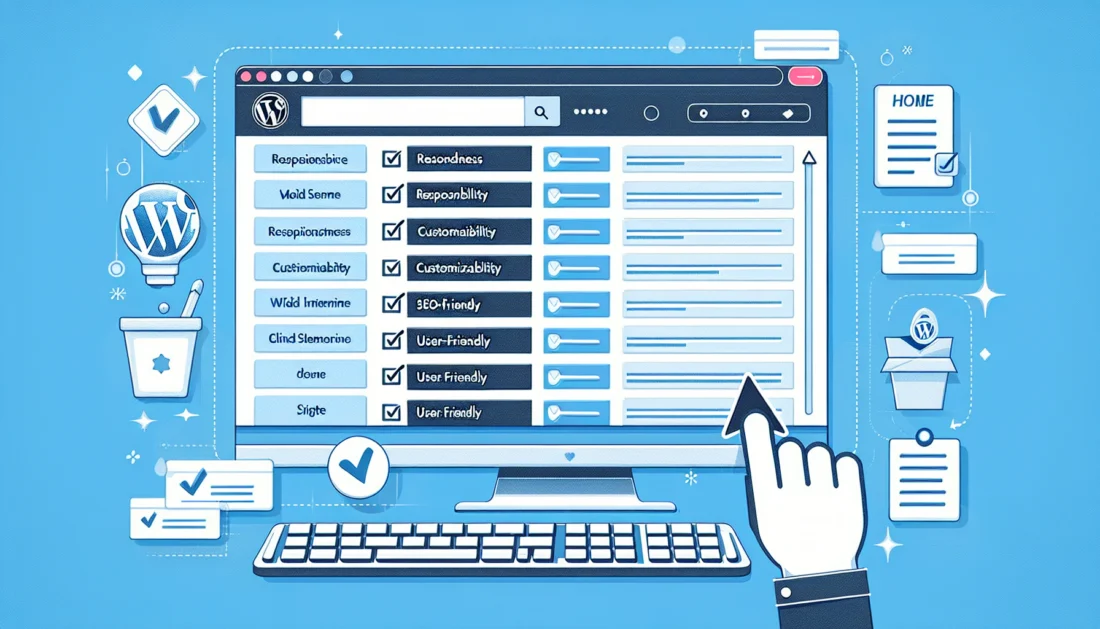
Responsive design ensures that your site looks good on all devices, from desktops to smartphones. Customization options allow you to tailor the theme to your brand’s specific needs, while SEO-friendly themes help improve your site’s visibility in search engines. Additionally, compatibility with essential plugins like WooCommerce or Yoast SEO is vital for functionality. Successful case studies, such as those by companies like TechCrunch, demonstrate the impact of well-chosen themes on user engagement and conversion rates.
A common misconception is that free themes are inherently inferior to premium ones. While premium themes often offer more features and regular updates, some free themes, like Astra, provide remarkable performance and support. The tradeoff often lies in balancing aesthetics with functionality—choosing a visually appealing theme that doesn’t sacrifice performance.
Edge cases, such as niche websites with very specific requirements, might find limited theme options, making customization even more critical.
Tip: Always check theme reviews and ratings before making a decision to ensure it meets your expectations and technical needs.
How Do You Evaluate the Performance of a WordPress Theme?
To evaluate a WordPress theme’s performance, it’s essential to explore how to master user experience on WordPress by using tools like Google PageSpeed Insights to measure load times and overall speed. Performance is crucial because it affects user experience and SEO rankings, with faster sites typically ranking higher on search engines.

The theme’s speed is determined by its code efficiency and how it handles data. A theme with excessive features can slow down your site, so it’s essential to balance between functionality and speed. For instance, a theme like GeneratePress is known for its lightweight, fast-loading capabilities, making it a popular choice among developers.
However, the tradeoff might come in the form of limited built-in features compared to more feature-rich themes. Many users mistakenly focus solely on aesthetics without considering how a theme’s performance might affect their site’s success. Remember, a theme that looks great but loads slowly can drive visitors away.
Tip: Regularly test your site’s speed and optimize images and scripts to maintain optimal performance.
What Are Common Mistakes to Avoid When Selecting a WordPress Theme?
Common mistakes when selecting a WordPress theme include ignoring updates and support, which can lead to security vulnerabilities and poor site performance. For guidance on choosing the right WordPress theme for SEO, ensure your theme enhances your site’s visibility rather than hindering it.
Looking to enhance your WordPress theme selection?
Let our experienced team at eDesignerz help you choose a theme that boosts your site's performance, functionality, and SEO. Schedule your free consultation today to discuss your project!
Updates are critical because they often address security flaws and improve functionality. Neglecting them can result in compatibility issues with plugins and newer versions of WordPress. Real-life examples, such as outdated themes causing severe SEO penalties, highlight the importance of continuous maintenance.
Another pitfall is choosing themes with hidden costs, like necessary addons or plugins that aren’t initially evident. This can lead to unexpected expenses and licensing issues over time. Balancing short-term visual appeal with long-term sustainability is essential for a successful website.
Tip: Always review the theme’s update history and support availability to ensure long-term viability.
How Does Choosing the Right WordPress Theme Impact SEO?
choosing the right wordpress theme impacts SEO by providing features like schema markup support and clean code, which help improve search rankings. A theme affects how search engines understand your site’s structure, influencing visibility.
Themes with SEO-friendly features, such as fast loading times and mobile responsiveness, contribute to better rankings. For example, using SEO-optimized themes like Schema can enhance your site’s search engine performance. The right theme should support SEO plugins to further boost your site’s optimization.
While some themes prioritize design over SEO, this can lead to challenges in achieving high search engine rankings. A common misconception is that a theme’s design alone doesn’t affect SEO—however, poor coding can lead to slow load times, negatively impacting rankings.
Tip: Ensure your chosen theme has built-in SEO features and is compatible with popular SEO plugins to maximize your site’s potential.
How Can You Customize a WordPress Theme to Fit Your Brand?
Customizing a WordPress theme to fit your brand can be achieved using tools and plugins like Elementor and WPBakery. For effective customization, explore the best SEO strategies for WordPress themes, which enable easy adjustments to design elements without altering core code.
Customization matters because it allows you to create a unique site that reflects your brand identity. Using child themes is a safe way to customize without affecting the original theme files, ensuring updates don’t overwrite your changes. A practical step-by-step guide can help you make modifications that align with your branding strategy.
However, excessive customization can lead to challenges during theme updates, potentially breaking your site. Many users underestimate the limits of customization, often leading to complex issues during upgrades.
Tip: Always test customizations on a staging site to prevent issues on your live website.
What Are the Best WordPress Themes for Different Industries in 2026?
In 2026, the best WordPress themes for different industries include those tailored to each industry’s specific needs, such as Divi for creative portfolios and Flatsome for e-commerce sites.
Industry-specific features, like portfolio showcases for creatives or product grids for e-commerce, make these themes highly effective. Case studies of industry leaders, like a fashion brand leveraging Astra’s customization for a unique shopping experience, demonstrate successful theme implementations.
The tradeoff between versatility and specialization is evident—while some themes offer broad functionality, others are more specialized, catering to specific industries. Niche industries might face limitations in available theme options, necessitating custom development.
Tip: Consider future scalability when selecting a theme to accommodate potential growth in your industry.
How to Choose a WordPress Theme for E-commerce Sites?
Choosing a WordPress theme for e-commerce sites involves selecting one with features like WooCommerce integration, product showcase capabilities, and secure payment options.
Choose the Right Themefor Your Success
Selecting the perfect WordPress theme is crucial for your site's performance and growth. Let eDesignerz design a website that not only looks great but also converts visitors into customers.
E-commerce themes are crucial because they directly impact the shopping experience. Themes like Storefront, optimized for WooCommerce, provide seamless integration and a smooth user experience. The balance between design and functionality is essential to ensure both aesthetics and performance.
A common misconception is that e-commerce themes inherently guarantee security. However, security must be actively managed through regular updates and secure hosting practices.
Tip: Prioritize themes with high ratings and positive reviews specifically for e-commerce to ensure reliability and performance.
What Are the Pros and Cons of Free vs. Premium WordPress Themes?
The main difference between free and premium WordPress themes lies in features, support, and updates. Premium themes often offer advanced features and dedicated support, whereas free themes might lack these benefits.
Support and regular updates are critical for security and functionality, making premium themes a worthwhile investment for many. Case studies of sites using premium themes often show enhanced performance and user satisfaction. However, free themes can still be effective, especially for small projects or startups with limited budgets.
The tradeoff involves cost versus value. While premium themes require an upfront investment, they often provide a higher return through enhanced site capabilities. Many users mistakenly believe premium themes will automatically boost their ROI without considering proper setup and optimization.
Tip: Evaluate your needs and budget to determine whether a free or premium theme is the best fit for your project.
How to Keep Your WordPress Theme Updated and Secure?
Regularly updating your WordPress theme is crucial for maintaining security and functionality. Updates often address vulnerabilities and improve compatibility with plugins and WordPress itself.
Security vulnerabilities can arise from outdated themes, making regular updates essential. A step-by-step guide to updating themes ensures you’re following best practices and avoiding potential issues. While automatic updates provide convenience, manual checks can ensure everything works correctly post-update.
Neglecting updates can lead to security breaches, as shown in cases where outdated themes have been exploited by hackers. Users often underestimate the importance of updates, leading to compromised sites.
Tip: Set reminders for regular theme updates and monitor your site for any issues post-update.
What Are Advanced Strategies for Selecting a WordPress Theme in 2026?
Advanced strategies for selecting a WordPress theme in 2026 include leveraging AI and machine learning for personalized recommendations and using data analytics to assess theme performance.
AI can provide insights into user behavior, suggesting themes that align with your audience’s preferences. Data analytics can help assess how different themes impact performance metrics like bounce rates and conversions. For instance, using machine learning algorithms can optimize theme selection based on historical data and trends.
However, innovation must be balanced with reliability. Cutting-edge themes might offer exciting features but could lack the stability of well-established alternatives. Users often overlook the importance of future-proofing, focusing on immediate benefits instead.
Tip: Keep abreast of emerging trends and technologies to ensure your theme choice remains relevant and effective.
Frequently Asked Questions About Choosing the Right WordPress Theme
What is the easiest way to change a WordPress theme?
The easiest way to change a WordPress theme is through the WordPress dashboard under “Appearance” > “Themes.” Ensure you back up your site and test changes on a staging environment for a smooth transition.
How can I tell if a WordPress theme is mobile-friendly?
Use tools like Google’s Mobile-Friendly Test to evaluate a theme’s responsiveness. This ensures your site provides a good user experience on mobile devices.
What are the top WordPress themes for beginners?
Beginner-friendly themes like Astra and OceanWP offer intuitive interfaces and easy customization options, making them ideal for new users.
Can I use multiple themes on one WordPress site?
Using multiple themes on one WordPress site isn’t directly possible, but plugins like Theme Switcha allow you to test different themes in a safe manner.
How do I find out which theme a website is using?
Tools like WPThemeDetector can help identify which WordPress theme a site is using, providing insights into its design and functionality.
What are the best free WordPress themes in 2026?
In 2026, top-rated free themes include Astra, Neve, and Hestia, known for their flexibility and performance.
How important is theme support and documentation?
Theme support and documentation are vital for troubleshooting issues and maximizing your theme’s potential, ensuring long-term usability.
What should I do if my theme conflicts with a plugin?
If your theme conflicts with a plugin, try deactivating plugins to identify the issue and consult theme support for a resolution.
How do I speed up a WordPress theme?
Optimize your theme’s performance by compressing images, minimizing CSS/JS files, and using caching plugins for faster load times.
Are multipurpose themes a good choice?
Multipurpose themes offer versatility and are suitable for various projects, but they may include unnecessary features that can slow down your site.
FIND THE PERFECT WORDPRESS THEME.
Make sure your website stands out and drives results. Our professional website design and WordPress development services ensure you choose and customize a theme that aligns with your brand, boosts performance, and enhances SEO.