
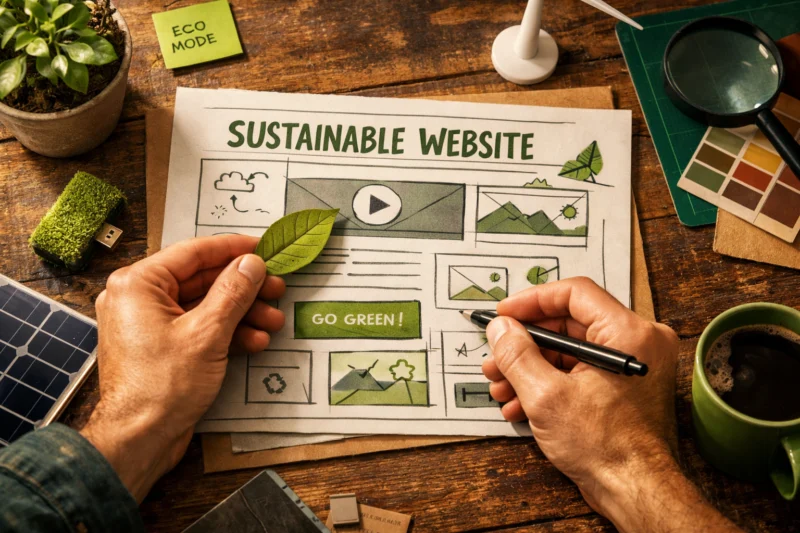
Sustainable Web Design means building websites that use less energy, load faster, and waste fewer resources while still meeting usability and business goals. In practice, sustainable web design connects efficiency to speed, accessibility, and better user experience, which matters even more in 2026 as heavier pages strain mobile devices, slow networks, and search performance at the same time.
This is not just a visual style choice or a single plugin fix. It is a design-and-development approach that changes how teams plan content, choose assets, structure templates, and deliver code so each page does more with less. When websites become leaner, they usually become easier to use, easier to crawl, and less costly to operate.
What sustainable web design actually means in practice
Sustainable web design is a way of making websites efficient from the start, not a one-time optimization step added after launch. It means reducing unnecessary data transfer, limiting processing work on devices and servers, and delivering only what the page truly needs for the user’s task.
That link between lower data transfer, faster rendering, and reduced energy use matters because every request has a cost. Images, scripts, fonts, third-party embeds, and heavy animations all create more work for browsers, networks, and servers. When those costs pile up across millions of visits, a site can become wasteful even if it looks polished and functions correctly.
Many teams confuse sustainability with minimalism, but they are not the same thing. A site can be visually rich, branded, and highly interactive while still being efficient if the design system, content model, and front-end architecture are disciplined. In other words, sustainability is about intent and engineering choices, not about stripping away everything that makes a site useful or memorable. This is why a well-executed content-first website strategy often performs better than a purely aesthetic redesign.
The deeper point is that sustainability is not a single tool, theme, or plugin. A fast page with bloated scripts is not truly efficient, and a sparse page with poor usability is not a good outcome either. Sustainable design is the balance of utility, performance, and restraint, which is also where accessible design principles and SEO-focused web design often overlap in practical ways.
Why website sustainability matters for users, search performance, and business outcomes
Website sustainability matters because lighter pages are easier to load, easier to navigate, and easier to trust. Users on low-bandwidth connections, older phones, or data-limited plans feel the difference first, because each extra megabyte and script delay affects the experience in a visible way.
That efficiency also affects perceived performance. A page that becomes usable quickly tends to reduce frustration, improve engagement, and support task completion. This is why sustainable choices and speed optimization basics often belong in the same conversation: when a site wastes less, it usually feels faster even when the visual design stays sophisticated.

The accessibility connection is equally important. People using constrained devices or assistive setups often benefit from lighter code and cleaner page structures. Sustainable choices can enhance the advantages of adaptable design, as a well-constructed page that adjusts seamlessly across screens typically avoids unnecessary assets and awkward layout shifts. For teams focused on inclusive design principles, building for clarity and control often leads to improved outcomes and can highlight the importance of responsive website design in creating an effective online presence.
Search performance gains are usually indirect but meaningful. Search engines reward pages that load efficiently, support good Core Web Vitals, and keep visitors engaged. Smaller payloads can improve crawl efficiency too, especially on large sites with many templates. The biggest mistake is expecting one dramatic metric jump. In reality, sustainability tends to create compounding gains across user satisfaction, crawl quality, and business conversion rather than a single dramatic win. These are also the kinds of outcomes supported by guidance from Google Search Central and Web.dev when teams treat performance as part of design and SEO alignment.
How to build a more sustainable website: the decision path that actually works
The most effective way to build a more sustainable website is to start with an audit, then remove waste before you optimize anything else. First measure page weight, request count, render-blocking assets, and the content priorities on the pages that matter most to users and revenue.
DESIGN FOR THE FUTURE WITH EFFICIENCY IN MIND
Transform your website into a fast, eco-friendly machine that attracts and retains customers with professional design and development services tailored for sustainability.
REQUEST A FREE CONSULTATIONThat order matters because not every problem deserves the same fix. If a page contains large images, multiple trackers, and unused libraries, the fastest gains usually come from deleting or consolidating those assets before refining compression settings. Sustainable work is about prioritization, not trying to optimize every byte equally. On high-traffic pages, even a small reduction can have a larger cumulative effect than a much larger improvement on a rarely visited template.
Decision criteria should be simple enough for the whole team to use. Keep an asset if it clearly supports a task or differentiates the brand. Compress it if it is useful but oversized. Lazy-load it if it is needed only after initial rendering. Replace it if a lighter format can achieve the same result. Remove it if the user would not miss it. This is where teams benefit from tying sustainable thinking to design and SEO alignment, because every unnecessary element can create both performance drag and content friction.
A common mistake is optimizing the homepage and calling the site improved. The better approach is to focus on the heaviest templates, the highest-traffic pages, and the paths that users actually follow. In many cases, the checkout flow, blog article template, or product detail page matters far more than the homepage. That is also where avoidable design mistakes usually show up most clearly: too many scripts, too many content blocks, and too much visual noise.
Sustainable Website Design approaches: what to choose and when
The right approach depends on the site’s content model, traffic patterns, and interactive needs. A content-first approach works best when the page exists to answer questions, support decisions, or educate users. A performance-first approach works best when speed and lean delivery are the primary competitive advantage. A component-driven approach works best when teams need consistency across many templates while still controlling weight and behavior.
Static or mostly static delivery makes the most sense for pages that change infrequently, such as editorial content, landing pages, documentation, and many marketing pages. Dynamic personalization is justified when the user truly benefits from it, such as account-based dashboards, localized experiences, or commerce environments where inventory and pricing must update in real time. The key is not to default to complexity where it is unnecessary.
There is also a tradeoff between richer visual design and leaner implementation. A visually rich site is not automatically wasteful if motion, imagery, typography, and interaction are all engineered efficiently. However, if a brand system relies on heavy video backgrounds, oversized libraries, and multiple animation frameworks, the cost can climb quickly. The practical question is whether the design outcome can be achieved with fewer bytes and less runtime work.
Approach | Best for | Strengths | Tradeoffs
| Approach | Best for | Strengths | Tradeoffs |
|---|---|---|---|
| Content-first | Editorial, educational, lead-gen sites | Clear journeys, low redundancy, efficient templates | Needs strong editorial governance |
| Performance-first | Mobile-first brands, high-volume pages | Fast delivery, lower energy use, better UX under constraint | Can feel restrictive if design ambition is unmanaged |
| Component-driven | Large teams, multi-page systems | Consistency, reusable patterns, easier governance | Components can become bloated if not controlled |
| Hybrid | Most modern businesses | Balances dynamic needs with lightweight pages | Requires careful architecture decisions |
Hybrid sites are the reality for many organizations. A homepage may need dynamic personalization, but most articles, help pages, and standard landing pages can remain lightweight. That balance is often the smartest route because it avoids making the entire experience pay for the few sections that actually need advanced functionality. Teams that understand responsiveness, modular design, and speed optimization basics can preserve flexibility without turning every page into a heavy application.
Common sustainable web design mistakes that make sites heavier, not greener
The biggest sustainability mistakes usually come from defaults, not malicious choices. Oversized images, autoplay media, and unnecessary animations often get added because they are easy to justify visually, even when they add substantial page weight and runtime cost.
Another common problem is script accumulation. Teams add analytics, heatmaps, chat widgets, social embeds, consent tools, and marketing tags one by one, then wonder why the site becomes sluggish. Each individual tool may seem small, but together they create hidden work on every page. This is especially true when small conveniences like chat widgets, trackers, and multiple font files ship sitewide even though only a minority of visitors need them.
Green hosting and carbon offsets can be useful, but they are not substitutes for front-end efficiency. A site that ships excessive bytes still consumes unnecessary resources no matter where it is hosted. The more responsible approach is to treat hosting as one part of the picture and content, scripts, and delivery as the other major part. That is why avoidable design mistakes should be reviewed at the template level, not only at the infrastructure level.
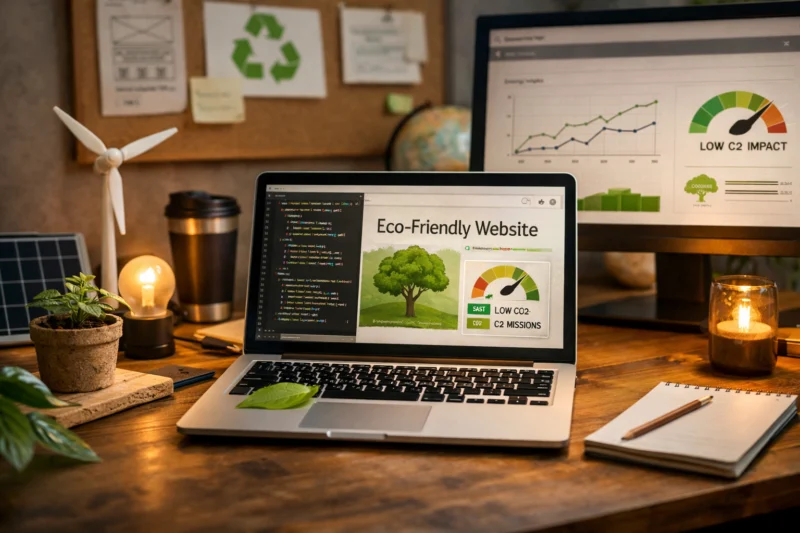
The hidden cost most guides miss is repetition. A small asset added to one page is not always a small cost when it appears on every page. A second font family, an embedded map, or a motion library may seem harmless until it is multiplied across every session and every template. Sustainable improvements often begin with eliminating this kind of silent duplication rather than chasing more exotic optimizations.
Core techniques for reducing website energy use without hurting UX
The most reliable techniques are the ones that reduce work without reducing usefulness. Compress and serve images in modern formats, size them correctly for each context, and avoid shipping a desktop-quality asset to a mobile screen when a smaller version will do the job.
Code reduction is the next major lever. Prune CSS and JavaScript, split modules so pages load only what they need, and remove dependencies that no longer justify their cost. The goal is not to make the codebase tiny for its own sake, but to reduce parse, transfer, and execution time. On many sites, this is where the biggest sustainability gains come from because scripts often create more delay than visual assets.
Caching and delivery decisions matter too. Good caching helps repeat visits and crawl activity require less work. Faster server responses reduce idle time, and efficient CDN delivery reduces the distance data has to travel. These changes are especially valuable on content-heavy sites and e-commerce stores where templates repeat across thousands of pages.
One important nuance is that the best technique depends on page type. A news article, a product page, and a web app dashboard have different constraints, so a universal checklist is not enough. For example, optimized image delivery may be the top priority on a portfolio page, while reducing JavaScript execution may matter more on an interactive tool. The best teams pair measurement with page-specific decisions instead of applying the same rules everywhere.
Design and content choices that influence sustainability more than most teams realize
Information architecture has a bigger sustainability impact than many teams expect. When users can find what they need quickly, the site needs fewer page loads, fewer detours, and fewer redundant interactions. That makes navigation clarity a performance issue as well as a content issue.
Reducing interface complexity also helps. If a site depends on layered menus, nested accordions, popovers, and modal-heavy flows, users often do more work to complete simple tasks. Simplifying navigation and layout can lower cognitive load while reducing the amount of code and markup needed to support those interactions. This is where trust-building web elements matter too, because a clean, clear interface often communicates credibility without requiring extra visual decoration.
Content strategy can lower technical weight in a direct way. If pages answer questions efficiently, teams do not need to create duplicate pages, redundant banners, or multiple modal variants for the same message. Good writing reduces the need for extra UI scaffolding. That is why a strong content-first website strategy often pairs naturally with sustainable goals: better content can reduce page count, asset duplication, and the temptation to add unnecessary features.
SUSTAINABLE WEB DESIGN. FAST & GREEN.
Enhance user experience and boost your business with energy-efficient, high-performance websites. Our design solutions focus on sustainability while driving conversions and engaging visitors effectively.
REQUEST A FREE CONSULTATIONThis is also where internal collaboration matters. Editorial, design, and development teams should agree on when a page needs extra components and when a direct answer is enough. If the structure is already doing the job, adding more layers usually adds cost without adding value. In practice, content clarity often does more for sustainability than another round of micro-animations or decorative flourishes.
Technical foundations: hosting, architecture, and delivery decisions
Hosting, architecture, and delivery shape sustainability because they determine how much work happens, where it happens, and how often it repeats. Efficient hosting reduces wasted server resources, while CDN use and edge delivery shorten the distance between the server and the user, lowering latency and often improving reliability.
Static generation is often efficient for content that does not need real-time updates, but it is not automatically the greenest choice in every case. Server-side rendering can be better for some experiences if it reduces client-side processing and produces usable content faster. Client-heavy apps can make sense when interactivity is central, but they often require much more script execution, which increases the load on devices.
Caching strategy is another key lever. A well-designed cache reduces repeated computation, lowers the burden on origin servers, and helps both visitors and bots get content faster. Asset bundling should be handled carefully because bundling too much can create large, slow files, while bundling too little can create excessive requests. Database and query efficiency also matter because a page can be lightweight in the browser but still expensive to generate behind the scenes.
The deepest mistake here is assuming the most static architecture is always best. Sometimes a slightly dynamic system with aggressive caching and efficient delivery is more sustainable than a rigid setup that causes operational friction, repeated manual work, or duplicated content management. The best architecture is the one that minimizes total waste across the whole delivery chain, not just the one with the fewest moving parts.
Advanced considerations most sustainable web design guides get wrong
One common oversimplification is the idea that the goal is to make a website as light as possible, even if it hurts brand expression. That is not the real objective. A brand may need distinctive imagery, motion, or rich storytelling, and those elements can be justified when they clearly support trust, comprehension, or conversion. The challenge is to implement them efficiently.

Accessibility, maintainability, and sustainability often reinforce one another, but not automatically. A clean structure can make a site easier for assistive technologies and easier for developers to maintain, yet a site can still be poorly accessible if color contrast, semantics, or keyboard support are neglected. Likewise, a lightweight site can still be hard to maintain if it lacks a coherent system. Sustainable web design should support accessible design principles, not assume them.
Measurement also has limits. Carbon estimates, lab tests, and proxy metrics are useful, but they are not exact representations of real-world impact. That is why teams should avoid overclaiming environmental benefits from a single report. Better practice is to combine page weight, field performance, and usage data to understand the actual effect of changes.
There are also cases where a site should intentionally accept more cost for essential functionality. A medical portal, financial app, or interactive configurator may require more processing to deliver safety, compliance, or user value. In those situations, the responsible choice is to justify the added cost, keep it scoped to the features that need it, and make sure the rest of the site stays efficient. That is where sustainability becomes a design governance decision rather than a purity test.
How to measure whether a website is becoming more sustainable
You measure sustainable progress by looking at both resource use and user outcomes. The basic metrics are page weight, number of requests, render timings, third-party usage, and how much work the browser has to do before the page becomes usable.
Real-user data is more reliable than synthetic tests alone because it reflects actual devices, network conditions, and browsing behavior. Lab tests are still useful for comparison, but they can hide problems that appear only on slower phones or busy connections. A sustainable site should improve in the conditions people actually use, not just in a controlled test environment.
Template-level comparison is especially important. The homepage may look good while article pages, product pages, or checkout pages remain heavy. Track changes by template type and traffic volume so you understand where improvements matter most. A small gain on a high-traffic page can be more valuable than a large gain on a rarely visited page.
The best measurement framework does not stop at performance numbers. It also checks whether users still complete tasks, whether engagement stays healthy, and whether the experience remains trustworthy and clear. If a change reduces bytes but hurts comprehension, it is not a good sustainability outcome. The goal is lower resource use with preserved or improved task completion, which is where strong SEO-focused web design and thoughtful content work often pay off together.
Frequently Asked Questions About Sustainable Web Design
What is sustainable web design?
Sustainable web design is the practice of building websites that use fewer resources while still delivering a good user experience. It focuses on lighter pages, efficient code, and purposeful content rather than unnecessary bulk.
How does sustainable web design improve SEO?
It can improve SEO by supporting faster load times, better Core Web Vitals, and stronger user engagement. Cleaner delivery also helps search engines crawl pages more efficiently, especially on large sites with many templates.
Is a minimal website always more sustainable?
No. Minimalism can reduce waste, but sustainability depends on implementation, content needs, and asset weight. A visually simple site can still be inefficient if it ships too much JavaScript or duplicates resources across pages.
What makes a website energy efficient?
A website becomes more energy efficient when it uses lightweight code, optimized media, smart caching, and fewer unnecessary requests. Efficient hosting and delivery help too, but front-end decisions usually have the biggest day-to-day effect.
Does sustainable web design mean using fewer images?
Not necessarily. Images are often essential for clarity, trust, and conversion, but they should be sized correctly and delivered in modern formats. The goal is not to remove visuals; it is to remove waste.
How can I make my website greener without redesigning everything?
Start with high-impact fixes like image compression, script cleanup, caching improvements, and removing unused third-party tools. Template-level changes usually deliver faster results than a full redesign.
What is the biggest mistake in sustainable web design?
The biggest mistake is adding scripts, media, and widgets without measuring the cost. Another common error is assuming that a polished look automatically means quality, when the site may actually be slow and inefficient.
Can a website be both fast and visually rich?
Yes. Strong design systems, efficient media, and disciplined interaction design can support both. The key is to make every visual decision earn its cost.
How do I know if my site is sustainable enough?
There is no perfect threshold, but you should look for steady reductions in page weight, third-party overhead, and unnecessary requests while preserving user task completion. If users can complete key actions quickly across devices, the site is moving in the right direction.
What are the best long-tail actions to improve sustainable website design for mobile users?
Focus on smaller assets, simpler layouts, fewer scripts, and faster delivery on constrained networks. Mobile users benefit most when pages are stripped of nonessential work and core content appears quickly.
Is your website sustainable and fast enough?
With our expertise in sustainable web design, we can help you create a site that reduces waste and boosts performance. Let's discuss how to make your website an efficient powerhouse that attracts more visitors and converts them into customers.
Sustainable web design is ultimately about reducing waste, improving speed, and making better technical and content decisions across the whole site. The most effective teams measure first, remove unnecessary weight, optimize critical assets, and choose architecture intentionally rather than by default.
If you want the biggest gains, start with the heaviest templates, identify the top resource drains, and prioritize fixes by user impact and business value. Sustainability is not a one-time redesign checkbox; it is an ongoing practice that gets better when performance, accessibility, and content strategy are treated as part of the same system.
Updated April 2026