

This article focuses on AI & Business Automation Development Solutions; where relevant we also address AI & Business Automation Development without making speed or the keyword phrase the sole subject of the piece.
AI & Business Automation Development Solutions help businesses turn AI capabilities into working features inside real workflows, not disconnected pilots. With proper development and integration, teams reduce manual work, cut errors, and speed up decisions using measurable, controllable automation. Many vendors describe this as “AI & Business Automation Development,” and that phrasing usually means design, build, and deployment across your systems and data. In practice, you should expect a lifecycle: discovery → design → integration → build → deploy → monitor → improve. For 2026 implementations, strong evaluation rigor and governance matter as much as model quality, so your operations stay stable while automation scales.
Map business workflows to an AI automation roadmap teams can execute
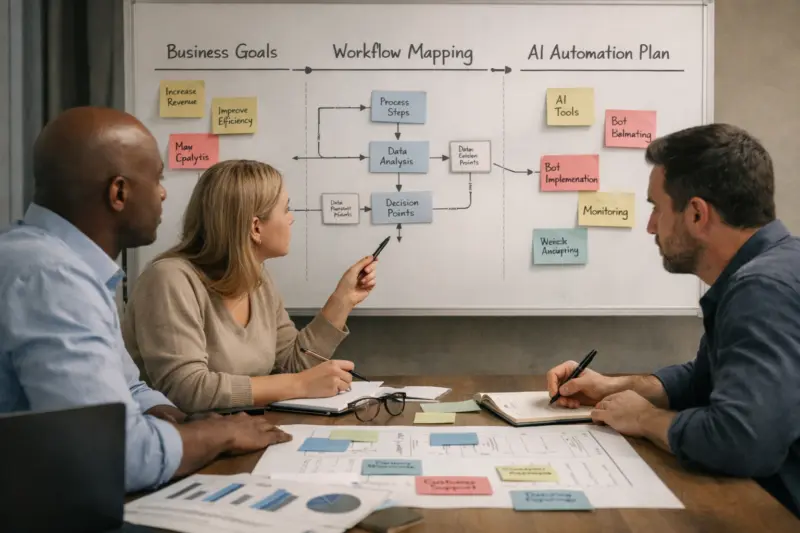
AI & Business Automation Development Solutions should start with business outcomes, then map those outcomes to specific workflows. If you begin with a model demo, you often end up automating the wrong step or underestimating integration work. A better approach picks 3–5 high-impact processes where automation reduces rework, delays, or inconsistent handling.
Teams usually separate “automation scope” from “AI scope” during roadmap design. Automation scope covers deterministic steps like routing, updating records, and triggering approvals. AI scope covers probabilistic decisions like classifying a ticket, extracting invoice fields, or summarizing a case for a human to review. This split matters because testing and control differ between rules and models. It also clarifies where humans in the loop are required to protect quality and brand trust.
You then prioritize using a simple decision framework: impact versus effort, data readiness, integration complexity, risk level, and time to value. For example, invoice processing can have high impact if data exists in consistent document formats. Lead-to-cash may rank higher when CRM data is stable and finance expects faster handoffs. The roadmap should also define evaluation gates so teams do not confuse a proof-of-logic with production-grade reliability.
Pilot automation proves your logic and interfaces with real inputs. Production-grade automation then adds reliability and observability, such as logging, alerting, and rollback plans. A common misconception is that a working prototype guarantees operational success. In real deployments, distribution shifts, messy edge cases, and partial failures often appear only after go-live.
Real-world scenarios also highlight why gating helps. A support triage pilot might classify well on last month’s tickets but degrade on new product releases. An internal approvals workflow might “work” in a test environment but fail when systems run in parallel. You avoid these outcomes by running a limited rollout with an operational readiness review that covers SLAs, ownership, and escalation paths.
Design integrations that connect AI to your systems without creating silos
AI & Business Automation Development Solutions deliver value only when they integrate cleanly with the systems your business already runs. Integration design determines whether automation feels native or fragile. If you build a new data island, your AI pipeline will drift from the source of truth and decisions will lose credibility.
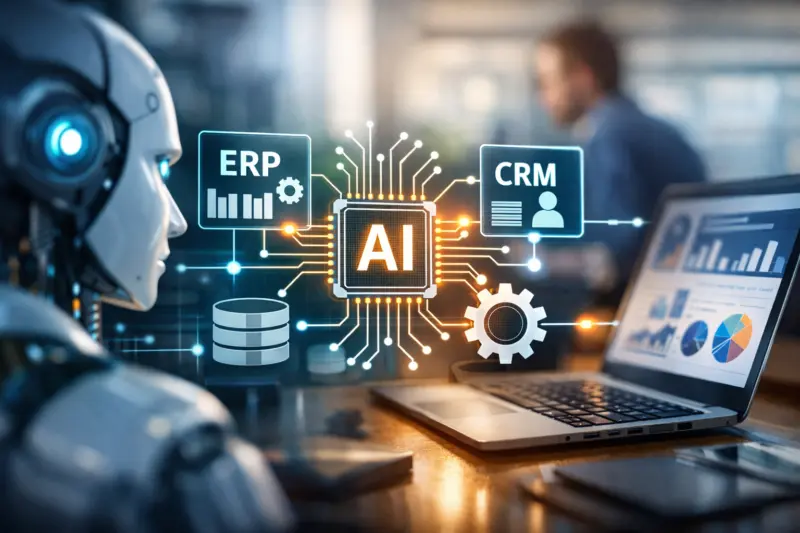
Good integration design uses clear patterns such as APIs, event-driven architectures, and workflow orchestration engines. APIs help when you need direct reads or writes to business services. Event-driven approaches help when systems need to react to changes like “invoice received” or “ticket created.” Middleware and workflow engines help manage multi-step logic with retries, timeouts, and state tracking. Meanwhile, a data layer strategy defines where the AI reads inputs from and where it writes outputs.

Practical data plumbing is often the difference between success and churn. You must normalize inputs, map fields to consistent entities, and reduce brittleness caused by inconsistent formatting. Entity resolution matters when the same customer appears under different identifiers. Output schemas also matter: extracted fields, classification labels, confidence scores, and rationales should follow predictable formats your operations team can use.
Security and access control are part of integration design, not an afterthought. Use role-based access and least privilege so AI can only access what each workflow needs. Sensitive fields should be handled carefully in prompt and pipeline stages, especially when third-party components are involved. A deeper insight is to avoid “shadow databases” that replicate data without governance. If your AI reads from a copy, you must ensure synchronization, retention rules, and data quality ownership.
Ready to Transform Your Business with AI?
Our expert team designs and integrates AI solutions that streamline workflows and increase efficiency. Take the first step towards automation success today.
Request a Free ConsultationIntegration success criteria should be operational, not theoretical. Teams should define latency budgets, idempotency behavior, and reconciliation processes for partial writes. For example, when an AI step updates invoice status but a downstream step fails, you need a plan to detect and resolve the mismatch. That plan should be tested with realistic failure modes.
For additional context on system integration and reliable automation design, see guidance from NIST on system security and engineering and OWASP on secure patterns. When you design data and security boundaries well, automation becomes easier to maintain and safer to scale.
Build and deploy AI-enabled workflows with reliability, observability, and control
AI-enabled workflows need engineering disciplines similar to any critical production service, including testing, monitoring, and safe control. Development solutions that skip reliability steps can produce silent failures that hurt operations. You should expect teams to build workflows that can recover, explain outcomes, and escalate when uncertain.
The build lifecycle usually starts with use-case specification and ends with operational iteration. Teams define inputs, outputs, and decision thresholds. They select a model or AI service, then wrap it in workflow orchestration that handles retries and state. Testing includes offline evaluation, plus end-to-end tests using real business events. Deployment then moves through staged rollouts to reduce blast radius.
Reliability engineering focuses on measurable signals, not just accuracy scores. You should monitor task success rates, extraction completeness, classification consistency, and time-in-workflow. Observability includes logs that link each AI decision to the originating business record. Automated alerts should trigger when confidence drops, error rates spike, or downstream dependencies fail.
Human-in-the-loop design prevents approval fatigue and supports safe governance. You can escalate only low-confidence cases, or route ambiguous cases to a reviewer with context. Calibrating thresholds reduces unnecessary handoffs while still catching risky errors. A common mistake is making every case require review or, at the other extreme, removing review entirely once a pilot looks good.
Governance in development also protects long-term accountability. Use audit trails for decisions, version models and prompts, and record configuration changes with timestamps. That helps incident investigation and continuous improvement. A deeper nuance is handling model drift and evolving business rules. Teams should define trigger points for retraining or rule updates, then revalidate against an evaluation set that reflects current operations.
For external guidance on monitoring and reliability concepts, consider Google SRE practices and NIST risk management resources. The goal is not to copy a framework blindly, but to apply production-grade thinking to AI workflow behavior.
Select the right development approach for automation depth and business constraints
AI & Business Automation Development Solutions vary in complexity, control level, and cost, so you should choose an approach that matches your constraints. The right choice depends on data availability, risk tolerance, latency needs, and required explainability. One size rarely fits every workflow, even within the same company.
In practice, teams choose among categories like workflow automation with lightweight AI, conversational AI connected to tools, predictive decisioning systems, and agentic orchestration. Lightweight AI often powers document and ticket routing through classification or extraction. Conversational interfaces guide staff through resolution steps while triggering actions in connected systems. Predictive decisioning embeds scoring or prioritization inside operations like queue management or forecasting. Agentic orchestration coordinates multi-step tasks but adds guardrails for tool permissions and policy enforcement.
Tradeoffs show up immediately in development and testing. Workflow automation can be faster to implement and easier to test because outcomes are more constrained. Conversational systems improve user experience but need careful handling of grounding, permissions, and style consistency. Predictive systems demand robust evaluation across time because business patterns shift. Agentic orchestration is powerful for complex tasks, but it requires strong control testing to prevent unintended actions.
An important edge case is when “automation” fails due to ambiguous inputs. For example, an invoice may have missing line items or a ticket may lack critical product identifiers. Your system should fall back to deterministic rules, ask clarifying questions, or route to manual review with useful context. This design prevents automation creep where teams keep expanding scope to cover more exceptions without changing the underlying workflow strategy.
What success looks like differs by approach, too. Lightweight AI should reduce misroutes and cut manual triage time. Conversational AI should increase resolution rates while keeping staff effort stable. Predictive decisioning should reduce backlog and improve operational planning accuracy. Agentic orchestration should complete multi-step tasks correctly with minimal approvals and strong auditability.
| Approach type | Best-fit use cases | Risks | Evaluation needs |
|---|---|---|---|
| Workflow automation with lightweight AI | Document and ticket routing, field extraction | Extraction brittleness, mislabeled categories | Coverage tests on document variance, threshold tuning |
| Conversational AI with tool actions | Guided troubleshooting, guided case handling | Hallucinated steps, permission overreach | Grounding checks, role-based access tests |
| Predictive decisioning systems | Scoring, prioritization, forecasting signals | Drift over time, biased historical data | Time-split evaluation, calibration monitoring |
| Agentic orchestration with guardrails | Multi-step operational tasks with tools | Unintended actions, complex failure recovery | Tool-permission tests, state machine simulations |
Avoid common pitfalls that block productivity gains in real deployments
Many AI automation programs stall because teams plan technology before fixing workflow reality. Productivity gains come from stable processes, not only model performance. If you automate messy handoffs or unclear ownership, you will see errors and slowdowns even when accuracy looks strong.
A top misconception is that AI replaces all manual work. Most businesses benefit from hybrid systems where AI does first-pass work and humans handle exceptions. Another misconception is that “accuracy equals productivity.” In practice, you also need correct routing, complete outputs, and fast handoffs. A prototype may show high precision but still fail due to poor integration, slow calls, or missing reconciliation steps.
Data and evaluation pitfalls also derail projects. Training on biased or incomplete datasets can harm certain customer or document types. Using vanity metrics hides real operational costs, such as repeated reviewer corrections. You also must test on distribution shifts, like new templates, new product categories, or seasonal volume changes.
Integration and change management failures commonly appear after go-live. Workflows become brittle when teams skip retries, idempotency, and partial failure handling. Adoption suffers when frontline users do not trust outputs or do not understand escalation paths. A deeper nuance is process ownership: automation needs named owners for each stage, not only a delivery team. Without that ownership, issues become “someone else’s problem” during incidents.
Hidden costs can also surprise teams. Model maintenance, prompt tuning, evaluation refresh, and incident response all require ongoing effort. You should plan for operational overhead from day one, including time for reviewing error trends. Another common failure mode is automation creep, where scope expands because edge cases keep piling up. You can prevent this by tying change control to ROI and risk thresholds, and by refusing to automate steps that require unclear business rules.
Apply security, governance, and ROI measurement for production readiness
Production deployment requires security, governance, and ROI measurement so leaders can trust automation and justify ongoing investment. AI & Business Automation Development Solutions should treat these as measurable system properties, not abstract policies. Without them, automation may create risk faster than it creates value.
UNLOCK YOUR POTENTIAL WITH AI SOLUTIONS
Transform your business operations with tailored AI & business automation services that integrate seamlessly into your workflows, reducing manual tasks and enhancing decision-making.
Security starts with data minimization and careful handling of sensitive inputs. You should define what fields enter the AI pipeline, how long they are retained, and who can access logs that include AI outputs. Secure prompt and input handling also matters, especially when prompts incorporate user data or internal context. Encryption and controlled access to AI capabilities reduce exposure if systems are misconfigured.
Governance covers auditability and decision permissions. Build audit logs that record which workflow ran, which model version produced an output, and what action followed. Version models and prompts so you can reproduce decisions during investigations. Role-based decision permissions ensure that only authorized users can approve risky actions, and that automation respects separation of duties.
ROI measurement design prevents “we feel faster” outcomes. Start with baseline metrics and define an experiment plan. For example, measure error rates before automation, then measure post-rollout correction cycles and time-in-workflow. Attribution matters: isolate what automation changed, rather than mixing improvements from unrelated process tweaks.
Reliability under load should also be planned. Stress testing helps you understand error patterns during peak usage. Cost forecasting matters because inference and AI service calls can scale faster than expected. Finally, explainability versus actionability is a practical tradeoff. Operators do not need long model explanations, but they do need actionable context like extracted fields, confidence signals, and reason codes.
External guidance on AI risk management can help structure governance thinking. See NIST AI Risk Management Framework and NIST Secure Software Development Framework. Use these resources to inform your internal controls and documentation approach for AI-enabled workflows.
Plan 2026 rollouts around procurement realities and cross-team readiness
In 2026, successful AI & Business Automation Development Solutions depend on rollout planning, not only engineering. Procurement, vendor contracting, and stakeholder readiness can determine how quickly you reach production. You need a rollout path that works within real organizational constraints.
For US mid-market and enterprise teams, a practical pattern is a department-first pilot, then expansion using reusable components like connectors and evaluation harnesses. A finance workflow pilot for invoice processing can stabilize the extraction pipeline before you broaden to approvals. Customer support triage pilots can establish classification thresholds and escalation logic before you integrate with sales tooling. This reuse reduces repeated integration effort and keeps governance consistent.
Procurement also shapes delivery. Some organizations build internal capability for core workflow orchestration while partnering for model or AI services. Others use a vendor to deliver end-to-end solutions, then retain ownership of monitoring and workflow definitions. Clarify IP and data rights early, including how evaluation datasets are stored and who can use outputs for improvements. A deeper nuance is aligning contracts to outcomes. If you contract only for “software delivered,” you may miss reliability, observability, and training commitments that protect operations.
Stakeholder readiness must include IT, operations, compliance, and frontline users. IT owns integration security and access patterns. Operations owns process ownership and escalation handling. Compliance reviews documentation that supports internal review requirements, such as retention choices and audit trails. Frontline users must understand how to interpret outputs and what to do when automation escalates a case.
At the process level, you should align compliance expectations to how the workflow handles data. That includes audit logs, retention policies, and role-based permissions tied to actions. You do not need a generic compliance primer for each project, but you do need a process-specific plan. This is where many deployments succeed or fail because it links governance to actual workflow behavior.
Frequently asked questions about AI & Business Automation Development Solutions
What does “AI & Business Automation Development Solutions” include end-to-end?
It typically covers discovery, design, integration planning, build, and testing or evaluation. After that, teams deploy the workflow into production and set up monitoring for ongoing performance and reliability. Finally, they iterate using incident learnings and evaluation refresh cycles.
How do you identify the best business processes to automate first?
You usually start with workflows that have high volume, clear inputs and outputs, and measurable pain points. Teams then score options by impact versus effort, data readiness, integration complexity, and risk level. A common rubric also checks workflow stability, since frequently changing processes can increase evaluation cost.
What data do we need for AI automation to work reliably?
For extraction and classification, you need both structured data fields and representative unstructured inputs like documents or tickets. You also need labeled ground truth for evaluation, such as what the correct invoice totals or categories should be. For production reliability, you should collect evaluation sets that reflect the variation you expect to see over time.
Can AI automation be rolled out safely without disrupting daily operations?
Yes, by using phased deployment and a human-in-the-loop escalation path. Teams run a limited rollout, verify logs and failure modes, and then expand coverage only after operational readiness checks pass. A rollback plan should also be defined so you can revert workflow actions quickly if error rates rise.
How do you prevent AI mistakes from causing real business harm?
You add guardrails like confidence thresholds, tool permissions, and explicit escalation rules. Outputs should be validated for completeness before actions are taken, and risky actions should require human approval. Strong monitoring and incident response procedures make it easier to detect harm quickly and correct it.
What metrics should we use to prove productivity improvements from automation?
Start with baseline comparisons for time-in-workflow, correction rates, and error or rework metrics. Track cost and cycle time savings alongside quality measures like extraction completeness or routing accuracy. Attribution matters, so you should document what changed and run evaluations before and after rollout.
How long does it usually take to go from discovery to a production-ready automation?
Many teams see timelines of several weeks for a scoped pilot and several months for full production readiness. The biggest drivers are integration complexity, data quality, evaluation rigor, and approvals needed for safe rollout. Larger workflows with multiple systems and strict governance usually take longer than narrow extraction tasks.
What are the most common integration challenges when connecting AI to business systems?
Common issues include authentication and authorization mismatches, incorrect data mapping, and event timing problems. Teams also face challenges around idempotency, where retries can create duplicate actions if not handled correctly. Partial failures and dependency timeouts require reconciliation logic so business records stay consistent.
How do you handle model updates and prompt changes after deployment?
Use versioning for models and prompts, then re-evaluate performance before increasing automation coverage. Change management should include auditability so you can trace outcomes back to a specific configuration. You should define triggers for re-validation when business rules or data patterns shift.
What’s the difference between workflow automation and AI-driven automation in practice?
Workflow automation typically follows deterministic rules and predictable triggers. AI-driven automation adds probabilistic decisions such as classification, extraction, or summarization that require confidence thresholds and evaluation. In practice, testing and governance focus more on uncertainty handling for AI-driven steps.
Do we need an in-house team, or can a vendor deliver complete solutions?
You can do either, but it depends on ownership and long-term sustainability. Many businesses combine internal process ownership with vendor development under clear SLAs. If a vendor delivers end-to-end solutions, you should still define who owns monitoring, evaluation updates, and incident response after go-live.
Unlock AI & Business Automationfor Success
Ready to integrate AI solutions tailored for your workflows? With 29 years of expertise, we’ll elevate your operations and drive measurable results.
Conclude with an actionable next step for building measurable AI automation in 2026
AI & Business Automation Development Solutions deliver the outcomes businesses want when AI is engineered into real workflows with integration, reliability, and control. You should expect a structured development path from discovery to deployment, plus monitoring and iteration once the system is live. That turns automation from a one-time build into a dependable operational capability.
The evaluation path should be explicit: align goals to workflow outcomes, choose the right automation depth, design controls for uncertainty, and deploy with observability. If you skip evaluation gates, you may get a demo that works but a workflow that fails under real inputs. If you skip integration and governance, you risk data drift, security gaps, and untraceable decisions.
A strong next step is to request a workflow audit or roadmap workshop, then pilot with defined success metrics and a production readiness plan. When you compare vendors, ask for the integration capability, evaluation approach, governance and monitoring plan, and ROI measurement method. Deliverables to request include an architecture overview, a data and evaluation plan, pilot scope, and a rollout checklist you can use internally.
Use this same framing when you run your vendor discussions: start with workflow audit outputs, then pilot with defined success metrics and a production readiness plan. From there, compare integration capability, evaluation rigor, governance and monitoring, and ROI measurement so your selection matches how you will operate in 2026.
Updated September 2026