
Professional WordPress Design and development for business websites turns your marketing and service requirements into a site that actually earns leads, supports sales teams, and stays manageable for your operations. Professional WordPress Design and Development covers planning, design systems, custom templates, lead capture engineering, QA testing, and a launch-and-maintenance path that reduces business downtime. If you are a business owner, founder, marketing leader, or decision-maker hiring an agency or freelancer, you need clarity on deliverables, quality standards, and what success metrics you can request before you sign. This guide walks you through how to scope the work, choose the right approach, evaluate real quality, avoid common redesign failures, and de-risk launch and ongoing updates in 2026. You will also get a practical checklist of questions to ask and artifacts to request, so you can compare proposals apples-to-apples.
What professional WordPress design delivers for business outcomes
Professional WordPress design for a business site starts with measurable goals, not visual trends. Your homepage, service pages, and contact or quote flow must communicate value fast, then guide visitors toward the next action. This is why Professional WordPress Design and Development is more than “pretty pages.” It is the alignment of brand clarity, UX structure, and conversion-focused layout so stakeholders can approve the site with confidence.
Great business design begins with a value proposition that is obvious on mobile. It also requires conversion surfaces that match how real buyers decide. For many B2B and service-oriented businesses, visitors scan quickly, then look for proof, process, and credibility before they submit a form. A professional approach maps user journeys for key pages like the homepage, service detail templates, and contact or quote pages to reduce confusion and drop-off.
Design teams also build component-based layouts that stay consistent across pages. Instead of reinventing every section, they create reusable modules like hero patterns, proof blocks, FAQs, and case-study or results sections. This component design approach supports faster content updates later and helps your site keep its visual quality even as you add new services.
One common misconception is that professionalism means a high-end theme with heavy animation. Many business sites lose conversions when responsiveness breaks, typography falls back poorly, or spacing differs across templates. Another edge case is multi-stakeholder approval, where sales leadership wants proof and operations leadership wants clarity, but both get blocked by unclear page hierarchy. A strong delivery includes wireframes and UI mocks that show how sections work together, plus a style guide and responsive rules so the implementation matches the design intent.
What development work should include beyond building pages
Professional WordPress development should turn the design into a maintainable system that supports your business workflows. If your site needs lead capture, tracking, and repeatable service-page layouts, the build must include those mechanics from the start. This is where Professional WordPress Design and Development matters for real operations, not just aesthetics.
In practice, development begins by translating requirements into build tasks: page templates, navigation logic, form routes, and content-ready sections for future pages. It also includes analytics instrumentation so you can measure form completions, call clicks, and assisted conversions. For businesses that rely on consistent follow-up, development should support structured lead capture that your team can process without manual cleanup.
A professional build also sets up environment parity with staging and production to reduce “it worked on my machine” failures. Stakeholders expect to see a live preview for approvals, but teams also need a safe place to test changes. That is why a staging process, QA gates, and release planning are part of the development package for most business sites.
The tradeoff is that “development plus everything later” can cause rework. If you postpone integrations, tracking, or template structure until after launch, you often end up rebuilding core parts of the site. A real-world scenario is a contact form that submits in testing but fails after deployment due to routing rules, caching behavior, or a firewall setting. Professional teams prevent this with end-to-end testing that validates the full submission path, not only the form UI.
To support long-term stability, development should include documentation handoff and training for your site managers. This reduces the chance that small edits break templates. It also makes it easier to add new services without turning your site into a patchwork of one-off pages.
A practical roadmap for business website success from discovery to launch
A reliable roadmap keeps business website projects from stalling on approvals or breaking after launch. Professional WordPress Design and Development follows a lifecycle that moves from discovery to strategy, then into UX and UI, build, QA, launch, and post-launch optimization. Each phase has defined inputs and outputs so your team can make decisions with less risk.
Ready to transform your website into a lead-generating machine?
Let our professional WordPress design and development services help your business attract more visitors and convert them into customers with a fast, modern, and mobile-friendly site.
The discovery and strategy stage clarifies the site structure, target actions, and page types. You decide which pages exist and how they connect, then map user journeys for the homepage, service pages, and contact or quote flows. Next, UX and UI define how content will appear, what proof blocks will show, and how forms will behave to reduce friction.
Then the build phase implements templates and components so the site stays scalable. A business site usually needs analytics setup, lead capture flows, and a controlled approach to multilingual or localization only when required. The QA phase verifies more than layout; it checks broken states, template regression, and form submission outcomes across common devices and browsers.
Stakeholder change control is a major business risk, so professional teams use approval gates and change requests. When new requirements arrive late, they triage what is essential and what is out of scope. An edge case is when marketing requests new landing pages quickly but the site lacks a template system. Without that system, every campaign becomes a custom build, and timelines spiral.
After launch, optimization should focus on business signals like conversion rates and form completion quality. Post-launch monitoring helps you catch tracking issues early and ensures the site keeps working as updates roll out in 2026. Professional teams plan a release and support model so your business is not stuck waiting for fixes.
Choosing the right WordPress build approach for maintainable business sites
The right build approach helps your business add pages and services without constant developer dependency. WordPress offers multiple ways to build, including custom theme development, block-based approaches, and hybrid setups that mix template structures with reusable components. The best choice depends on business complexity, update needs, and how often you expect to publish new landing pages.
For simple brochure sites with a small number of page templates, a lighter-weight build can be enough. For content-heavy businesses, standardized templates for service pages and proof sections reduce inconsistency. For businesses with custom workflows like quoting, booking, or member areas, you need a plan for how templates connect to logic and how that logic remains stable across updates.
Maintainability tradeoffs matter for long-term cost. Heavy customizations can make updates riskier because changes can conflict with theme or plugin updates. Plugin strategy also matters, since plugin sprawl increases security patching work and creates compatibility headaches. A professional partner explains these tradeoffs and designs a controlled system so you avoid constant “emergency fix” cycles.
A common mistake is assuming that more custom code automatically means better. Over-customization can increase security exposure and reduce your flexibility when you want a redesign refresh. A nuance that weaker proposals miss is environment parity and regression testing. Even if the site looks right, template logic can fail after updates, caching changes, or theme variations.
Your decision should match your team’s capability. If you have internal developers, you can sustain more customization. If you rely on an agency or freelancer, you want predictable maintenance, documentation, and a template system that your provider can extend without rewriting everything.
Conversion-ready page engineering for lead generation
Business websites convert when the design and development work together around lead capture and decision flow. Conversion-ready page engineering includes how pages present value, where proof appears, and how calls to action guide visitors into forms or calls. This is not only layout; it is also form logic, tracking, and user experience details that reduce friction.
Conversion surfaces typically include landing sections, service template structures, and CTA placement that matches buyer behavior. A service page might use a consistent flow: clear offer summary, benefits, process, proof, FAQs, then a contact or quote CTA. When teams build these as reusable templates, marketing can add new services without losing conversion discipline.
Lead capture mechanics must be engineered end-to-end. That means form UX that is easy on mobile, validation that prevents incomplete submissions, and spam mitigation so your team does not waste time. It also includes CRM integration options and submission tracking so you can confirm that leads are recorded correctly. If tracking is added only after launch, you often lose data continuity during the first months, when you most need feedback.
An edge case is when forms fail due to routing rules, CDN caching, or firewall settings. The fix is not only visual QA. Professional teams run end-to-end tests that submit a lead, verify the response, and confirm the record appears where it should. They also test edge states like failed submissions, error messages, and reCAPTCHA or anti-spam behavior.
Measurable outcomes should be part of the build proposal. You should be able to request goals like conversion rate, form completion rate, call click tracking, and analytics events for each lead capture step. When those measurements are defined early, optimization becomes a business improvement loop instead of guesswork.
Common pitfalls that damage business results in WordPress redesigns
Many business website projects fail because teams focus on surface polish and ignore systems that keep the site reliable. A common misconception is that any WordPress theme is fine, as long as the homepage looks good. For business sites, you need custom templates, clear design rules, and a component system that preserves brand and conversion patterns across every page type.
Plugin sprawl is another frequent pitfall. Businesses add plugins to “get features,” then discover that licensing, security updates, performance drag, and compatibility conflicts create a maintenance burden. A professional partner uses disciplined plugin selection, defines why each plugin exists, and plans patching and testing. They also consider whether a feature can be implemented with the theme or core WordPress capabilities to reduce dependencies.
Ignoring staging and QA leads to real launch issues. A contact form can break after deployment due to caching, script conflicts, or environment differences. CSS and JavaScript conflicts can also cause visual regressions that marketing teams only notice after the site goes live. A professional process includes cross-device checks, broken link testing, and template regression tests so failures get caught before customers see them.
Brand polish can also fail in implementation. Typography fallback, inconsistent spacing systems, and missing responsive rules can make a site look different from the design mock. A common mistake is that designers deliver static screens, while development does not fully reproduce responsive behavior. Another nuance is analytics done “later.” If events and goals are not configured during build, you often cannot answer basic questions about lead quality after launch.
These pitfalls are avoidable when the proposal includes deliverables like a QA checklist, staging process, and an implementation style guide. You can ask for artifacts and verify that the plan is designed for business risk, not just project delivery.
Advanced issues that protect your business site after launch

Long-term site dependability comes from security, compatibility, and content operations that support how your business grows. After launch, WordPress sites change because updates ship, marketing campaigns evolve, and plugins evolve. Professional WordPress Design and Development plans for this reality so your business does not face recurring instability.
A security and updates strategy should include patch cadence, role and permission setup, backups, and readiness for incident response. You also want a plan for how updates will be tested in staging before they reach production. Backups are not just a checkbox; the business should know what gets restored, how often, and how quickly. This is especially important for business sites where downtime affects lead flow.
Reliability also depends on caching and CDN behavior, plus uptime monitoring. Regression testing ensures that recurring updates do not break templates or reintroduce bugs. Content operations matter too. If your templates do not scale, teams begin creating custom one-off pages for every new offer, which increases maintenance and makes future redesigns harder.
A deeper issue is the marketing vs dev mismatch. Marketing wants new landing pages quickly for campaigns, while development wants controlled templates. The solution is a template system that supports rapid page creation within defined components, plus a backlog process for anything truly custom. When this is missing, you get either delays or uncontrolled customization that later increases security and compatibility risk.
If you operate in multiple languages or locales, internationalization can add complexity to routing, date and number formatting, and localized contact routing. Only include that scope if it is a business requirement. The professional approach is to keep the build aligned to your operational needs so you do not pay for complexity you will not use.
How to evaluate and request artifacts from a WordPress development partner
You can reduce hiring risk by requiring concrete artifacts and a clear process, not just marketing claims. When you hire a WordPress partner, Professional WordPress Design and Development should show up as documented deliverables, defined QA gates, and a maintainability plan. Your evaluation should focus on how they run the project, what they produce, and how they prove quality.
Start with portfolio relevance to business websites. Ask whether their examples include business lead flows, service template systems, and conversion-focused page structure. Then evaluate their process: discovery inputs, sitemap or page planning, UX and UI outputs, build workflow, staging setup, and a release plan. Communication cadence also matters because business approvals often depend on timely feedback loops.
In their proposal, require scope boundaries and assumptions. You should ask for the timeline by phase, the QA plan, and the staging process. Post-launch support terms should include what is covered, how quickly fixes happen, and how minor updates are handled. A professional partner also provides a handoff plan with documentation and training so your team can manage the site with less friction.
To evaluate claims like “performance optimized” and “SEO-friendly,” ask for evidence. You can request benchmark targets, reporting format, and the types of templates they will ship. For example, ask how they handle metadata, heading structure consistency, internal linking patterns, and how they prepare pages for content updates without breaking structure.
A common mistake is accepting vague language such as “we’ll handle SEO” without explaining what is implemented during build. Another nuance is that “professional” should translate into design systems, QA gates, and maintainability. Ask the partner to point to the specific artifacts where those promises are captured.
How business WordPress design and development scales to your market needs
A business WordPress site should reflect how your customers search and compare offers in your market. The structure, pages, and lead capture flow should match what prospects need to make a decision. Professional WordPress Design and Development helps you turn market requirements into repeatable templates that stay consistent as you grow.
For service-area and local intent strategies, businesses often need service-area pages and clear contact or quote capture. The key is consistency: business hours, contact details, and phone routing should stay accurate across templates. If you operate nationally, your strategy may lean more on industry and service-line coverage rather than location overload. In either case, your site architecture should prevent confusion and reduce repetitive custom page creation.
A practical example is a company that offers multiple services and needs separate service detail templates. Instead of building every page from scratch, templates should cover the same conversion flow with unique content fields. Another example is a single-location business that still needs local trust signals and a structured contact experience. Templates should support adding new pages for additional services without breaking brand consistency.
An edge case is when a business expands and adds new regions or offers. Without scalable templates, expansion becomes a redesign project every time. Professional teams build for scale by defining which sections are reusable, how new pages inherit the same structure, and how content editors update sections safely.
For lead forms, businesses should also plan for general privacy expectations. Your form design should communicate what data is collected and why, and your build should support consistent notice placement. Practical data handling also includes submission tracking and retention expectations aligned to your business process. Keep these requirements scoped to what your organization needs so the project stays on track.
How much does professional WordPress design and development cost in 2026?
Pricing for professional WordPress design and development varies because business website scope varies. The cost depends on page count and template complexity, the level of customization needed, integrations like CRM or marketing automation, content readiness, and the number of stakeholder revisions. It also depends on QA depth, staging workflow, and whether you need custom workflows such as quoting or booking.
For many business websites, a typical project can range from a few thousand to tens of thousands of dollars in 2026. The wide range exists because “business website” can mean a simple marketing site or a larger system with multiple service templates, complex lead flows, and recurring landing page demands. If your business needs a component-based design system and custom templates for each service line, expect the budget to reflect the added design and development time.
To get an accurate quote, ask the partner to list deliverables by phase. You should see wireframes or UI mocks, template and component list, QA checklist items, analytics setup scope, and documentation or training included. If the proposal only includes vague milestones, you may end up paying for rework later when requirements change or tracking is missing.
An edge case is content uncertainty. If your team does not have copy, images, or a service catalog ready, timelines and cost often increase because the build must wait. Another nuance is that low-cost offers sometimes hide maintenance risks, like heavy plugin dependency or limited QA. When you compare proposals, compare the artifacts and the testing plan, not only the headline price.
The best next step is to request a detailed estimate based on your sitemap and goals. Then confirm what “out of scope” means if marketing changes the design after approvals.
How long does a professional WordPress business website take to complete?
The timeline for professional WordPress design and development usually depends on discovery, design approvals, content readiness, and integration complexity. Most business projects in 2026 take several weeks to a few months from kickoff to launch. Faster timelines happen when requirements are clear and content is ready, while longer timelines occur when workflows, templates, and stakeholder reviews are complex.
Common phase durations include planning and strategy, design and stakeholder review cycles, development and integration, then QA and launch preparation. QA needs enough time for cross-device checks, form submission verification, and template regression testing. When a partner rushes QA, businesses often see failures only after launch, which then forces expensive fixes.
Approval gates are also a major factor. If stakeholders delay feedback on wireframes or UI, development cannot proceed smoothly. A professional partner addresses this with a feedback schedule and a structured change request approach so late additions do not derail the plan.
An edge case is when a site requires custom workflows like quoting, booking, or member access. Those often need additional testing and security review. Another nuance is the effect of staging and environment parity. If staging does not match production, end-to-end form testing and analytics verification can take longer.
Your best approach is to ask for a timeline by phase and the assumptions behind it. Confirm when each approval is due and what happens if content is late.
Should a business use a pre-built WordPress theme or custom development?
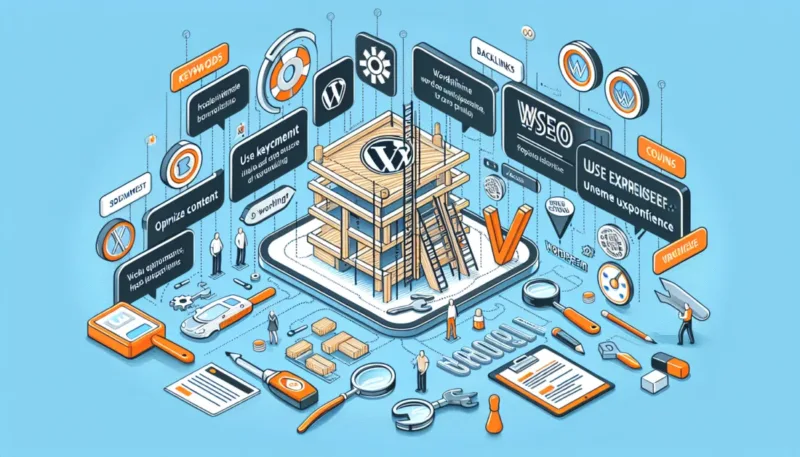
A business should choose pre-built themes or custom development based on how unique its pages and workflows need to be. Pre-built themes can work well for straightforward brochure sites if the theme can support your required templates and conversion layouts. Custom or semi-custom development is often better when you need a strong design system, multiple service templates, or unique lead flows.
When you use a pre-built theme, the key decision is whether it can deliver consistent templates without fighting the theme’s structure. Many business redesigns fail when the team modifies a theme heavily, then later struggles with updates or compatibility. You also need to consider plugin compatibility and how theme updates affect customizations.
Custom development can offer better control over maintainability. You can define a component library, set up template patterns for service pages, and engineer lead capture consistently. The tradeoff is cost and time, since custom work requires more design and development cycles and more QA.
A nuance that often gets missed is future marketing needs. If you want to publish landing pages for campaigns quickly, the solution must include a controlled template system. If the theme approach does not support that system, you may end up with one-off pages that create tracking gaps and inconsistent UX.
PROFESSIONAL WORDPRESS SOLUTIONS
Transform your website into a powerful lead-generating machine with our custom design and development services. Let's discuss your project today!
GET A FREE CONSULTATIONTo decide, ask the partner how they will handle template creation, updates, and plugin conflicts. Also ask for an example of how they plan to build your service pages and contact flow using their chosen approach.
How do agencies ensure lead forms work correctly after launch?
Agencies ensure lead forms work after launch by testing the full submission journey, not just the form screen. Professional WordPress design and development includes staging tests, end-to-end verification, and checks that the lead lands in the right place. This reduces “it looks fine but we got no leads” failures.
In a solid process, the team tests validation rules, spam mitigation behavior, and the user experience for error states. They also verify that the form submission returns the correct response and that tracking events fire as expected. If the lead integrates with a CRM or marketing automation system, the agency should confirm the mapping and verify the record appears correctly.
Launch preparation should include re-checking after any caching changes and after the site goes live on the production environment. A common edge case is when a CDN or cache layer changes script loading, which can affect submission. Another edge case is when firewall settings or security rules block requests that passed in staging.
To prevent these issues, professional teams plan verification steps that cover the production behavior. They also document what to monitor in the first days after launch, so your business can spot failures quickly. If your partner cannot explain how they test and verify submissions, treat it as a risk.
What is included in quality assurance for a business WordPress site?
Quality assurance for a business WordPress site includes testing that protects both user experience and business outcomes. A strong QA plan checks devices, browsers, and real interactions like form submissions and CTA clicks. It also validates that templates render correctly when content changes.
Typically, QA includes cross-device and cross-browser checks for layout integrity, navigation behavior, and responsive typography. It also includes broken link checks and validation for forms and interactive components. Accessibility spot checks matter too, since basic readability and usable contrast impact conversion and trust.
Template regression testing is a major differentiator for business sites. When you update plugins or theme elements, you must ensure the homepage, service templates, and contact pages still work. QA should also verify analytics tracking and metadata handling so you do not launch with blind measurement.
A common mistake is treating QA as a visual checklist only. Visual checks can miss failures like incorrect routing, analytics events not firing, or error states not showing. Another nuance is that QA should happen in a staging environment close to production so bugs caused by cache or script differences do not appear after launch.
Ask for a QA checklist or examples of what testers verify. That artifact is one of the clearest ways to compare partners.
Why plugin choices matter for long-term WordPress stability
Plugin choices affect security risk, performance, and the effort required to maintain your site over time. Every plugin adds code that must be updated, tested, and supported. In professional WordPress design and development, plugin strategy is part of risk management, not a last-minute add-on.
Licensing and patch cadence matter. A plugin that updates rarely can become a security problem, especially when it handles forms, user accounts, or ecommerce-related behavior. Plugin compatibility also matters because updates can break integrations. A professional partner keeps the plugin list disciplined, chooses reputable tools, and documents why each plugin exists.
Performance impact is another factor. Too many plugins can add scripts that slow pages or create rendering issues on mobile. A maintainable approach often uses fewer plugins and builds simple features into templates or core capabilities where possible.
An edge case is when multiple plugins handle the same function, like caching, optimization, or forms. Conflicts can show up as CSS and JavaScript errors, broken form submissions, or inconsistent tracking. This is why staging testing and regression checks should include plugin update scenarios.
Ask how a partner will manage plugin updates after launch. A credible plan includes patching, testing steps, and a timeline for review, rather than leaving the responsibility vague.
Can a WordPress redesign hurt SEO or rankings?
A redesign can hurt SEO if the build changes URLs, content structure, or indexing behavior without a careful migration plan. SEO risk is most common when teams ignore redirects, remove or rename pages without mapping, or change heading and metadata patterns. Professional WordPress design and development reduces this risk with controlled template changes and post-launch monitoring.
Migration problems often happen when the site changes navigation structure or service page templates without preserving content parity. Search engines may also take time to re-crawl updated pages, especially if you block access or misconfigure canonical tags. A professional partner uses an approach that minimizes disruption and keeps critical information consistent.
Another nuance is that template changes can affect crawl behavior and internal linking patterns. If internal links are removed or rewritten inconsistently, it can dilute how pages are discovered. Tracking and measurement also matter, because teams need to confirm indexing health and monitor organic performance after launch.
An edge case is when a redesign includes heavy client-side rendering or broken metadata handling. That can make pages harder to interpret for search crawlers. If you plan a redesign, ask your partner how they will handle redirects, URL mapping, and indexing controls.
After launch, professional teams monitor for issues like 404 errors and ensure redirects work properly. This is where a QA and post-launch plan reduces both SEO and lead-generation fallout.
How do you prepare content so the redesign doesn’t stall?
Content preparation prevents redesign delays because the build depends on what your business will publish. A common timeline killer is missing copy, unclear service catalogs, or photo assets that arrive late. Professional WordPress design and development works best when the content inventory is mapped to page templates early.
Start with a content inventory that lists every page, its purpose, and who supplies the copy and media. Then map each content type to your intended template: homepage sections, service page blocks, FAQ entries, and contact or quote fields. This reduces back-and-forth because teams can build content-ready layouts and avoid placeholder chaos.
Align brand voice early with the design system so your site looks consistent even when content arrives in batches. If you have multiple stakeholders, define an approval workflow so decisions happen on a schedule. The tradeoff is that some teams avoid locking decisions too early, then lose time during late revisions.
An edge case is when a business wants to launch quickly but also wants new service offers added. In that case, define what is required for launch versus what can be added later using the template system. This keeps the release moving without forcing last-minute rebuilds.
Your partner should provide content readiness guidance as part of the plan. Ask for a checklist of what assets and approvals are needed before the build starts.
What should performance optimization mean in a business WordPress proposal?

Performance optimization in a business WordPress proposal should define measurable targets and the method to reach them. It should not be vague. It should cover caching strategy, image handling, script and stylesheet discipline, and how the team verifies results.
A professional plan measures what matters for business experience, like page load behavior on mobile and stable rendering of key conversion sections. Image optimization should include sizing rules and modern formats where appropriate, plus a workflow that prevents oversized uploads. Script and CSS decisions should reduce layout shifts and avoid loading heavy assets for pages that do not need them.
Cache and CDN choices matter for reliability too. The team should explain how caching interacts with forms, dynamic content, and analytics. They should also plan how performance changes will be tested in staging, since caching can behave differently between environments.
An edge case is when performance plugins conflict with caching behavior or with theme scripts. That can cause inconsistent page behavior and analytics gaps. Another nuance is that performance work should be paired with QA so conversion flows still work after optimization changes.
Ask the partner to describe acceptable baselines and how they will report results. A credible proposal explains what gets measured and how you can review the reporting format.
Do businesses need ongoing maintenance after WordPress development?
Yes, business WordPress sites usually need ongoing maintenance because updates and security patches are continuous. Development delivers the foundation, but plugins, themes, and WordPress core need review and updates to keep the site secure and stable. Ongoing maintenance should include both security and practical site management tasks.
A maintenance plan typically covers update cadence, security checks, backups, and monitoring. It should also include minor content or template tweaks if your business uses a template system and wants small adjustments without full redesign cycles. Support SLAs can matter because business sites often need prompt fixes when a campaign is blocked or a form breaks.
Another nuance is regression testing for recurring updates. A maintenance provider should test updates in staging and verify that critical templates and lead forms still work. Without that, updates can create new bugs, and business teams only discover them when leads stop coming in.
An edge case is plugin dependency changes after an update. Some plugins can introduce breaking changes, especially when they handle form submissions or performance features. A professional maintenance plan accounts for this by documenting update steps and testing behavior.
When you request maintenance terms, ask for what is included, what is excluded, and how often updates and checks happen. This helps you budget and reduces surprise costs.
How do you reduce change requests during a WordPress redesign without slowing approvals?
Change requests are normal, but you can reduce their negative impact with structured scope lock points and a clear feedback cycle. A professional redesign process defines what decisions are made at each stage and what counts as out of scope. This keeps timelines stable while still supporting stakeholder input.
Start by locking deliverables early: sitemap, page templates, wireframes, and UI structure for key components. Then run staged approvals so feedback is captured at the right time. If marketing wants new sections later, route those requests into a backlog rather than patching the core design and build mid-sprint.
A practical approach includes definition of out-of-scope changes, plus a triage method. When new requirements appear, the team reviews impact on timeline and cost before proceeding. This reduces the risk of “small changes” that become expensive rebuilds due to template dependencies.
An edge case is late content changes that force design updates, like adding multiple services with different proof requirements. The remedy is to ensure the template system has flexible content blocks and clear field rules. If you do this, new content can fit without breaking the conversion surfaces.
The goal is to protect the core templates and conversion logic, while allowing controlled evolution. When your partner uses structured feedback cycles and backlog triage, your team gets faster approvals without constant rework.
Frequently asked questions about professional WordPress design and development for business websites
What deliverables should a business expect from a WordPress design-and-build project?
A business should expect wireframes or UX layouts, UI mocks or design system documentation, and page templates built to those specs. You should also receive a QA checklist, analytics and lead tracking setup documentation, and a handoff package for site editors. Many projects also include training so your team can update content safely.
How much does professional WordPress design and development cost in 2026?
Pricing in 2026 varies based on scope, including the number of templates, complexity of lead capture, and any integrations like CRM or marketing automation. It also depends on how much content is ready before build and how many stakeholder revision cycles are expected. Expect costs to vary widely, so request an itemized estimate tied to your sitemap and goals.
How long does a professional WordPress website typically take to complete in 2026?
Most business WordPress projects take several weeks to a few months in 2026, depending on scope and approval cycles. Timelines lengthen when content is not ready, when workflows are complex, or when QA and staging testing require more iterations. Ask the partner for a timeline by phase and the assumptions behind it.
Should we use a pre-built theme or commission custom development for a business website?
Use a pre-built theme when your required templates and conversion layouts can be implemented cleanly without heavy customization. Commission custom development when you need a stronger design system, unique lead workflows, or long-term maintainability with controlled templates. The best approach depends on your content volume and how you plan to add pages after launch.
How do agencies ensure lead forms work correctly after launch?
Agencies test the full submission journey using staging and then re-check after production release. They verify validation, spam protection behavior, and whether submissions arrive correctly in your CRM or tracking system. They also test error states so users get clear feedback if something fails.
What is included in quality assurance for a business WordPress site?
Quality assurance typically includes device and browser checks, responsive rendering validation, broken link checks, and form and CTA interaction tests. A strong QA process also performs template regression testing and verifies analytics or tracking events. It should cover key edge states, like failed submissions and loading errors.
Can a redesigned WordPress business website hurt SEO or rankings?
It can if the redesign changes or removes important pages without redirects, misconfigures indexing, or breaks metadata patterns. SEO risk also increases when internal linking and heading structures change unintentionally. A professional partner uses a migration and monitoring plan to prevent avoidable damage.
How do we prepare content so the site launch doesn’t stall?
Start by building a content inventory and mapping each page to its template before the build begins. Then confirm asset readiness for copy, images, FAQs, and service details. Use an approval workflow with clear deadlines so stakeholders review in the right phase, not during development.
What should performance optimization mean in a business WordPress build proposal?
Performance optimization should include defined measurement targets and a plan for caching strategy, image handling, and script discipline. It should also explain how performance changes are tested in staging so conversion sections still render correctly. Ask for reporting that shows the results and the method used.
Do we need ongoing maintenance after development, and what should it include?
Most businesses need maintenance that covers security updates, backups, monitoring, and periodic plugin and theme updates. Good maintenance includes staging-based testing for recurring updates and regression checks for key templates and forms. Support terms should specify response expectations for fixes that affect lead capture.
How do we reduce change requests during a WordPress redesign without slowing approvals?
Reduce change requests by defining approval gates and locking key templates at each stage. Use a change request process for late items and triage those requests into a backlog with clear “out of scope” boundaries. This keeps the core conversion system stable while still supporting stakeholder input.
PROFESSIONAL WORDPRESS DESIGN. DRIVE CONVERSIONS.
Elevate your business with a custom website that captures leads and supports your sales goals. Our professional WordPress design services ensure a seamless user experience that converts visitors into loyal customers.
REQUEST A FREE CONSULTATIONNext steps to hire a partner with real Professional WordPress Design and Development standards
Professional WordPress Design and Development for business websites should deliver more than a launch date. It should produce conversion-focused templates, engineered lead capture, disciplined QA, and a maintainable plan for updates in 2026. When you evaluate proposals, compare the process and artifacts, like wireframes, UI systems, QA checklists, staging workflow, and handoff documentation.
Use the same selection criteria across agencies or freelancers: clarity of scope boundaries, measurable success metrics like form completion and conversion rate tracking, and a documented approach to reliability. Ask for evidence behind performance and SEO claims using concrete artifacts, not vague promises. This is how you de-risk the project and avoid the common failure modes that break forms or create inconsistent templates after launch.
Before you sign, compare proposals using the checklist approach introduced earlier in this article. Request specific artifacts like a QA plan, end-to-end lead form test approach, and a template strategy for how your team will add services or landing pages. Then schedule a discovery call or prepare your requirements, including goals, sitemap, integrations, and content readiness, so the project can move quickly with fewer revisions.
Updated August 2026