

Ecommerce websites let people browse products, add items to a cart, pay online, and receive order updates through one connected buying experience. If you are trying to understand what an ecommerce website is and how to evaluate the basics before building or choosing one, this guide gives you the practical roadmap you need. Ecommerce Websites A Beginners Guide is most useful when you are deciding what to sell, what features matter first, and how to avoid expensive setup mistakes.
At a basic level, an ecommerce site is built for trust, checkout, and order management, not just for showing information. That means product pages, payment systems, shipping rules, inventory tracking, and customer support all work together behind the scenes. For beginners, the key is not to master every feature on day one, but to understand the core moving parts and choose the simplest setup that can still grow with your business. In 2026, that usually means planning for speed, mobile usability, and a clean product experience from the start.
What an ecommerce website is and how it works
An ecommerce website is a site that allows visitors to find products, place them in a cart, pay online, and complete an order without leaving the site. In plain language, it is your digital storefront, checkout counter, and order desk all in one.
The customer journey usually starts on a category page or product page, where the shopper compares options, reads details, and decides whether the offer feels trustworthy. From there, the shopper adds an item to the cart, enters shipping and payment details at checkout, receives an order confirmation, and waits for fulfillment. This flow matters because every step can either build confidence or create friction, and small problems often lead to abandoned carts. A brochure site can explain what a business does, but it does not process transactions, manage orders, or support inventory updates in the same way a real store does.
Behind the scenes, ecommerce depends on a product catalog, inventory management, payment processing, shipping settings, order tracking, and customer communication. The exact complexity depends on the business model. A store selling handmade goods may only need a small catalog and simple shipping rules, while a subscription business or multi-warehouse retailer needs much deeper automation. Beginners often underestimate how much operational logic lives behind the design, which is why the most successful store basics are usually about clarity, not visual flair. If you want a deeper foundation, related guidance on product page strategy and category organization helps connect the shopping journey to the backend systems that support it.
The main building blocks every beginner should understand
Every beginner should understand four core building blocks: product pages, shopping cart and checkout, payments and security, and shipping, taxes, and returns. These are the parts shoppers interact with directly, and they have the biggest effect on whether a visitor becomes a customer.
Product pages play a crucial role by addressing the customer's primary questions. Effective pages feature clear images, precise descriptions, transparent pricing, and options for variants like size or color, along with trust indicators such as reviews, stock availability, and delivery expectations. The shopping cart and checkout process aim to eliminate obstacles, making it easy for customers to review items, fill in details, and complete payment without any confusion. Many beginners face challenges here, as each additional field, unexpected cost, or unclear step can lead to increased abandonment rates. That's why strategies for optimizing e-commerce design emphasize minimizing uncertainty over decorative elements to enhance user experience and drive conversions.
Payments and security are another trust layer. Shoppers expect card payments, digital wallets, SSL protection, and a checkout that looks legitimate on mobile and desktop. Shipping, taxes, and returns also need to be visible before launch because buyers do not want surprises after they click purchase. Some features look optional early on, such as abandoned cart recovery or advanced promotions, but they become important once traffic and order volume grow. Beginners planning for scale should review store policies, product data structure, and checkout simplicity before adding too many extras. Thoughtful website conversion tips often start here because conversion usually depends on reducing doubt, not adding more pages.
How to plan an ecommerce website from the ground up
The best way to plan an ecommerce website is to define the business goal first, then build the site around that goal. Decide whether you are selling a few products, many products, subscriptions, bundles, or digital goods, because each model changes the structure you need.
Next, identify the target customer and what that person must see before buying. A first-time shopper may need more education, social proof, and policy clarity than a repeat buyer. Once you know the customer, map the required site structure: homepage, category pages, product pages, cart, checkout, FAQ, and policy pages. That planning step prevents design from turning into guesswork later. It also helps you decide what content and data must exist before the build starts, such as product titles, specifications, images, sizing charts, shipping rules, and return terms. This is where many projects stall, not because the platform is bad, but because the inputs were never defined.
Planning early also protects scalability. A store that launches with ten products may eventually grow to one hundred, and a poor information structure can make that expansion painful. If you are comparing technical approaches, this is where custom ecommerce design can be worth considering for brands that expect unique workflows, while simpler stores may do better with a template. A practical planning mindset also helps when you build with WordPress or use another flexible CMS, because the structure you choose upfront affects how easily you can add product categories, landing pages, and future ecommerce trends later. The goal is to create a store that can grow without forcing a complete rebuild.
BUILD A SUCCESSFUL ONLINE STORE.
Transform your ecommerce vision into reality with our expert website design and WooCommerce solutions. Let us create a fast, user-friendly store that converts visitors into customers while providing you with ongoing support and SEO services.
Choosing the right ecommerce approach: what to look for
The right ecommerce approach depends on your budget, technical skill, growth plans, and need for support. For beginners, the main choice is often between hosted platforms and self-hosted builds, then between templates and custom work.
Hosted platforms are usually easier to launch because hosting, security, and updates are bundled into one system. That lowers maintenance and makes it easier for non-technical owners to manage products and orders. Self-hosted builds offer more control, but they also require more responsibility for updates, security, performance, and troubleshooting. Template-based stores are usually the fastest and most affordable way to get live, while custom-designed stores are better when the brand experience, product flow, or backend logic needs to be unique. If you want to build with WordPress, the WordPress store setup path can be attractive because it combines flexibility with a large ecosystem, but it still requires thoughtful plugin choices and ongoing upkeep.
| Approach | Best for | Tradeoff |
|---|---|---|
| Hosted platform | Fast launch, low maintenance | Less control over technical details |
| Self-hosted build | Advanced flexibility and ownership | More setup, more maintenance |
| Template-based store | Beginners and lean budgets | Limited uniqueness |
| Custom-designed store | Distinct brand and complex requirements | Higher cost and longer timeline |
Marketplace selling versus owning your own store is another important decision. Marketplaces can bring built-in traffic, but you have less control over branding, customer relationships, and margins. An owned store gives you more control and long-term brand value, but you must generate your own traffic and manage more of the customer journey. Beginners often ask which option is “best,” but the real answer depends on whether the priority is launching fast, controlling costs, or building a long-term brand asset. For a deeper comparison, topics like store platform comparison and merchant onboarding deserve their own attention.
Step-by-step path to launching a beginner ecommerce site
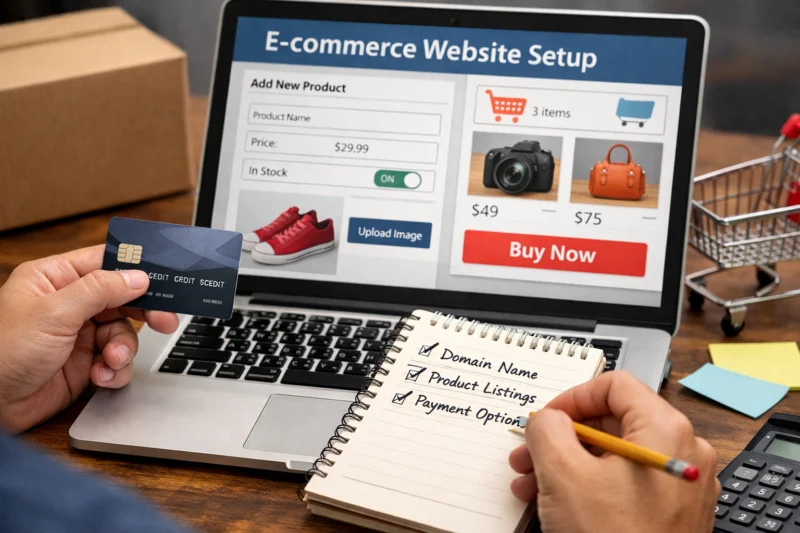
The most reliable path to launch is to start with niche and product selection, then choose the domain, platform, and design direction. After that, add products, configure payments and shipping, and test the full purchase flow before going live.
Product selection should begin with demand, margin, and fulfillment reality. A beginner store works best when the owner understands what problem the product solves, who is likely to buy it, and how the item will be shipped or delivered. Once that is clear, choose a domain name that is memorable and easy to type, then select a platform that matches your skill level. Some beginners want a fast start through a hosted builder, while others prefer the flexibility of WordPress store setup because they want more control over content and SEO structure. Either route can work, but the platform should fit your available time and technical comfort.
When adding products, focus on clear photos, useful copy, consistent pricing, and accurate variant information. Configure payment methods, shipping zones, taxes, and legal pages before launch so buyers never reach a dead end during checkout. Test everything on mobile, because a large share of ecommerce traffic comes from phones and tablets. This is also the best time to review site speed optimization, since slow pages can reduce conversion before a shopper even reaches the cart. Treat launch as validation, not completion. A first launch tells you whether shoppers understand the offer, whether the process works smoothly, and where the biggest friction points are. That feedback is far more valuable than waiting for a “perfect” site that never goes live.
Common mistakes beginners make with ecommerce websites
The most common beginner mistake is overcomplicating the store before the first sale. New owners often spend too much time on custom features, visual tweaks, and advanced automations before they know whether the product and offer are clear enough to convert.
Another frequent problem is weak product content. Poor images, vague descriptions, and missing size or specification details create uncertainty, and uncertainty is one of the fastest ways to lose a sale. Hidden costs and unclear policies also damage trust. If shipping rates, return rules, or delivery timing are only revealed late in the checkout process, shoppers often abandon the cart. Mobile performance is another weak spot. A store may look polished on desktop but feel cramped, slow, or difficult to navigate on a phone, which makes the mobile buying experience frustrating. That is why website conversion tips often recommend focusing on clarity, pricing transparency, and checkout simplicity before redesigning the homepage.
The deeper issue is that many beginners think design problems are the main obstacle when the real problem is usually trust or clarity. A store can look attractive and still fail if the visitor cannot quickly understand the offer, compare options, or feel safe purchasing. It is also common to ignore operational readiness, such as inventory accuracy, refund handling, or customer support response times. Those backend issues eventually affect the website experience, especially when orders increase. If you want to reduce risk, review successful store basics before adding extra promotional modules, pop-ups, or complex upsells. The cleanest beginner stores are often the ones that make buying feel easy.
What most beginner guides get wrong: advanced considerations
Many beginner guides imply that traffic is the main challenge, but traffic alone does not create sales. Conversion rate, trust, and offer clarity matter just as much, and in many cases they matter more than raw visitor volume.
Operational reality is another area beginners underestimate. Inventory management, fulfillment timing, customer service, refunds, and exchange handling all shape whether the site performs well. A customer who receives a late shipment or inconsistent product information is experiencing a website problem, even if the issue started elsewhere. That is why ecommerce design best practices and backend operations should be considered together rather than as separate tasks. Search visibility also matters, but ecommerce SEO is not just about generic blog content. Category structure, product-page intent, unique copy, and duplicate-content control all influence how well product pages can rank and convert. If you are planning growth, content architecture should support product discovery, not just home page branding.
BOOST YOUR ONLINE SALES. SEAMLESS SHOPPING EXPERIENCE.
Transform your ecommerce vision into reality with a custom website that engages customers and drives conversions. From product pages to checkout, we design everything to enhance trust and simplify buying.
GET YOUR FREE CONSULTATIONAccessibility and site speed are practical conversion factors, not optional technical checkboxes. A page that loads slowly or is hard to use with a keyboard, screen reader, or mobile thumb creates real friction for real shoppers. Beginners sometimes get distracted by surface-level polish and miss the deeper buying path issues that actually reduce revenue. This is also where future ecommerce trends become relevant, because stores that are built with flexible content models, cleaner product data, and better performance foundations adapt more easily as customer expectations change. If you are serious about long-term results, think beyond launch-day appearance and plan for how the store will behave when traffic, product count, and service demands increase.

Useful references for this stage include the Google Search Central documentation — for indexing and product page guidance, FTC consumer guidance — for trust and disclosure expectations, and WCAG — for accessibility standards that improve usability. These sources help separate real requirements from trendy advice.
How to evaluate whether your ecommerce website is ready
An ecommerce website is ready when a new visitor can understand the offer, trust the store, and complete checkout without confusion. It is not ready just because the design looks finished.
Start with usability checks. Ask whether someone landing on the site for the first time can identify what is sold within a few seconds, find a category or product page quickly, and understand the difference between options. Then review checkout. The process should be short, secure, and mobile-friendly, with no unexpected steps that interrupt the purchase. If the store requires too many account prompts or asks for information that is not necessary, conversion usually suffers. Trust checks matter just as much. Policies, contact details, delivery expectations, and return information should be easy to find before a shopper commits.
Performance also plays a major role. Pages should load quickly enough to keep the shopper engaged, especially on mobile connections. This is where site speed optimization becomes more than a technical task; it is part of the buying experience. A store that feels polished but loads slowly often loses visitors before they can even inspect the product. The deeper mistake many beginners make is treating “finished design” as the goal. In reality, readiness is better judged by customer confidence, order completion, and the absence of avoidable friction. If you are unsure, run a test purchase, review the product detail path, and check whether the site feels simple enough for a stranger to use without help.
Frequently Asked Questions About beginner ecommerce websites
What is an ecommerce website in simple terms?
An ecommerce website is a site where people can browse products, add items to a cart, pay online, and receive an order confirmation. It combines product pages, checkout, payment processing, and order management into one buying system.
Do I need technical skills to build one?
Not necessarily. Many beginners use no-code or low-code platforms, but technical help can still be useful for setup, customization, or troubleshooting. The more complex your catalog or checkout needs are, the more likely you are to need support.
How much does a beginner ecommerce website cost?
Costs usually include a domain, platform subscription, design or theme, apps or plugins, payment processing fees, and maintenance. A simple store can be relatively affordable, but custom features, premium design, and paid integrations raise the total quickly.
What pages should a beginner ecommerce site have?
At minimum, most beginner stores should include a homepage, category pages, product pages, cart, checkout, FAQ, contact page, shipping policy, return policy, and privacy policy. These pages help users navigate, compare products, and trust the store.
What is the easiest way to start selling online?
The easiest path is usually a focused store with a small product range, a simple platform, and a clean template. That keeps setup manageable, but it also means you should be disciplined about testing product demand before adding complexity.
How do ecommerce websites make money?
They make money through direct product sales, usually by selling at a price that exceeds product, fulfillment, platform, and acquisition costs. Profit depends on margin, average order value, repeat purchases, and how efficiently traffic converts into buyers.
What makes a good product page?
A good product page shows clear photos, concise but specific descriptions, pricing, variants, shipping expectations, and trust signals such as reviews or guarantees. It should answer the main objections a buyer might have before they need to ask for help.
Is it better to use a website builder or hire a developer?
A website builder is often best for beginners who want speed and lower cost. Hiring a developer makes more sense when the store needs special functionality, custom workflows, or a design that a standard theme cannot support.
How do I get my ecommerce website found on Google?
Focus on clear site structure, unique product and category content, proper indexing, and pages that match real search intent. Search visibility improves when Google can understand what you sell and when product pages are useful enough to deserve ranking.
What should I fix first if my store is not converting?
Start with clarity, trust, checkout friction, and mobile usability. In many cases the biggest issues are weak product content, unclear policies, or a checkout that asks for too much information too soon.
BUILD YOUR ONLINE STORE WITH EASE
Transform your business with a custom ecommerce website that makes shopping simple and seamless. Our expert team specializes in creating fast, mobile-friendly stores designed for conversions and growth.
Beginner ecommerce success usually comes down to clarity, trust, and a simple buying experience. If you understand what to sell, choose an approach that matches your budget and skill level, and launch with the right essentials, you give your store a much better chance to convert visitors into customers.
The smartest next step is to compare platform options, review your product pages, and build a launch checklist before going live. From there, improve based on customer feedback, not assumptions, and treat each update as part of a long-term store-building process rather than a one-time launch.
Updated April 2026