

Salem businesses gain more qualified leads, smoother user journeys, and higher conversion rates when UX/UI design removes friction from the path to contact, quote requests, bookings, or sales. For companies evaluating Salem Oregon UX UI Design That Enhances User Experience and Conversions, the real goal is not prettier pages; it is choosing services that improve business outcomes in Salem, Oregon by helping more of the right visitors take action.
That matters because local competition is not just about being found in search. It is about whether Salem-area customers trust your site, understand your offer quickly, and can complete a task without confusion on mobile or desktop. This guide helps you compare options, avoid expensive redesign mistakes, and understand what strong UX/UI work should deliver in measurable terms before you commit to a partner or a project.
When UX/UI design is done well, it supports local service businesses, professional firms, healthcare practices, trades, and B2B companies that depend on inquiries and consultations. It also helps existing traffic perform better, which is often the fastest way to improve results without increasing ad spend. The best projects are usually grounded in SEO web design, accessible web design, and clear conversion strategy, not just visual polish.
Why UX/UI design matters for Salem businesses competing for local leads
UX/UI design matters because it shapes whether a visitor becomes an inquiry, a booking, a call, or a lost session. For Salem businesses competing for local leads, that difference can determine whether traffic from search, ads, referrals, or social media turns into revenue. If people cannot quickly understand what you do, who you help, and what to do next, they leave—even if the site looks modern.
Local trust is especially important in Salem for service businesses, professional firms, healthcare providers, contractors, and B2B companies. Visitors often judge credibility by the site experience: clear navigation, strong page hierarchy, accessible forms, obvious contact options, and mobile usability. These elements function like digital storefront cues, and they are often more persuasive than decorative graphics or large hero images. A clean experience can reassure someone who is comparing multiple Salem providers.
Small usability improvements also compound across the full customer journey. A better call-to-action can increase form submissions. A shorter form can improve completion rates on mobile. A clearer page structure can reduce bounce on service pages and support repeat visits from people who are still evaluating options. The deeper point is that “better design” is not always “more design.” In many cases, clutter, competing messages, and unnecessary motion reduce conversions even when the site feels more current.
One common mistake is treating design as a branding exercise instead of a lead-generation system. If you are comparing Salem design options or researching local design search, focus on whether the work improves decision-making for users, not just appearance. That distinction is what separates a website that impresses internally from one that performs in the market.
What effective UX/UI work looks like when the goal is conversions
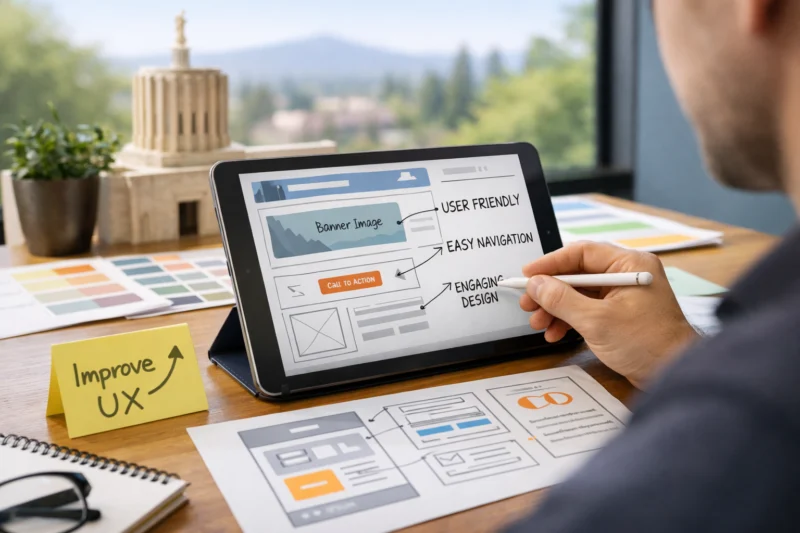
Effective conversion-focused UX/UI work helps people complete tasks faster, understand value faster, and encounter fewer barriers before acting. The most important outcomes are clearer calls to action, fewer drop-offs, better-qualified leads, and page structures that match user intent. In practical terms, good UX/UI should make it easy for a first-time visitor to learn enough to act and for a returning visitor to pick up where they left off.
UX strategy and UI presentation work together, but they are not the same thing. UX defines the path: what users need, what they should see first, how they navigate, and where friction appears. UI expresses that strategy through layout, typography, spacing, hierarchy, contrast, and interaction cues. When the strategy is weak, beautiful UI can still fail. When the interface is weak, strong strategy can be hidden. Conversion paths depend on both.
The page elements that most often affect performance are navigation, page hierarchy, page speed perception, forms, and CTA placement. Navigation should reduce choice overload. Hierarchy should tell visitors what matters first. Forms should ask only for what is needed at that stage. CTA placement should match user readiness, not just be repeated everywhere. For example, a visitor on a homepage may need a softer “learn more” path, while a service page visitor may be ready for “request a quote” or “schedule a consultation.”
This is where WordPress user experience and design and development decisions overlap with conversion performance. A team that understands both can build for speed, structure, and content clarity instead of adding unnecessary features that slow users down. The strongest designs support different intent levels without forcing every visitor into the same funnel.
Is your Salem business struggling to convert visitors into customers? At eDesignerz, we specialize in creating user-focused designs that eliminate friction and drive action. Let us help you turn your website into a powerful conversion tool, tailored for your unique audience.
Get Your Free ConsultationHow to choose a Salem Oregon UX/UI partner that can improve experience and results
The best UX/UI partner is one that can explain how design decisions affect business results, not just aesthetics. Look for a process that includes discovery, research, wireframes, content collaboration, testing, and post-launch iteration. A strong portfolio matters, but only if it shows relevant business problems and measurable outcomes, not just attractive screenshots.
When evaluating agencies or designers, ask how they learn about your customers, what they do before visual design begins, and how they decide what should change first. You want to hear about journey mapping, conversion analysis, mobile behavior, and content hierarchy. Ask whether they build wireframes before mockups, whether they validate assumptions, and how they handle feedback when analytics show a page is underperforming. These questions reveal whether the team is solving for user behavior or just delivering pages.
Credible proof is specific. Before/after examples should show what changed, why it changed, and what happened after launch. Industry fit matters too: a team that has improved a healthcare booking flow or a B2B quote request process is more valuable than one that only posts generic “creative redesign” samples. That difference is especially important when comparing Salem UX UI services with broader Salem web development offerings, because not every build partner understands conversion strategy.
A useful distinction is whether a vendor only “builds pages” or whether they understand lead quality and sales outcomes. A page builder can deliver the layout you asked for, but a conversion-focused partner will challenge assumptions, refine messaging, and shape the journey around the customer. If budget is a concern, compare affordable Salem websites carefully, because the lowest price can become the highest total cost when the site fails to convert.
Common mistakes businesses make with UX/UI redesigns
One of the most common mistakes is redesigning for appearance only. A site can look more modern and still perform worse if the new layout buries key information, lengthens the path to action, or makes mobile navigation harder to use. Another mistake is ignoring analytics and changing too many things at once, which makes it difficult to know what actually improved or worsened results.
Unclear messaging is a major conversion killer. If visitors cannot immediately tell what the company does, who it serves, and why it is different, they will not keep exploring. Weak mobile layouts are another frequent problem, especially for local customers who arrive from search while on the go. Hidden CTAs, text-heavy sections, and forms that are too long can all reduce performance after a redesign even when the site looks more refined.
Designing around internal preferences instead of customer behavior is a deeper issue. Teams often approve layouts because they feel polished, align with brand taste, or mimic competitor sites. That approach can ignore how real users scan pages, compare options, and decide when to contact a business. The misconception to avoid is that a modern visual style automatically improves experience or revenue. In reality, modern style without usability discipline often creates friction.
This is where SEO web design and accessible web design should be part of the conversation from the start. Accessibility, content clarity, and technical structure influence how people interact with the site, including visitors using assistive technology, older devices, or small screens. Many redesigns fail because they look at the homepage in isolation instead of the full customer path.
Options and approaches: what to look for in Salem Oregon UX/UI design services
There are several realistic service approaches, and the right one depends on your stage, budget, and urgency. A full-service strategy-led design engagement is best when the site is central to lead generation and the current experience is clearly underperforming. A conversion-focused website redesign fits businesses that already have a viable offer but need stronger performance from existing traffic. Ongoing optimization is useful when you want to improve over time after launch. A lightweight UI refresh makes sense when the structure is sound but the presentation is dated.

Tradeoffs matter. Full redesigns offer the most room for improvement, but they take longer and require more research. Lightweight refreshes are faster and cheaper, but they may not fix core journey problems. Ongoing optimization is often the smartest path for businesses with steady traffic and enough data to guide decisions. For many companies, the right answer is not a rebuild at all; it is a sequence of focused improvements on pages that already get attention.
If you are comparing Salem design options, think about where the biggest friction is. A business with a strong brand and stable traffic may only need targeted improvements to calls to action, page structure, or forms. A business with poor mobile engagement or confusing navigation may need a more substantial redesign. The smarter choice is often the least disruptive option that solves the actual problem.
| Approach | Best for | Tradeoffs |
|---|---|---|
| Strategy-led full redesign | Low conversion rates, unclear messaging, major structural issues | Higher cost, longer timeline, more stakeholder coordination |
| Conversion-focused redesign | Businesses with existing traffic that need more leads | May not solve deep brand or content gaps without follow-up work |
| Ongoing optimization | Sites with enough traffic for testing and iteration | Slower initial change, requires patience and analytics |
| Lightweight UI refresh | Stable structure with outdated visuals | Limited impact if usability issues are structural |
For some companies, especially those with constrained budgets, small improvements can outperform a rebuild. That is where affordable Salem websites and targeted design and development work can be a practical middle ground. The key is selecting the service that matches the problem instead of buying the largest package available.
The process for creating UX/UI that actually improves conversions
Conversion-focused UX/UI should begin with discovery and goal setting, not color palettes or page comps. The first step is understanding the business model, the main conversion actions, the audience segments, and the pages that matter most. From there, teams can create an information architecture that matches user intent, rather than forcing the site structure to mirror internal departments or legacy menus.
Wireframes are where conversion strategy becomes concrete. They define page hierarchy, section order, CTA placement, and content priority before visual design starts. That matters because a beautiful layout cannot fix a poor structure. During wireframing, the team should evaluate user paths, device behavior, and form friction. For example, a mobile visitor may need a shorter page with a sticky contact action, while a desktop visitor may benefit from more supporting proof before converting.
UI design comes after the strategic structure is set. The visual layer should make the path feel easy and trustworthy, not distract from it. At launch, validation should check whether the site performs as expected across devices and traffic sources. Good teams do not treat launch as the finish line. They look at real behavior, identify where users hesitate or abandon, and refine the experience based on evidence. That iterative loop is often where the biggest gains appear.
This is also why Salem web development and local design search should be evaluated together with strategy. A partner who can connect UX planning, implementation quality, and post-launch measurement is more likely to produce sustained results. For WordPress sites, the technical side of WordPress user experience can matter as much as the visuals if page speed, structure, or plugins introduce friction.
DESIGN THAT DRIVES CONVERSIONS. IN SALEM OREGON.
Transform your website into a powerful lead generator. Our UX/UI design services ensure your site is not just visually appealing but strategically designed to convert visitors into customers. Let us enhance your user experience to attract and retain more clients.
GET YOUR FREE CONSULTATIONAdvanced UX/UI considerations that most guides get wrong
Many guides oversimplify UX/UI by treating all visitors the same, but Salem businesses often serve different audience segments with different intent levels. A low-intent visitor may be researching solutions, while a high-intent visitor is ready to call. A business with complex services may need education, proof, and comparison content before the CTA. A simpler service may need only a short path from landing page to inquiry.
Accessibility, clarity, and trust are not side projects. They are part of conversion design. Strong contrast, readable type, logical heading structure, descriptive labels, and predictable interactions help more people complete a task. These same choices also reduce confusion for all users, not just those with accessibility needs. A brand can still feel distinctive while making the interface easier to use; personality should support confidence, not compete with it.
Another advanced issue is how to balance brand expression with conversion efficiency. Local businesses sometimes worry that a cleaner layout will feel too generic, but that usually comes from confusing “minimal” with “effective.” A good design can be distinctive through voice, imagery, and strategic details while still keeping the path to conversion simple. The common objection that “our customers already know us” is risky because returning users still need convenience, and new users still need clarity. The claim that “we do not get enough traffic to optimize” can also be misleading, because low traffic makes every conversion more valuable.
These nuances are especially important when designing for SEO web design and accessible web design. The right structure can help search users find answers quickly while also making it easier for them to act. In some cases, that means improving the service page first. In others, it means changing navigation or contact flow before touching the homepage.
Measuring whether Salem Oregon UX/UI improvements are working
The most important metrics are conversion rate, form completion rate, click-through rate, engagement patterns, and lead quality. If a redesign improves traffic but not inquiries, it is not necessarily a success. If it increases inquiries but those leads are poor fit, the business outcome may still be negative. Measurement should focus on actions that tie to revenue, not just page views or time on site.
It is also important to distinguish vanity metrics from business-impact metrics. A lower bounce rate can be helpful, but only if the right visitors stay and convert. More clicks on a CTA are useful if those clicks lead to completed forms or booked consultations. Better-looking pages can get positive internal feedback without improving the numbers that matter. The right comparison is always before and after by page type, device type, and traffic source.

For example, a homepage might show modest movement while service pages and contact pages improve significantly. Mobile users might respond differently than desktop visitors. Paid traffic may need a different landing page structure than organic traffic. The deeper point is that better conversion rate without better lead quality can still be a failure for many Salem businesses. The goal is not more form submissions at any cost; it is more qualified opportunities.
In practice, that means tracking outcomes over time and reviewing whether the changes affect Salem UX UI services goals, not just design approval. A good partner will help define what success looks like before launch, then compare the results after implementation. That is how UX/UI becomes a business tool instead of a subjective opinion.
Frequently Asked Questions About Salem Oregon UX UI design that enhances user experience and conversions
What does UX/UI design do for conversions?
UX/UI design reduces friction so more visitors can understand the offer and take action. Clearer flow, stronger hierarchy, and better calls to action help users move from interest to inquiry without confusion.
How do I know if my Salem business website needs a redesign?
Common signs include weak inquiries, poor mobile behavior, confusing navigation, and pages that do not clearly explain the offer. If visitors are arriving but not converting, the problem is often the user experience rather than traffic volume.
What should I look for in a Salem Oregon UX/UI designer?
Look for relevant portfolio examples, a transparent process, and evidence that the team thinks about conversion outcomes. A strong designer can explain research, wireframes, testing, and how decisions affect lead quality.
How long does a conversion-focused UX/UI project usually take?
Timelines vary based on scope, content readiness, and the number of pages involved. A rushed project can miss important validation, especially if the team needs time to review user paths and refine forms or page hierarchy.
Is UX or UI more important for business results?
They work together: UX defines the journey, and UI makes that journey understandable and trustworthy. If either one is weak, conversion performance usually suffers.
Can small design changes improve lead generation?
Yes, small changes like CTA wording, form length, and section order can have outsized effects. Sometimes the fastest gains come from improving the pages that already receive the most traffic.
How do I compare UX/UI services in Salem, Oregon?
Compare process, proof, communication, specialization, and fit for your goals. The best option is usually the one that shows how it will improve user behavior and business outcomes, not just aesthetics.
What makes mobile UX especially important for local customers?
Local search often happens on mobile, where small screens magnify friction. If buttons are hard to tap, forms are too long, or pages are cluttered, potential customers may leave before contacting you.
How do I measure whether a redesign was successful?
Compare conversion rate, lead quality, form completions, CTA clicks, and engagement by device and page type before and after launch. Success should be measured against business goals, not just design preference.
What if I already have a website but need better results?
You may not need a full rebuild. In many cases, targeted optimization around conversion paths, page structure, and content clarity is the smarter first step, especially if the site already has stable traffic.
Is your Salem website driving enough leads?
Don’t let a confusing user experience hold your business back. Let’s discuss how tailor-made UX/UI design can enhance your site’s performance and convert visitors into customers. Schedule your free consultation today!
Final thoughts on choosing UX/UI support in Salem
Effective Salem Oregon UX UI Design That Enhances User Experience and Conversions is about business outcomes, not decoration. The strongest websites guide users clearly, support trust, and make it easier for the right people to contact you, request a quote, book, or buy.
If you are evaluating a partner, choose one that understands local intent, user behavior, and measurable conversion improvement. Compare service approaches carefully, ask about research and validation, and look for proof that the team can improve lead quality—not just page appearance.
The best next step is usually a consultation, audit, or side-by-side comparison of service options based on current website performance. If your site already gets traffic, a conversion-focused review can reveal whether a targeted update or a larger redesign will create the best return.
For Salem companies weighing Salem UX UI services, Salem web development, or broader design and development support, the right decision is the one that improves user experience and produces measurable business results.
Updated April 2026