
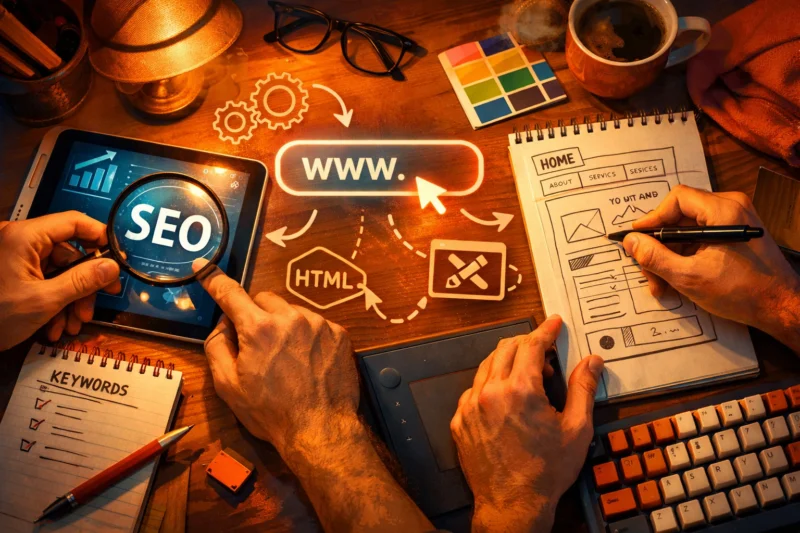
SEO and Web Design work best as one system: the way a site is built affects how search engines crawl it, how users understand it, and whether visitors convert.
That matters now because a beautiful site can still underperform in search if it is slow, confusing, or poorly structured, while a strong SEO strategy can fail if the design makes content hard to find or trust. In practice, the connection shows up in crawlability, usability, content hierarchy, internal linking, and conversion paths. If you are planning a launch, redesign, or template update, you need to treat these two disciplines as connected decisions rather than separate tasks. This article explains how they work together, what to prioritize, where conflicts appear, and how to make tradeoffs intelligently.
Contents
- 1 Why SEO and Web Design Should Be Planned Together
- 2 How Search Engines Read a Web Page Before Users See It
- 3 What Good Web Design Must Support for SEO Performance
- 4 How to Build a Website That Works for Both Users and Search Engines
- 5 SEO-Friendly Design Elements That Matter Most
- 6 Common Mistakes and Misconceptions in SEO and Web Design
- 7 Choosing the Right Approach: Templates, Custom Design, CMS Themes, or Full Builds
- 8 Advanced Considerations Most Guides Get Wrong
- 9 Measuring Whether SEO and Web Design Are Working Together
- 10 Frequently Asked Questions About SEO and Web Design
- 10.1 Do web design changes affect SEO rankings?
- 10.2 What should come first, SEO or web design?
- 10.3 How do I make a website both attractive and SEO-friendly?
- 10.4 What are the biggest SEO mistakes in web design?
- 10.5 Can a website redesign improve SEO?
- 10.6 How do SEO and web design work together on mobile?
- 11 Conclusion
Why SEO and Web Design Should Be Planned Together
SEO and design are linked because discoverability and usability depend on the same page structure. If people can find, understand, and act on content easily, search engines usually can too.
Design decisions influence whether a page is indexable, whether visitors stay long enough to engage, and whether the page supports conversion. A homepage may look polished, but if the service pages are thin, the navigation is unclear, or the important text is buried below large graphics, the site can struggle to rank and to convert. That is why “make it pretty later” often becomes expensive rework: by the time the visual system is approved, the content structure may already be locked into a layout that does not support keyword targeting or internal linking.
The deeper issue is that visually strong pages can still fail SEO if the hierarchy is weak. Search engines need clarity about what matters most on the page, and users need it too. When a business plans with both teams together, it can align content strategy and SEO with layout decisions early, which is much easier than forcing fixes after launch. This is especially important for product pages, service pages, and category pages, where visual design impacts rankings through clarity, engagement, and how much of the page’s purpose is immediately understood.
How Search Engines Read a Web Page Before Users See It
Search engines read a page by crawling it, rendering it, and indexing the content they can understand. That means they do not experience the page the same way a human does, but the underlying structure strongly shapes what they interpret.

Layout, headings, links, and content placement help search engines identify the topic and relative importance of sections. A clear H1, logical H2s, descriptive internal links, and meaningful above-the-fold content all send topic signals. If the primary subject is only visible after multiple interactions or hidden behind tabs, search engines may still find it, but they can take longer to process the page or assign less confidence to the content. This is why semantic structure matters more than decorative layout alone. It is also why strong on-page structure essentials should inform wireframes, not only final copy.
JavaScript-heavy designs create an edge case. If key content is injected late, hidden until user action, or dependent on client-side rendering, indexing can be delayed or inconsistent. That does not mean JavaScript is bad; it means it should be used carefully when the page’s core meaning depends on it. For example, a resource page with critical editorial content loaded only after interaction may underperform compared with one that exposes the same material in static HTML. When search visibility matters, the safest approach is to make essential text, links, and headings available without friction.
What Good Web Design Must Support for SEO Performance
Good web design must support mobile layout, navigation, page speed, and accessibility because these are directly tied to how people and search engines evaluate a page. If design fails in those areas, SEO usually suffers soon after.
Visual hierarchy is one of the most underrated SEO support systems. It helps users identify the main message, scan supporting details, and understand what action to take next. It also helps search engines infer which content is central versus secondary. Clean information architecture reduces bounce risk because visitors are less likely to feel lost, especially on sites with multiple services, categories, or educational resources. The best designs make it obvious where to go next without forcing users to think too hard.
Minimalist design is not automatically SEO-friendly. In some cases, minimalism strips away context, supporting copy, and internal links that help the page rank. A sparse page can look elegant while failing to explain its relevance. This is where user experience and conversions intersect with search: a page that is too stripped down may attract traffic without answering enough questions to move visitors forward. Mobile behavior matters too, which is why mobile optimization for SEO should be treated as a design requirement, not a technical afterthought. And for many sites, faster website performance is the difference between a usable experience and a lost session.
How to Build a Website That Works for Both Users and Search Engines
The best process starts with keyword and topic planning, then moves into page structure, wireframes, content blocks, and launch checks. In other words, SEO should shape the structure before the visuals are finalized.
At the planning stage, decide what belongs on a page and what should live on supporting pages. A service page should usually focus on one core intent, a few supporting proof points, and clear next steps. Supporting blog posts or resource pages can handle deeper educational topics. That separation matters because trying to force every keyword, every question, and every conversion goal into one template makes the page harder to scan and harder to rank. This is where keyword research and planning and content strategy and SEO should inform the design team early, not after the homepage is approved.
There is a tradeoff between aesthetics and clarity on high-intent pages. If a page is meant to drive leads, booking, or sales, readability and actionability should win over decorative complexity. That does not mean sacrificing brand quality; it means using design to support the message rather than compete with it. A practical approach is to create content blocks first, then apply the visual system to those blocks so the structure remains search-friendly and scalable. For implementation teams, that is where website development best practices and website redesign planning tips prevent costly revisions later.
| Planning choice | Better for SEO | Better for design flexibility | Tradeoff |
|---|---|---|---|
| SEO-led wireframes | Yes | Moderate | Less room for late-stage structural changes |
| Design-first mockups | Sometimes | Yes | Often needs restructuring for clarity and crawlability |
| Content-first page planning | Yes | Moderate | Requires disciplined editing to avoid clutter |
SEO-Friendly Design Elements That Matter Most
The most important SEO-friendly design elements are navigation, header hierarchy, internal linking, image optimization, and a structure that can scale across templates. These elements determine whether the site stays understandable as it grows.
Navigation should help users reach major topics in a few clicks, and it should reinforce the site’s primary categories. Header hierarchy should be consistent, with one clear topic per page and supporting sections that expand the subject logically. Internal linking matters because it distributes authority and helps search engines discover related pages. Image optimization matters because large, uncompressed media often slows pages and distracts from the content. Schema-friendly structure also helps by making repeated page patterns easier to interpret across the site.
Readable typography, appropriate spacing, and scannability are not just usability wins; they improve the chances that users will actually consume the content. If people skim and understand the page quickly, they are more likely to stay, engage, and convert. That is why consistent templates matter for multi-page websites. They let you scale SEO patterns instead of reinventing every page. Not every visual element helps, though. Large sliders, auto-playing animations, and oversized hero sections can dilute focus or push meaningful content too far down the page. The simplest design is not always the best SEO design, especially when it removes helpful context.

For teams creating supporting content hubs, well-structured pages also make it easier to build topic clusters around specific services, industries, or product lines. That is where internal link paths can reinforce both navigation and content depth without making the interface feel crowded.
Common Mistakes and Misconceptions in SEO and Web Design
One of the biggest mistakes is treating SEO as only content and design as only aesthetics. In reality, the two affect how easily a page can be discovered, understood, and acted on.
Another common failure is overinvesting in the homepage while neglecting templates, service pages, category pages, and article layouts. Those lower-level pages often drive the most organic visits because they match specific search intents. If they are weak, the site may look impressive but underperform where it matters most. Weak internal linking, buried content, missing alt text, and non-responsive layouts are all common design-driven SEO failures that quietly reduce performance over time.
A frequent misconception is that a “modern” design automatically improves rankings or trust. Modern visuals can help, but only if they support clarity and relevance. A visually trendy layout that hides key information behind hover states or icon-only navigation can actually reduce usability. That is why design teams should always check whether a style choice helps users understand the page faster. For many businesses, that means pairing on-page structure essentials with visual decisions rather than assuming a sleek interface will solve structural problems by itself.
Choosing the Right Approach: Templates, Custom Design, CMS Themes, or Full Builds
The right build approach depends on how much control you need, how fast you need to launch, and how much SEO flexibility the site requires. There is no single best option for every business.
Prebuilt themes are usually the fastest and cheapest, but they can limit how deeply you control structure and performance. Custom templates offer a stronger balance of speed and flexibility, especially for businesses that want a more distinctive brand without sacrificing SEO foundations. Page builders are convenient for teams that need to publish quickly, but they can create maintenance issues if too many layered modules slow the site or make content harder to standardize. Fully custom builds offer the most control, but they require stronger governance so the site does not become difficult to update or optimize later.
For a small business site, a clean CMS theme with strong technical implementation may be enough. For a content-heavy site, custom templates and scalable content models are usually better because they support topic depth and internal linking. For a growth-focused brand, the hidden SEO cost often comes from choosing a highly flexible visual system that becomes difficult to maintain, audit, or optimize over time. The right choice should support both current launch goals and future search growth, not just the initial design review.
When teams compare options, it helps to think in terms of support for repeated page types, not just a single landing page. A design that works once but breaks at scale is usually not the best long-term SEO decision.
Advanced Considerations Most Guides Get Wrong
Advanced SEO and design issues usually appear on larger sites, but they can affect smaller sites too. JavaScript rendering, faceted navigation, duplicate templates, and pagination all influence crawl depth and topic clarity.
Faceted navigation can create large sets of near-duplicate URLs if filters are not controlled carefully. Pagination can split topic authority across many pages if the structure does not clearly guide users and crawlers. Duplicate templates can make different pages feel interchangeable when they should communicate distinct intent. These are design and development concerns as much as they are SEO concerns because they determine what search engines see first and most often. On larger sites, content design also affects topical authority. If related pages are too shallow or too isolated, the site may fail to show depth even when the brand has plenty of material.

Core Web Vitals matter, but they are not a standalone fix for weak content or poor structure. A page can load quickly and still fail because the layout is unclear or the content does not answer the query well enough. The real goal is not only performance, but sustainable discoverability. That means distinguishing between “fast enough” and faster website performance that actually supports organic growth. For technical teams, the best results often come from combining crawl-aware architecture with careful rendering decisions and strong editorial organization.
One thing most guides get wrong is assuming technical optimization can compensate for weak page purpose. It cannot. If a page does not have a clear topic, useful depth, and a strong internal role in the site structure, no amount of polish will make it a durable organic asset.
Measuring Whether SEO and Web Design Are Working Together
You can tell whether SEO and design are aligned by looking at organic traffic, index coverage, engagement, conversion paths, and page-level performance together. No single metric tells the full story.
If a redesign improves visibility but engagement drops, the new design may be attracting the wrong intent or making the page harder to use. If engagement improves but index coverage falls, the structure may be helping visitors while hurting crawlability. That is why page-level analysis matters more than broad site averages. Look at which templates gained impressions, which pages lost rankings after structural changes, and whether users are reaching the intended next step.
Qualitative feedback and analytics each solve different problems. Session recordings, usability tests, and customer feedback help explain why a page feels confusing. Analytics show where behavior changes after a redesign or content update. Together, they help separate a real design improvement from a temporary traffic shift. A useful rule is to compare before-and-after data on similar pages, not just the homepage. That is especially important if you are evaluating user experience and conversions after a structural update. A traffic increase without better engagement or conversions can mean the design is attracting the wrong intent, not the right audience.
| Metric | What it tells you | What to watch for |
|---|---|---|
| Organic impressions | Search visibility trend | Growth without clicks may signal weak snippets |
| Engagement rate | Whether visitors find the page usable | Low engagement can point to unclear layout or intent mismatch |
| Conversion rate | Whether the page supports business goals | Traffic growth without conversions may indicate poor page alignment |
| Index coverage | Whether search engines can access pages properly | Losses may follow template, rendering, or internal linking changes |
Frequently Asked Questions About SEO and Web Design
Do web design changes affect SEO rankings?
Yes. Design changes can affect rankings by altering content structure, page speed, internal links, mobile usability, and whether search engines can index the page cleanly. A redesign that removes useful content or changes URLs without planning can cause visibility losses, while a better structure can improve performance.
What should come first, SEO or web design?
They should be planned together, but SEO should influence structure before design is finalized. If design comes first without topic research, you often end up with layouts that look good but fail to support search intent or internal linking.
How do I make a website both attractive and SEO-friendly?
Use visual design to reinforce hierarchy, not replace it. The page should have a clear topic, readable sections, strong navigation, and enough supporting content to answer the query fully.
What are the biggest SEO mistakes in web design?
The biggest mistakes are weak navigation, buried content, slow pages, poor mobile layouts, and missing internal links. Another common issue is designing around visuals first and discovering later that important pages are too thin or too hard to crawl.
Can a website redesign improve SEO?
Yes, if the redesign improves structure, speed, content organization, and mobile usability. The risk is migration problems, such as lost pages, changed URLs, or stripped content, so planning and redirects matter just as much as the visual update.
How do SEO and web design work together on mobile?
On mobile, design must prioritize readable text, fast loading, tap-friendly navigation, and the most important content first. Since mobile users have less patience and smaller screens, the layout must make the page usable without hiding key information behind excessive spacing or interactions.
Conclusion
SEO and web design should be treated as one connected system, not separate disciplines. When structure, speed, clarity, mobile usability, and internal linking work together, the site is easier for search engines to understand and easier for people to use.
The practical takeaway is simple: design for readability and conversion, but validate every major choice against search visibility and crawlability. Good design supports both discovery and action, while good SEO helps strong design get found. Before a redesign or new launch, audit the current site, compare templates or page structures, and align layout decisions with SEO goals so the build supports growth from day one.
For teams that want to go further, reviewing website development best practices, website redesign planning tips, and the site’s content model together is often the fastest way to avoid expensive rework.
Updated April 2026