
The best WordPress themes for SEO are the ones that load quickly, use clean semantic code, behave well on mobile, and stay compatible with SEO plugins and modern editing tools. In practical terms, The Top WordPress Themes for SEO – Search Engine Optimization are not magic ranking shortcuts; they are frameworks that reduce technical friction so your content, links, and site structure can perform better in search.
If you are choosing a theme in 2026, the real goal is not just visual polish. It is finding a theme that supports fast rendering, readable layouts, accessible navigation, and reliable updates without adding avoidable bloat. This guide will help you compare SEO-friendly theme options, avoid common buying mistakes, and choose a theme that supports ranking goals without creating problems later.
What Actually Makes a WordPress Theme SEO-Friendly
A WordPress theme is SEO-friendly when it helps search engines and users interact with your site efficiently. That usually means clean code, fast rendering, responsive behavior, semantic HTML, and layouts that make content easy to scan and understand. Themes do not directly “do SEO”; they either remove friction or create friction for your SEO work.
The most important trait is lightweight implementation. A theme that loads unnecessary scripts, oversized icon sets, or excessive visual effects can slow pages down and hurt WordPress site performance. That matters because slower pages often create weaker user experiences, lower engagement, and more difficulty passing Core Web Vitals checks. A theme with strong mobile behavior is also critical because many sites are now effectively a mobile first website whether they planned for it or not.
A well-structured theme enhances website usability by incorporating proper heading formats, breadcrumb navigation, and accessible menus. This thoughtful organization not only boosts crawl efficiency but also facilitates easier interpretation of content-heavy sites. However, even a theme labeled as “SEO-friendly” can lead to issues if it enforces poor layout designs, allows multiple H1 tags, or hides essential information behind unnecessary visual elements. Thus, while the theme plays a significant role, it is just one aspect of a broader ecosystem; your content strategy, choice of plugins, and optimization practices are equally crucial. For a more effective approach, consider combining theme selection with resources on schema markup, navigation design, and strategies for creating a mobile-friendly site, as these elements work together to enhance your website’s performance.
One common mistake is assuming theme demos represent real-world performance. Demo sites are often staged with ideal hosting, compressed assets, and curated content. The actual theme on your site may behave very differently once you add images, plugins, analytics, and marketing scripts. If you want to understand theme quality honestly, compare how it behaves after realistic setup rather than how it looks in a polished showcase.

How to Choose the Right SEO-Optimized Theme for Your Site
The right theme depends on your site type, content volume, technical skill, and monetization model. A lean blog with a few hundred articles has different needs from an affiliate site, a local service business, or a large publishing operation. The best choice is the one that supports your content workflow without forcing constant compromises in speed, structure, or maintainability.
Start by evaluating performance and flexibility together. A theme may look attractive and offer many customization options, but those options can come with a heavier CSS and JavaScript footprint. That tradeoff matters because convenience can reduce speed, and speed still influences user satisfaction and crawl efficiency. If you want a simple checklist, look at Core Web Vitals potential, schema output, update history, accessibility, and how much design control the theme gives you without requiring a page builder for basic tasks. A good resource alongside theme research is choosing right theme, because many problems begin before the first install.
Aligning your website's theme with its business model is crucial. Bloggers and affiliate marketers often benefit from minimalist designs that keep the focus on content and advertisements. Service-oriented businesses typically require strong local trust indicators, clear calls to action, and easy contact methods. Content-heavy publishers need consistent category templates, archive organization, and reusable patterns to efficiently publish on a large scale. The distinction between flexibility and performance becomes apparent here: while a highly adaptable builder theme offers design freedom, it might compromise speed if each page relies on numerous modules. If your site already uses multiple plugins, consider optimizing plugin usage for your design needs to ensure your theme doesn't duplicate existing functionalities.
Also think about migration risk. A theme that is easy to launch may be expensive to maintain if it stores layout decisions in proprietary blocks or shortcodes. If you switch later, you may have to clean up templates, headers, and archive structures. That long-term cost is often ignored when people compare only front-end demos. For many site owners, the better choice is a theme that is slightly less flashy but much easier to scale, document, and update.
SEO Theme Features That Matter Most in 2026
In 2026, the most valuable SEO theme features are still the ones that improve speed, structure, and usability. Lightweight CSS and JavaScript matter because they help pages render faster and reduce the chance of layout instability. Mobile-first layouts matter because mobile traffic is not a side channel anymore; it is the default experience for many users. Accessible navigation, clean heading hierarchy, and semantic markup all help both users and search engines understand content.
Ready to Optimize Your Website for SEO?
Partner with eDesignerz for custom WordPress themes that enhance performance, user experience, and search visibility.
Request Your Free ConsultationCompatibility matters too. A theme should work cleanly with modern page builders, the block editor, and SEO plugins without creating duplicate schema, broken templates, or nested layout conflicts. Structured content blocks and reusable patterns are especially helpful for large sites because they keep pages consistent without rebuilding every section from scratch. This is one reason block themes are gaining traction: they can support scalable publishing while keeping the design system more controlled than ad hoc page-builder stacks. For related strategy, compare this with mobile first website planning and improve website UX work, because usability and search performance often rise together.
AI features are another area where buyers need judgment. Some themes now advertise AI writing helpers, AI section generation, or AI layout suggestions. Those features can help workflow, but they only matter for SEO if they improve content quality, content consistency, or production speed in a measurable way. Otherwise, they are just marketing noise layered on top of the same old performance issues. Search engines do not rank a theme because it says “AI”; they respond to useful pages, fast delivery, and clear information architecture.
The table below shows how these features usually affect search performance.
| Theme Feature | SEO Impact | What to Check |
|---|---|---|
| Lightweight codebase | High | Script count, CSS size, unused assets |
| Responsive layout | High | Mobile spacing, menu behavior, tap targets |
| Schema support | Moderate to high | Article, organization, breadcrumb, product markup |
| Block editor support | High | Reusable patterns, template consistency |
| Builder compatibility | Moderate | Whether it adds bloat or just flexibility |
To keep the stack stable, think about compatibility as part of the feature list. A theme that works beautifully on its own but conflicts with your publishing workflow is not a great fit. The best 2026 themes are designed to support a clean publishing system, not just a pretty homepage.
Comparing the Main Types of WordPress Themes for SEO
There are four broad theme types worth comparing: minimal performance themes, multipurpose themes, block themes, and niche content themes. Each can work for SEO, but each solves a different problem. The best option depends on whether you value raw speed, design flexibility, publishing scale, or a highly specific content model.
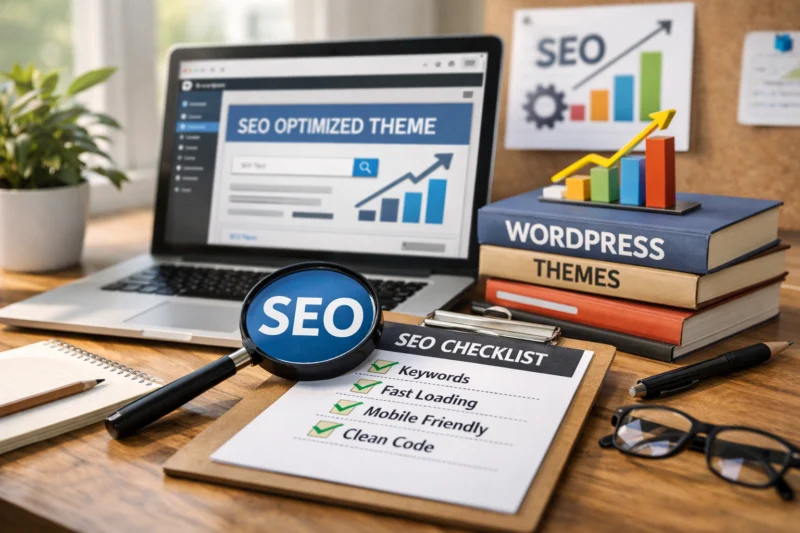
Minimal performance themes are usually the fastest and simplest. They work well for publishers, affiliates, and anyone who wants strong search performance without design overhead. Their main drawback is that you may need more setup or design discipline to make them feel distinctive. Multipurpose themes offer broader design choices and more demo layouts, which can be useful for agencies or businesses that want many options. The tradeoff is that those options often come with heavier code and a greater chance of bloat. Block themes sit in the middle for many users: they can be highly maintainable and consistent, especially for teams already using the WordPress editor, but they require a willingness to work within a template system rather than relying on a visual builder for everything.
Niche content themes are designed for a specific use case such as magazines, recipe sites, directories, or affiliates. They can be strong when the built-in layouts match the content model exactly, but they can also box you in if your strategy evolves. This is where a simpler theme often outperforms a feature-rich one even if the latter looks more polished out of the box. A simpler theme usually gives you faster load times, fewer maintenance surprises, and easier content scaling. If your site will publish hundreds of articles, consistency and maintainability matter more than a homepage demo with lots of motion effects.
For publishers, the real SEO question is not “Which theme looks best?” but “Which theme keeps the content system clean over time?” That is why a theme choice should be compared against your archive structure, category depth, and editorial workflow. If you are building content clusters, internal navigation, and article templates, a theme that supports that process will outperform a visually complex one that makes every update harder. These are the same considerations that influence website navigation structure and long-term WordPress site performance.
Common Mistakes When Picking a Theme for Search Engine Optimization
The biggest mistake is choosing a theme from demos alone. A demo can hide performance problems with ideal hosting, compressed sample images, and simplified content. Your real site will include plugins, tracking scripts, banners, forms, and many pages that are harder to optimize than a sales homepage. If you never test real load behavior, you may buy a theme that looks premium but slows down every important page.
Another frequent issue is overusing features you do not need. Heavy sliders, motion effects, mega menus, and bundled widgets can hurt performance and crawlability. They can also make mobile behavior less predictable, which is a problem for both usability and conversions. If your site is meant to improve website UX and drive actions, cluttered layouts often work against that goal. Some themes also depend on companion plugins to unlock core functionality, which creates lock-in risk if the plugin is abandoned or updated poorly.
Many site owners also overestimate what a theme can solve. A theme does not replace content quality, internal links, metadata setup, or topical authority. It cannot rescue thin pages or weak information architecture. What it can do is either support or damage the work you already plan to do. Hidden problems are usually the most expensive ones: poor update cadence, inaccessible menus, low contrast text, and layouts that collapse awkwardly on smaller screens. Those issues are easy to ignore in a demo but costly in production, especially if your audience relies heavily on mobile optimized website behavior and accessibility-friendly navigation.
One subtle mistake is treating design polish as proof of SEO quality. A theme can look modern and still contain excessive DOM depth, duplicated headings, or poorly structured templates. That kind of issue is harder to spot than a slow homepage, but it can still affect the quality of indexing and the clarity of page relationships. If the theme creates confusing article templates, it may undermine your content even when the front end looks excellent.
Advanced Considerations Most Guides Get Wrong
Most theme guides focus on first impressions, but architecture matters more once your site grows. If you expect hundreds of posts, categories, or template variations, you need a theme that scales without becoming inconsistent. That means archive pages, single-post templates, author boxes, breadcrumbs, and related-post areas should all be manageable without custom hacks. A theme that works for ten posts may become messy at two hundred.
Schema is another area where guides often oversimplify the issue. A theme can help by outputting clean article markup, breadcrumbs, and organization data, but it can also conflict with your SEO plugin if both layers generate overlapping schema. This is why schema markup SEO is not just about adding a plugin; it is about checking how the theme’s code interacts with the rest of the stack. If the theme already outputs structured data badly, the plugin may not fully fix it. In multilingual sites, ecommerce stores, and sites with strict accessibility requirements, those conflicts become even more important because the markup has to stay accurate across templates and locales.
The long-term switching cost is another issue most people ignore. Changing themes later can break layouts, remove reusable patterns, and expose content cleanup work you did not expect. Shortcodes, proprietary blocks, and custom widget areas can leave behind messy content that needs manual repair. That is why the “best” theme is often the one that gives you a stable system now and a manageable migration path later. If you plan to scale content, your theme needs to support that future—not just impress you during setup. For many teams, that future-proofing is more valuable than one more demo feature.

External guidance reinforces these priorities. Search performance depends on technical quality, not decoration, and search engines continue to emphasize useful content, accessibility, and clean page delivery. You can cross-check implementation details with Google Search Central for indexing and structured data guidance, MDN Web Docs for semantic HTML and accessibility fundamentals, and Cumulative Layout Shift on web.dev for understanding one of the Core Web Vitals that themes can influence indirectly.
Best Practices to Keep an SEO-Friendly Theme Performing Well
Choosing a good theme is only the start. To keep it performing well, you need to manage images, fonts, scripts, and updates carefully. Large images should be compressed and sized correctly, fonts should be limited to what you actually need, and unnecessary scripts should be removed or deferred whenever possible. Those habits help preserve WordPress site performance after the theme is live.
Regular updates matter because theme code, WordPress core changes, and plugin compatibility evolve over time. A theme that was fast last year can become unstable if it is not maintained. Using a child theme or a safe customization method helps you preserve changes without overwriting them during updates. Staging tests are just as important: before changing templates or installing new design features, test them in a clone of your site so you can catch layout shifts, broken menus, or mobile issues early. If your setup includes multiple plugins, review how they work together; that is where many performance regressions begin. This is also a good time to audit essential WordPress plugins and remove anything that duplicates theme features.
Structure discipline also pays off. Keep H2 usage consistent, make sure templates remain readable, and check mobile layouts every time you publish significant design changes. Small problems compound quickly across a content library. A theme can be technically strong, but if editors keep adding cluttered blocks, oversized embeds, or inconsistent headers, the site will still degrade. The best results come from a combination of a well-chosen theme and careful setup. In practical terms, that means well-configured matters just as much as well-chosen. A strong theme can be undermined by bad fonts, poor image handling, or too many “helpful” add-ons that do not actually help.
Selecting an appropriate theme is crucial for enhancing your site's search performance, and it often hinges on foundational elements such as clean code, mobile responsiveness, and layouts that facilitate easy navigation for visitors. By prioritizing designs that not only support your content but also maintain a streamlined appearance, you can effectively improve your WordPress site’s loading times, which ultimately contributes to a better user experience and higher SEO rankings.
Before moving into the FAQ section, it helps to remember that the best theme for SEO is usually the one that balances performance, usability, and flexibility for your content goals. As you compare options, think about loading speed, schema support, and how easily the theme works with your preferred plugins, since those details can influence both rankings and user experience.
Frequently Asked Questions About SEO-Friendly WordPress Themes
What makes a WordPress theme good for SEO?
A good SEO theme uses clean code, loads quickly, works well on mobile, and supports readable content structure. It should also be compatible with SEO tools, schema plugins, and the WordPress block editor without creating conflicts or duplicate markup.
Are lightweight WordPress themes better for SEO?
Lightweight themes are often better because they usually load faster and include fewer unnecessary scripts. They are not automatically best, though, if they lack important layout features or force you to rebuild basic functionality with extra plugins.
Can a theme improve Google Rankings by itself?
No, a theme cannot rank a site by itself. It can support rankings by improving speed, structure, and usability, but content quality, backlinks, metadata, and internal linking still do the heavy lifting.
What should I look for in an SEO-friendly WordPress theme?
Look for fast load times, responsive design, clean semantic markup, schema compatibility, and regular updates. It should also fit your content model so you can publish consistently without fighting the layout system.
Which WordPress theme type is best for SEO in 2026?
There is no single best type for everyone in 2026. Minimal performance themes are often best for speed, block themes are strong for scalable publishing, and niche themes can be good if they match your site model closely.
How do I know if my current theme hurts SEO?
Warning signs include slow page loads, poor mobile behavior, broken layout on smaller screens, and too many scripts or animations. If the theme makes content harder to read or update, it may be limiting both usability and search performance.
REQUEST A FREE WEBSITE CONSULTATION!
Choosing the right SEO-friendly theme is just the beginning. Request a free consultation to discuss your project, explore custom WordPress development options, and get a tailored quote for your needs. Let's ensure your website supports your ranking goals and converts visitors into customers.
SCHEDULE MY CONSULTATIONConclusion
The best WordPress theme for SEO is the one that is fast, clean, accessible, and aligned with your actual site goals. It should support your content model instead of forcing you into layouts that look good in a demo but create friction later.
Theme choice is a foundation, not a ranking guarantee. If you want better results in 2026, compare theme categories against your publishing plan, audit your current setup, and test speed and mobile behavior before making a switch. Then choose the option that helps your content, structure, and user experience work together instead of fighting each other.
Updated April 2026