
Accessible Web Design means building a website that people can perceive, understand, and use with assistive technologies and different input methods. It improves usability for everyone by reducing friction, errors, and dead ends. This guide shares practical patterns you can apply to real pages, not just high-level principles.
When Accessible Web Design is done well, users complete tasks with less confusion. The site also becomes easier to maintain because structure and interaction rules are consistent. Modern expectations in 2026 also include more reliable behavior for dynamic interfaces, so testing focus and announcements matters more than ever.
You will learn concrete techniques for content structure, keyboard and focus support, form usability, accessible layouts that handle zoom and reflow, and verification testing. Each section connects those techniques to usability outcomes and accessibility compliance so it does not feel like after-the-fact paperwork.
Contents
- 1 Start with usability goals and turn them into accessibility requirements
- 2 Structure content so it is perceivable and understandable
- 3 Make keyboard navigation and focus behavior predictable for every user
- 4 Design responsive layouts that support zoom, reflow, and multiple input methods
- 5 Verify accessibility with layered testing that mirrors real tasks
- 6 Avoid misconceptions that make interfaces look accessible but fail in use
- 7 Choose implementation options that you can test and maintain over time
- 8 Handle edge cases that determine real-world usability in modern interfaces
- 9 Frequently Asked Questions About Accessible Web Design
- 9.1 What is accessible web design, and how is it different from general usability?
- 9.2 How can Accessible Web Design improve usability for people without disabilities?
- 9.3 Do I need to make every page fully accessible, even low-traffic pages?
- 9.4 Which accessibility issues affect keyboard-only users the most?
- 9.5 How do I test accessible web design if I can’t use a screen reader?
- 9.6 What’s the best way to handle focus when opening and closing modals?
- 9.7 Are color contrast checks enough for accessible web design in 2026?
- 9.8 Can I use ARIA to fix accessibility problems in custom components?
- 9.9 How should I structure headings and landmarks for better screen reader navigation?
- 9.10 What are the most common accessibility mistakes made in forms?
- 10 Conclusion: treat Accessible Web Design as a repeatable usability process
Start with usability goals and turn them into accessibility requirements
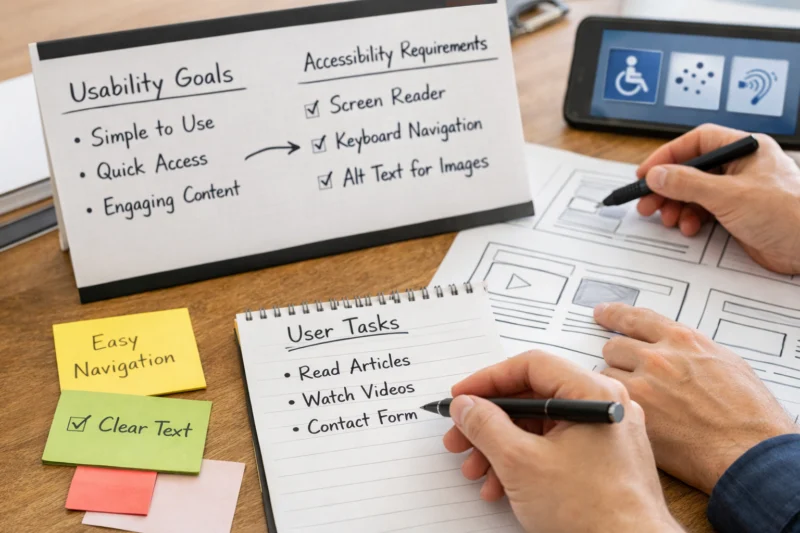
Accessible Web Design works best when you treat accessibility as usability engineering, not a checklist. Start with the user tasks your site supports, then design interactions that work for a wider range of people. This approach also prevents compliance work from missing real task failures.
Use a simple decision path: accessibility goals, user needs, requirements, design choices, implementation checks, then verification testing. In practice, this means you define what “success” looks like for each page type. For example, a product page should let users find key details, compare options, and start checkout without getting stuck.
To make this concrete, write acceptance criteria for common tasks. Cover navigation, content reading, forms, and key workflows like sign-in or search. Then create a “definition of done” that includes keyboard operability, correct focus behavior, and usable error handling. This aligns with how guidance bodies describe inclusive design: behavior must be perceivable and operable, not just visually present.
A common nuance is that the same “fix” can help one group while harming another. For instance, adding visual-only cues like red borders may not help screen reader users or people with low vision who rely on programmatic state. Another example is decorative icons that screen readers might announce if you do not mark them correctly. You need requirements that cover both interaction and information semantics.
If you treat compliance as paperwork, you often miss these task-level problems. The same usability evidence you collect, like “users can submit the form without help,” also supports accessibility compliance. For a baseline reference on principles, review W3C Web Content Accessibility Guidelines (WCAG) and WAI-ARIA Authoring Practices. When you map tasks to requirements, WCAG turns into practical decisions instead of abstract categories.
Structure content so it is perceivable and understandable
Clear structure is the core of Accessible Web Design because it helps people orient and understand content. When information is structured correctly, users can scan, jump, and follow instructions with less effort. This benefits screen reader users and anyone who reads with zoom or reduced attention.

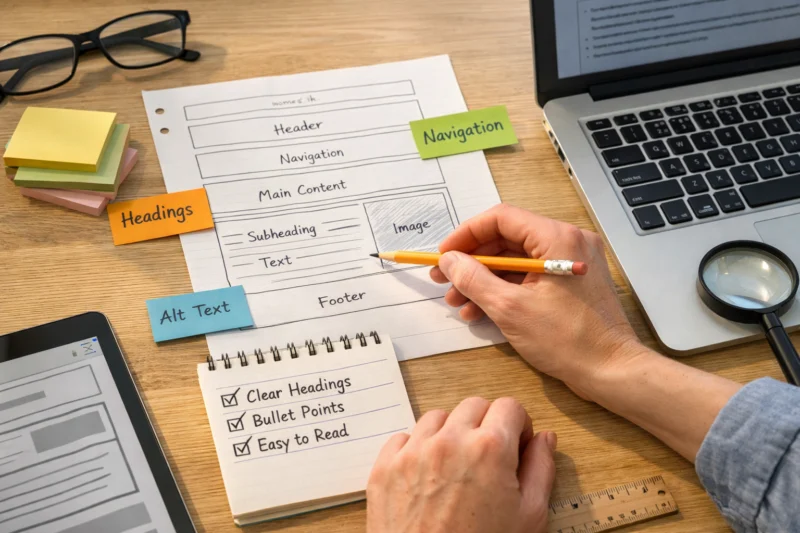
Perceivable and understandable content usually means semantic headings, logical reading order, and readable text. Use headings that reflect the page’s hierarchy, not just styling. Provide meaningful link text so users know where a link leads without reading surrounding visuals.
Landmarks and headings help navigation because assistive technologies often expose them as quick jump points. For example, a user may jump to “Main content” and then move through headings. If you rely on visual layout alone, the reading order can become unpredictable when CSS changes or when text reflows.
Content clarity also affects error prevention. Use consistent terminology across the site, especially in forms and instruction sections. Tell users what is required before they type. When you add “help text” after an input, many users never see it in time, especially those who use screen readers.
Localization and typography can break accessibility in subtle ways. Long line lengths can make text harder to track, while tight line height can reduce readability when zoom is high. Also, do not rely on color alone to convey meaning, since users may not perceive color differences. A deeper insight is that text scaling can change layout in ways that hide instructions or overlap buttons.
Apply these ideas to real page types. On an article, use a clear heading outline, short paragraphs, and descriptive figures. On a landing page, ensure key messages come before secondary sections. On help-center content, keep steps numbered consistently and make related terms easy to find.
Accessible Web Design requires that every interaction works with a keyboard and that focus is always visible. Users should be able to move through controls in a logical order and see where they are. When focus behaves predictably, users can complete tasks without getting trapped.
Start with full keyboard access: Tab and Shift+Tab should reach every actionable element. Avoid keyboard traps where focus gets stuck inside a widget. Ensure links, buttons, menus, and custom controls are operable without a mouse. This is not only about reachability; it is also about correct focus order across page sections.
Visible focus states are essential. People who rely on keyboard navigation need a clear indicator, especially when multiple interactive elements are close together. Also remember that focus styles must work for both light and dark themes and under different user settings.
Dynamic UI needs careful focus management. When a modal opens, focus should move into the dialog so users do not keep interacting with the page behind it. When the modal closes, focus should return to the triggering control. The same principle applies to expandable panels and search suggestions that appear after user input.
Many teams miss the “state announcement” layer. A loading spinner that visually appears might not be announced to a screen reader at all. Likewise, an inline error message that appears visually might not be connected to the input it describes. The practical fix is to ensure errors and important status changes are programmatically associated and announced at the right time, not silently shown.
Validate these behaviors with real workflows. Do a keyboard-only pass from the top of the page through key tasks like opening menus and submitting forms. Then repeat the same tasks with a screen reader session if possible. If you cannot use a screen reader yet, you can still catch focus order issues and missing controls through keyboard testing.
Design responsive layouts that support zoom, reflow, and multiple input methods
Responsive design is part of Accessible Web Design because users may zoom or increase text size and still need the site to work. Your layout should reflow without hiding content or forcing horizontal scrolling. Buttons and inputs also must remain easy to target.
Plan for text scaling early. When users increase font size, long paragraphs should still wrap naturally, and interactive elements should not overlap. Watch for “clipped” cards, truncated labels, and partially hidden form errors. These issues often appear only after zoom or on small screens.
Reflow also affects navigation. Sticky headers can cover anchored content, and overlays can block focus if they do not behave correctly. If you include “skip to content” links, confirm they land in an area that is focusable and visible after activation. A deeper nuance is that skip links that jump to hidden targets can create confusion and make the feature seem broken.
Color and contrast need practical handling beyond scores. Contrast affects focus rings, disabled states, error messages, and hover cues. Also consider that user settings can alter colors. If you encode meaning only through color, the information disappears for many people.
Multi-input reality matters for usability. People may use touch, stylus, keyboard, or switch devices. Ensure touch targets are large enough and that gestures are not the only way to perform actions. For example, if a feature requires “drag and drop” without alternatives, many users will fail even if the visual design looks complete.
In edge cases, watch for carousels that rely on swipe gestures, interactive charts with hover-only tooltips, and embedded widgets that do not reflow. These patterns often break when zoom changes the layout or when focus needs to move through chart elements.
Verify accessibility with layered testing that mirrors real tasks
Accessible Web Design needs testing that proves task success, not just technical compliance checks. Automated tools find many issues quickly, but they cannot confirm whether users complete real journeys. Use a layered approach that includes keyboard and assistive technology testing.
Start with automated checks to catch structural problems like missing alternative text and basic contrast issues. Then do a semantic and code review to verify heading order, label associations, and component structure. This step helps prevent false positives and flags issues that tools cannot interpret well.
Next, run keyboard-only tests for critical components. For each component, validate tab order, activation behavior, focus visibility, and escape paths. Then add a screen reader pass for key user flows like navigation, searching, and completing a form. If your product supports multiple languages, test at least one non-default language because translated layouts often reveal new problems.
Create a practical test plan for each component. Include navigation menus, dialogs, alerts, carousels, data tables, and search results updates. Also test authentication flows with realistic errors like wrong passwords and expired sessions. You are looking for the moment when users need guidance most, not only for how things look.
Dynamic and async interfaces hide many failures. Timing problems can prevent focus from landing where it should, and announcements can arrive too late. Severity triage helps you decide what to fix first: broken forms and unreachable controls typically outrank cosmetic issues. Always reproduce issues using clear steps so a developer can verify a fix reliably.
For documentation, capture expected vs actual behavior and include the exact user task that failed. That practice makes fixes more accurate and prevents regression. It also supports compliance because it ties technical changes to user outcomes.
Avoid misconceptions that make interfaces look accessible but fail in use
Accessible Web Design fails most often when teams trust visual appearance or automated reports too much. Some common misconceptions lead to usability breakdowns that only show up for users with assistive technologies. Correcting these myths improves both accessibility and overall user experience.
One misconception is “If it looks accessible, it is accessible.” Visual cues like color changes or icons do not guarantee that information exists in the accessibility tree. A screen reader may miss the meaning unless you provide programmatic states and proper associations. Another misconception is that contrast and alternative text are the whole story. Many errors happen in interaction states, focus behavior, and form validation timing.
Another misconception is that automated testing guarantees compliance. Automated tools cannot fully evaluate task success, reading order, or how users interpret instructions. They also struggle with custom interactions like complex menus or dynamic tables. That is why keyboard and assistive technology testing must remain part of your workflow.
Misused ARIA can also cause harm. ARIA is not a shortcut for broken semantics. In most cases, native HTML elements already expose correct roles, names, and states. When you use ARIA without matching behavior, you can confuse assistive technology users by announcing incorrect states.
A common failure mode is hidden content being read when it should be silent. Another is off-screen focus after UI updates, where the focus lands in an element the user cannot . Incorrect labeling is also frequent, especially when designers style inputs without ensuring labels are programmatically associated.
The tradeoff is that fixing these issues takes more review time than a quick lint fix. But the payoff is real usability improvement, because users need reliable signals for orientation and errors. If you want deeper guidance, WAI resources like W3C Web Accessibility Initiative (WAI) guides explain how to align semantics, interaction, and user needs.
Choose implementation options that you can test and maintain over time
The best Accessible Web Design approach depends on how your team builds interfaces and how consistently you can test them. There are three practical paths: native HTML-first components, component libraries with known accessibility patterns, and custom interactive components with strict semantics. Your choice should optimize for reliability and long-term maintenance.
Native HTML-first usually offers the strongest baseline because elements like buttons, links, headings, and labels come with expected behaviors. This reduces the risk of incorrect roles and focus problems. The tradeoff is that some complex designs may require more work to achieve custom visuals while keeping semantics correct.
Component-library approaches can accelerate delivery if the library’s patterns are well documented and tested. But you must still validate keyboard and focus behavior in your specific context, because wrappers and themes can break assumptions. Also confirm that dynamic behaviors like dialogs and dropdowns work with your data and content patterns.
Custom interactive components offer maximum control, but they increase responsibility. If you build a custom table, menu, or chart interaction, you must implement correct semantics, keyboard support, and state communication. A deeper insight is that custom components also create regression risk when design changes later.
Maintenance matters because accessibility can drift. When frameworks update, ARIA attributes, focus handling, or DOM structure may change. Plan for regression testing when you update UI frameworks or component versions, especially for dynamic widgets like search autocomplete or paginated tables.
When evaluating platforms or templates, look for evidence of keyboard behavior, focus styling, semantic structure, and test documentation. Ideally, you should be able to run the same test plan after updates. That is how you keep Accessible Web Design stable across releases.
Handle edge cases that determine real-world usability in modern interfaces
Edge cases often decide whether Accessible Web Design truly helps. Many sites fail in data-heavy pages, search updates, and multi-step workflows where state changes happen quickly. Fixing these cases improves usability for keyboard-only users and screen reader users most.
Complex data tables are a common pain point. If your table has many columns, sorting, filtering, or pagination, ensure headers remain associated with cells and that keyboard navigation works in a predictable way. Infinite scroll can also be tricky: new content must not cause focus loss, and the user should know when results update.
Search results updates require careful announcements and focus handling. When suggestions appear while typing, avoid stealing focus unexpectedly. Also ensure that the “active” suggestion is clear without relying only on color. If results load asynchronously, users still need a way to understand what changed.
Authentication and account flows are another high-impact edge case. Multi-step forms must preserve progress context and focus location as users move between steps. Password and recovery flows need clear labeling and helpful error messages that identify what to fix. If a session times out, provide recovery options and avoid losing user input without warning.
Multimedia can also break usability. Provide captions and transcripts for video when it conveys information. For audio, ensure controls are accessible and that any interactive parts are reachable by keyboard. Avoid embedding third-party widgets that are not keyboard operable, unless you have verified their behavior in your specific pages.
Finally, manage animation and motion responsibly. Decorative effects should not be required to understand state changes. Also respect user preferences by reducing motion when the environment requests it, and ensure transitions do not prevent reading or interaction. Compatibility across browsers still matters, but you should prioritize robust fallbacks when a feature fails.
Frequently Asked Questions About Accessible Web Design
What is accessible web design, and how is it different from general usability?
Accessible Web Design focuses on removing barriers for people who use assistive technologies or different input methods. General usability improves experiences for everyone, but accessibility requires specific support like keyboard access, semantic structure, and reliable error communication. In practice, accessible design makes core tasks possible under more conditions.
How can Accessible Web Design improve usability for people without disabilities?
Accessible Web Design often improves clarity, navigation, and error prevention for all users. For example, clear headings and meaningful form labels help both screen reader users and people skimming on mobile. Keyboard support and predictable focus also reduce frustration for power users who prefer the keyboard.
Do I need to make every page fully accessible, even low-traffic pages?
You should prioritize pages that support essential journeys, like navigation, account access, and core content tasks. Low-traffic pages still matter if they include forms, critical instructions, or help content users need to complete tasks. A risk-based plan helps you cover what affects real users first, then expand coverage.
Which accessibility issues affect keyboard-only users the most?
Keyboard-only users often face missing focus indicators, broken tab order, and interactive elements that cannot be activated. Menus, dialogs, and expandable panels are common failure points because focus can get trapped or lost. Form errors can also be hard to recover if error messages are not tied to the relevant inputs.
How do I test accessible web design if I can’t use a screen reader?
You can still test core usability with keyboard-only navigation and careful semantic review. Check that every interactive element is reachable, that focus never disappears, and that focus order matches the visual and logical flow. If possible, schedule at least one screen reader session as a targeted verification for critical pages.
What’s the best way to handle focus when opening and closing modals?
When a modal opens, move focus into the dialog and keep it there until the user closes it. When the modal closes, return focus to the element that opened it so the user can continue where they left off. Also ensure the dialog has a clear accessible name and that important instructions are available to assistive technology users.
Are color contrast checks enough for accessible web design in 2026?
Color contrast checks help, but they are not enough by themselves. Many failures happen in states, such as errors, success messages, focus rings, and hover changes. In Accessible Web Design, you also need non-color cues and programmatic state so meaning remains available when color perception or settings change.
Can I use ARIA to fix accessibility problems in custom components?
ARIA can help when it accurately describes native behavior that you cannot achieve with standard elements. However, ARIA is not a substitute for correct semantics or keyboard interaction. Validate outcomes by testing with keyboard navigation and a screen reader session when possible.
Use a logical heading order so users can jump through sections by heading level. Landmarks like main content should represent meaningful regions, not every visual container. Avoid using headings only for styling, since that can create a confusing navigation experience.
What are the most common accessibility mistakes made in forms?
Common form mistakes include missing or disconnected labels, unclear required fields, and error messages that appear without being associated to inputs. Another issue is validation that triggers too late, leaving users uncertain about what went wrong. Good practices include explicit instructions, proper label associations, and errors that are both visible and programmatically linked.
Conclusion: treat Accessible Web Design as a repeatable usability process
Accessible Web Design delivers better usability by making content and interactions work across more conditions. You get that outcome by building accessibility into the workflow: define tasks, map needs to requirements, implement with correct semantics, and verify with real keyboard and assistive technology testing.
When you focus on the practical patterns covered , you reduce common failure points like broken focus, confusing reading order, and form errors users cannot recover from. You also create a system that supports accessibility compliance without turning it into after-the-fact fixes.
A strong next step is to create an accessibility acceptance checklist for your core page types. Then run a keyboard + assistive technology verification cycle each time you ship changes to navigation, dialogs, forms, and dynamic components. In 2026, pay extra attention to regression testing for interactive and async UI so improvements do not drift over time. If a page involves critical user journeys, pair your team’s work with an experienced accessibility review to catch high-risk issues early.
Updated August 2026