
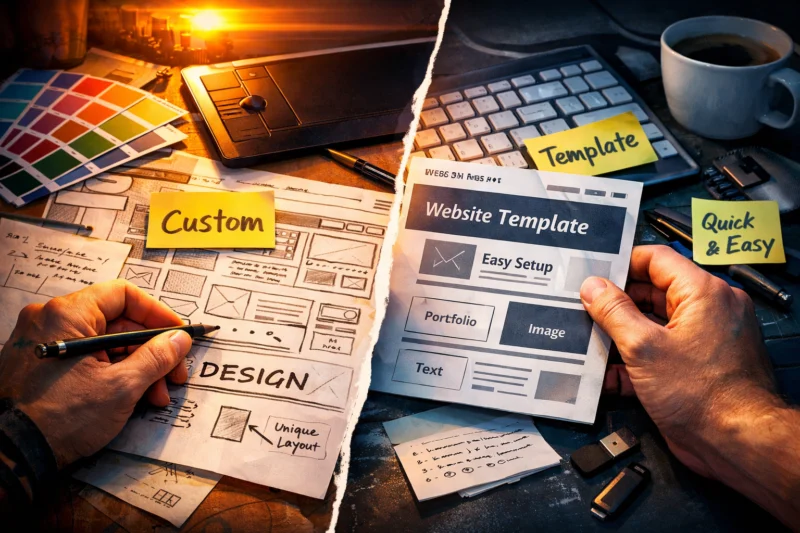
Custom web design is worth it when your business needs unique functionality, strong brand differentiation, or a site that will grow for years; templates are smarter when speed, budget, and simplicity matter more. The real pros and cons of custom web design come down to tradeoffs in cost, timeline, flexibility, and long-term maintenance, so the best choice depends on your goals, not your ego or your designer’s preferences.
If you are deciding between a bespoke build and a template-based site, this article is about decision-making, not a generic overview of web design. The right answer changes based on whether you need lead generation, ecommerce, content publishing, or a brand refresh, and whether you can support the site after launch with content updates, bug fixes, and ongoing website maintenance.
Contents
- 1 What custom web design actually means in practice
- 2 The main advantages of custom web design
- 3 The main drawbacks of custom web design
- 4 Template-based websites: where they win and where they fall short
- 5 How to decide between custom design and templates
- 6 Pros and cons by business type and website goal
- 7 Cost, timeline, and maintenance tradeoffs you should expect
- 8 Common mistakes and misconceptions about custom website projects
- 9 Advanced considerations most guides get wrong
- 10 A practical decision path for choosing the right approach
- 11 Frequently Asked Questions About the Pros and Cons of Custom Web Design
- 11.1 Is custom web design better than a template?
- 11.2 Is a custom website worth the cost for a small business?
- 11.3 What are the biggest downsides of custom web design?
- 11.4 Are custom websites better for SEO?
- 11.5 How long does a custom website usually take?
- 11.6 Can a template website still look unique?
- 11.7 Which is easier to maintain: custom or template?
- 11.8 What should I prioritize first when choosing a website approach?
- 11.9 What are the pros and cons of custom web design for a brand redesign?
- 11.10 When should I upgrade from a template to custom design?
What custom web design actually means in practice
Custom web design means the site is built around your strategy, structure, and visual system instead of being forced into a prebuilt layout. In practice, that can range from a fully bespoke build to a semi-custom project that starts with a framework and then gets tailored heavily around your content, features, and brand goals.
The word “custom” is often used loosely, which causes confusion. Some projects are custom-styled on top of responsive design frameworks, while others are truly designed from the ground up with unique templates, components, and interaction patterns. A project can also be custom in the places that matter most, such as navigation, conversion flow, or page hierarchy, while still using a standard content management system underneath.
This matters because “custom” is not automatically better. If the scope is vague, a custom project can become overbuilt, slow to launch, and hard to update. If the strategy is clear, though, a custom build can be the best way to align site structure with business goals, especially when you need to build site from a specific user journey rather than fit your message into a generic theme.
The main decision is whether you need flexibility enough to justify the extra investment. If your needs are modest, a well-chosen template can be the smarter starting point. If your website has to support unusual workflows, complex content, or a highly differentiated brand, the added control of custom work may be worth the tradeoff.
The main advantages of custom web design
Custom web design gives you full control over branding, layout, and user experience. That means the site can feel distinct instead of resembling dozens of competitors using the same layout, which can help build visitor trust and make the business more memorable.
It also lets you prioritize specific business goals instead of adapting to a rigid template structure. For example, a service business may want a lead-focused homepage, a booking flow, and trust-building proof points above the fold, while a publisher may need stronger content discovery, category navigation, and internal pathways that support SEO-friendly design tactics. With custom work, those choices can be planned into the site instead of patched in later.
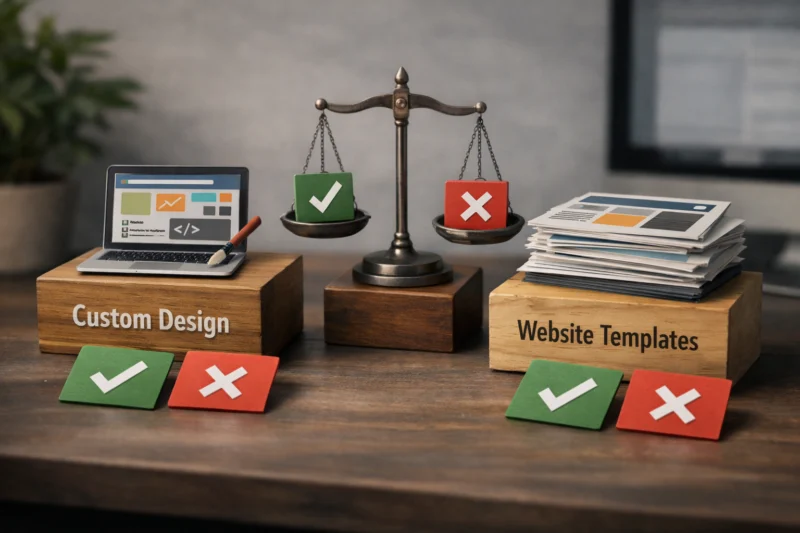
Another major advantage is fit. If you have unusual requirements, such as multi-step quote forms, gated resources, custom product configurators, or a content architecture that needs careful planning, custom design can reduce friction that templates often create. This is especially important for businesses that depend on conversion structure, because better website UX usually comes from a site being designed around real tasks, not from decorative styling alone.
The deeper advantage is strategic clarity. When design, content, and functionality are aligned, the site can support the buyer journey more cleanly. Most guides overemphasize aesthetics, but the real value of custom work is that it can turn your website into a business tool rather than a visual brochure. That only happens when the design process starts with goals, not with color palettes.
The main drawbacks of custom web design
The biggest drawback of custom web design is cost. A bespoke or heavily tailored site usually requires more discovery, design time, development time, testing, and revisions than a template-based build, so the upfront investment is higher.
Custom projects also take longer to launch. If you need to move quickly for a seasonal promotion, a product release, or a rebrand deadline, the timeline can become a real constraint. Delays often happen when requirements are unclear, approvals take too long, or stakeholders keep changing the direction after development has started. That is why the planning stage matters so much in custom web design projects.
There is also more coordination overhead. A custom site often depends on designers, developers, content strategists, QA testers, and sometimes SEO specialists all working in sequence. When those roles are not aligned, the result can be a beautiful site that is difficult to maintain, difficult to update, or inconsistent in production. This is where website development basics matter more than many teams expect, because the technical foundation affects everything later.
The most overlooked downside is maintainability. A site can become brittle if it is built in a highly bespoke way without documentation, modular components, or a clear update process. In that case, even small content changes require developer help. The common mistake is assuming custom automatically means future-proof; in reality, it can become harder to manage if the build is too specialized or the handoff is weak.
Template-based websites: where they win and where they fall short
Template-based websites use a prebuilt structure that is adapted to your brand, content, and business needs. They are usually faster and cheaper to launch because much of the underlying layout and functionality already exists.
Templates win when the goal is to get online quickly with limited resources. For many small businesses, startups, and straightforward service offerings, a high-quality template can deliver a professional result without the time and expense of custom design. If the chosen template is flexible enough, it can still support decent branding, a strong content hierarchy, and enough structure to launch confidently.
That said, templates come with tradeoffs. Design constraints may limit how far you can adapt the layout, and your site may look similar to other businesses using the same foundation. You can often improve the visual result through branding, photography, copy, and smart content structure, but unique workflows and unusual features can be awkward to force into a fixed framework. In ecommerce, for instance, template choice matters a lot because category pages, product pages, and checkout usability can make or break the experience; following ecommerce design best practices is often more important than trying to make the design look custom for its own sake.
What most guides get wrong is treating “template” as a synonym for cheap or low quality. A well-selected template can outperform a rushed custom build when the business model is simple and the execution is strong. The real question is not whether a template is less impressive; it is whether it supports your goals without unnecessary complexity.
How to decide between custom design and templates
Start with five decision criteria: budget, timeline, brand differentiation, content complexity, and long-term growth plans. If those five inputs are clear, the right direction usually becomes obvious.
Ask first what the website must do in the next 6 to 12 months. Is it primarily a launch asset, or is it a long-term business platform? A short-term site for a new offer, event, or early-stage startup may benefit from a template because speed matters more than deep customization. A site that needs to scale into multiple services, content hubs, landing pages, or advanced workflows may justify custom design because it can grow with fewer structural compromises.
Then compare what you need versus what you can actually support. A custom website is not only a design decision; it is an operational commitment. If your team cannot maintain the site, update content, or manage revisions reliably, the most elegant build may still create friction. This is why many businesses should evaluate SEO-friendly design tactics and better website UX at the same time instead of separating design from performance and usability.
| Decision factor | Template is usually better when | Custom is usually better when |
|---|---|---|
| Budget | Funds are limited and launch must stay lean | You can invest for long-term differentiation |
| Timeline | You need to launch quickly | You can allow for discovery, design, and testing |
| Brand | Branding can be expressed through content and styling | Brand identity must be unique and highly controlled |
| Features | Needs are standard and straightforward | Workflows are complex or unusual |
| Growth | Site scope will stay relatively stable | Site will expand in content, features, or funnels |
In practical terms, choose the least complex solution that still supports the business outcome. That is usually the best balance between cost and capability, and it prevents you from paying for custom work that the website does not truly need.
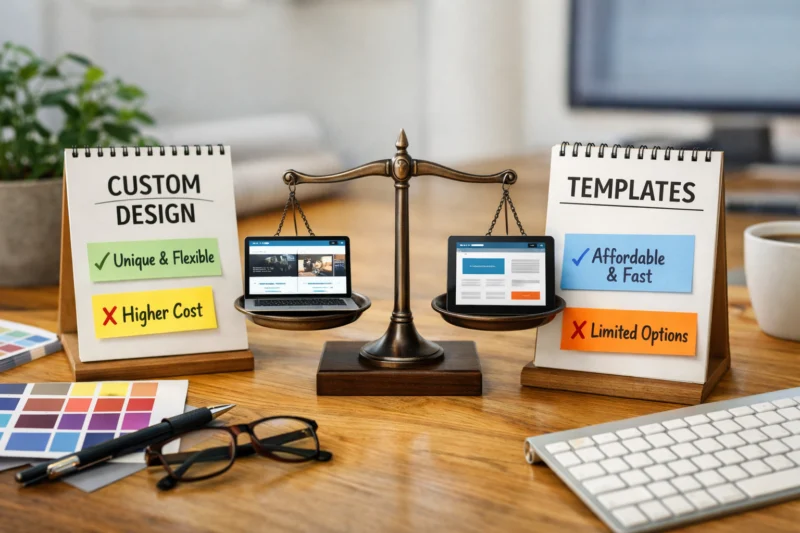
Pros and cons by business type and website goal
Small businesses and startups often do well with templates when the offer is simple and the goal is to get a credible online presence live quickly. If the business mainly needs a homepage, service pages, contact paths, and a few trust signals, a quality template can be enough. A custom build becomes worth considering when the business depends on a distinct positioning angle, a complicated booking flow, or a niche audience that requires a highly specific conversion path.
Service businesses and agencies are different because lead quality matters as much as lead volume. A site that needs to qualify prospects, explain a process, show proof, and reduce objections may benefit from more customization. In these cases, layout choices are directly tied to conversion structure, and the best design supports trust-building content, clearer calls to action, and a more intentional information hierarchy. If you are planning a redesign, website redesign signals can help you decide whether the current structure is limiting performance.
Content-heavy or resource-driven sites often need careful planning around navigation, taxonomy, and scalability. That is where custom work can be valuable, because the site architecture needs to support discovery over time, not just an attractive homepage. If the site publishes guides, case studies, videos, or support documents, it should be built to organize and surface that material efficiently. In those cases, the real challenge is not appearance; it is whether the information architecture can scale without becoming messy.
The deeper nuance is that a simple business model does not always mean a simple website. A small team can still need a complex funnel if it serves multiple audiences, has tiered offers, or must educate buyers before conversion. Likewise, a larger organization may still be fine with a template if the communications needs are straightforward. The website should match the job, not the company size.
Cost, timeline, and maintenance tradeoffs you should expect
Custom websites usually cost more upfront, while templates reduce initial expense but can create hidden costs later. Those hidden costs may show up as workaround development, plugin conflicts, limited flexibility, or redesign work when the template no longer fits the business.
Timeline affects more than convenience. A faster launch can mean capturing market opportunity sooner, testing messaging earlier, or meeting a seasonal deadline without delay. A slower custom project may be worthwhile if the site is central to revenue, but only if the added time actually produces a better strategic fit. If the launch window matters, template-based work often wins because it shortens the path from planning to publishing.
Maintenance is where many teams get surprised. Someone has to update content, fix bugs, manage plugin updates, and preserve design consistency over time. If the site is custom, that often requires the original team or someone with similar technical skill. If the site is templated, updates may be simpler, but only if the template and page builder are well chosen. This is why ongoing website maintenance should be part of the budget conversation from the start, not treated as an afterthought.
The most expensive projects are often the ones that looked cheap at the start. A low-cost template can become costly if it needs extensive custom work to function properly. Likewise, a custom build can become expensive to support if no one documents the components or owns the content workflow. That is why the total cost of ownership matters more than the initial invoice.
Common mistakes and misconceptions about custom website projects
The biggest misconception is that custom design automatically improves conversions, performance, or SEO. It does not. A custom website can perform very well, but only if the strategy, content, and implementation are sound. A poorly planned custom build can underperform a strong template because it may bury calls to action, slow down load times, or confuse users.
Another common mistake is underestimating scope creep. Teams often start with a simple brief and then add pages, animations, feature requests, and approval rounds until the project timeline balloons. That creates frustration for everyone and often weakens the final product because the site tries to do too much at once. Clear requirements and a disciplined revision process matter more than most people expect.
Choosing based on visual preference alone is another trap. A stakeholder may prefer a dramatic homepage or a trendy interaction pattern, but the website must serve visitors first. The best design decisions are rooted in user needs, content clarity, and business goals. That is especially true if the site must satisfy both marketing and sales teams, because aesthetics alone will not solve the underlying workflow problem.
What most guides also get wrong is assuming a template cannot be strategically optimized. In reality, a template can support strong navigation, strong messaging, and strong conversion paths if it is customized thoughtfully. The question is not whether the site is “custom” in the abstract. The question is whether the final result is aligned with your audience and your business model.
Advanced considerations most guides get wrong
Performance is one of the most overlooked issues. Some custom builds become slow because they include too many animations, oversized media assets, unnecessary scripts, or overengineered layouts. A site can look impressive and still hurt user experience if it is bloated. Speed matters because it affects usability, engagement, and the practical success of the design.
Scalability is another subtle issue. A custom build becomes an asset when it is designed with modular components, documentation, and content governance in mind. It becomes a burden when every new page requires a developer and every change feels risky. This is where responsive design frameworks can sometimes provide a better foundation than a fully bespoke approach, especially for teams that need consistency across devices.
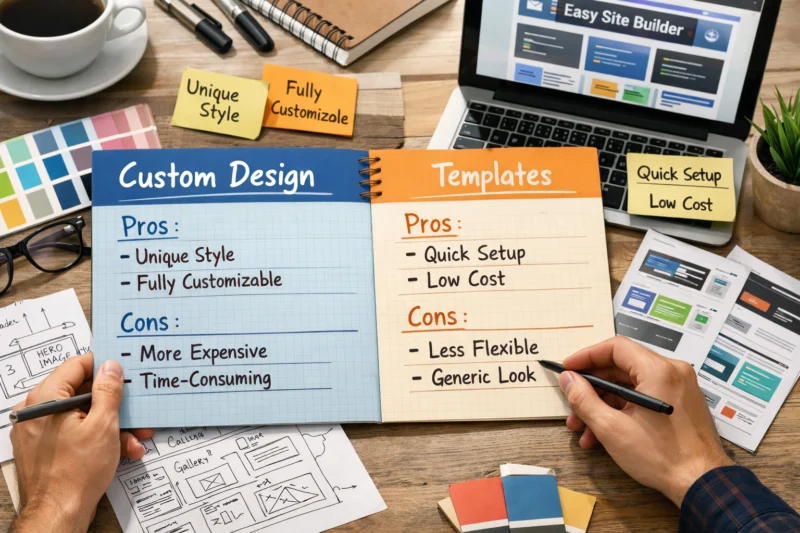
Team capability is often the deciding factor, even if nobody says it out loud. The best solution is partly determined by the people who will manage the site after launch. If your team has strong content operations and technical support, a custom site may be a powerful long-term platform. If your team is small and overloaded, a simpler system may be safer and more sustainable.
The real advantage is not “custom versus template.” The real advantage is fit between website architecture and operational reality. A site that matches your team, your content volume, and your growth plan will outperform a more sophisticated build that nobody can maintain. That principle applies whether you are building a brand site, a service site, or a content hub that must support future expansion.
A practical decision path for choosing the right approach
First, identify the site’s primary job. Is it meant to sell, educate, capture leads, support a brand refresh, or serve as a content engine? If you cannot state the site’s main purpose in one sentence, the project is not ready for a design decision yet.
Second, assess constraints honestly. Budget, launch deadline, internal resources, and feature complexity should all be on the table before you choose the build approach. If you need to launch fast, support a small team, or keep costs controlled, a template may be the best move. If the site must support multiple audience segments, sophisticated workflows, or a distinctive brand story, custom work may be justified. This is also where build site from planning becomes useful, because it forces you to define the structure before anyone starts designing.
Third, match the level of customization to the strategic importance of the project. Not every page needs the same depth of custom work. Some businesses need a custom homepage and conversion pages, while the rest of the site can live on a flexible template or framework. That hybrid approach often delivers the best balance of cost, speed, and control.
Finally, revisit the decision if your goals are likely to change within 6 to 12 months. A temporary site for a launch campaign should not be overbuilt. A site that is about to become the center of lead generation or ecommerce operations may deserve a stronger foundation now. Use the current project as a planning tool, not just a design exercise, and keep the next phase in mind.
Frequently Asked Questions About the Pros and Cons of Custom Web Design
Is custom web design better than a template?
Custom web design is better when your business needs unique functionality, stronger differentiation, or a site architecture that supports complex goals. A template is better when speed, budget, and simplicity matter more than a fully tailored experience.
Is a custom website worth the cost for a small business?
It can be, but only if the site needs to do more than look polished. If a small business depends on lead quality, booking flow, or a unique brand position, custom may pay off; otherwise, a strong template is often the more practical choice.
What are the biggest downsides of custom web design?
The biggest downsides are higher upfront cost, longer build time, and greater maintenance responsibility. Custom projects also carry scope risk, especially when requirements are unclear or stakeholders keep adding features mid-project.
Are custom websites better for SEO?
Not automatically. Custom sites can support SEO better when they improve information architecture, internal linking, content organization, and page speed, but poor structure or slow code can hurt performance just as easily.
How long does a custom website usually take?
Timelines vary, but a custom project usually takes longer than a template-based build because of discovery, design, development, testing, and revisions. Delays often come from changing requirements, content gaps, and approval bottlenecks.
Can a template website still look unique?
Yes. Strong branding, original copy, custom imagery, and thoughtful content structure can make a template feel distinctive. The more you tailor the messaging and visual system, the less generic the site will feel.
Which is easier to maintain: custom or template?
Templates are usually easier to maintain at the start because the structure is already established. Custom sites can be just as manageable if they are built with clean documentation and modular components, but they can also become harder to update if the build is too bespoke.
What should I prioritize first when choosing a website approach?
Start with the business goal, the audience, the budget, and the launch deadline. Those four inputs usually tell you whether custom work is necessary or whether a template can deliver the right result with less risk.
What are the pros and cons of custom web design for a brand redesign?
A brand redesign can justify custom work when the business needs a new positioning, a sharper user journey, or a major shift in how the site presents trust and value. If the redesign is mostly visual and the underlying site structure still works, a lighter customization approach may be enough.
When should I upgrade from a template to custom design?
Upgrade when the site outgrows the template’s limits, such as when you need more unique conversion paths, more complex content management, or stronger differentiation. It is also worth considering if the current setup creates friction for users or makes ongoing growth difficult.
The best choice between custom web design and templates is rarely extreme. Custom design gives you flexibility and uniqueness, while templates give you speed and efficiency, and the right answer depends on goals, resources, and how much differentiation your site truly needs.
Before you decide, audit the site’s must-have features, list the content and workflow requirements, and compare total project cost with the likely launch timeline. The smartest approach is usually the least complex solution that still supports your long-term business goals, because that is what keeps the website useful after launch, not just impressive on day one.
Updated April 2026