

Google Search Console helps you improve SEO by showing how Google sees your pages, which queries trigger impressions, where clicks are happening, and which indexing issues may be holding pages back. If you want a practical guide to How to Use Google Search Console for (SEO) Search Engine Optimization, this article will show you what to check, what the data actually means, and what to do next so you can make smarter decisions, improve visibility, and fix indexing problems before they suppress performance.
In 2026, Google Search Console remains one of the most important first-party data sources for SEO because it comes directly from Google’s search systems. That makes it especially useful for diagnosing crawl and index coverage, identifying pages that deserve optimization, and validating whether changes are helping. This is not a definition-only overview. It is a step-by-step, decision-oriented guide focused on practical use, so by the end you will know how to turn GSC reports into clearer priorities and better outcomes.
Contents
- 1 What Google Search Console actually tells you for SEO
- 2 How to use Google Search Console to find SEO opportunities
- 3 Reading the Performance report the right way
- 4 Using indexing and pages reports to diagnose SEO problems
- 5 Building an SEO workflow from GSC data
- 6 Comparing the main ways to use GSC for optimization
- 7 Common mistakes and misconceptions when using Google Search Console for SEO
- 8 Advanced considerations most guides get wrong
- 9 What to look for in Google Search Console before and after SEO changes
- 10 Frequently Asked Questions About using Google Search Console for SEO search engine optimization
- 10.1 How do I use Google Search Console for SEO beginners?
- 10.2 What is the most important report in Google Search Console for SEO?
- 10.3 How often should I check Google Search Console for SEO?
- 10.4 Why are my pages showing impressions but no clicks in GSC?
- 10.5 How do I know if Google Search Console indexing issues are serious?
- 10.6 Can Google Search Console improve rankings by itself?
- 11 Conclusion
What Google Search Console actually tells you for SEO
Google Search Console tells you how your site performs in Google Search, how Google indexes your pages, and where technical or quality-related issues may be limiting visibility. The core report groups are performance, indexing, experience, and enhancements, and together they help you diagnose whether a problem is about relevance, crawlability, snippet appeal, or page quality signals.
This matters because GSC is not a ranking tracker in the usual sense. It does not estimate traffic the way many third-party tools do; it shows observed search data from Google itself. That makes it more useful for diagnosing SEO issues than for chasing vanity metrics. A page can have impressions without clicks, be indexed but not competitive, or be excluded for a reason that is either harmless or serious depending on the pattern. The difference is why good SEO teams use GSC to prioritize work, not just report numbers.
Identifying the root causes of issues on your site is crucial for effective resolution. For instance, a problem with metadata at the template level can negatively impact click-through rates (CTR) across numerous pages, while a single underperforming article may only struggle with a specific set of queries. Understanding this difference is key to determining the right solution: applying a content strategy to enhance relevance for the affected article, versus implementing technical fixes or adjustments to the template for the broader issue. Effective use of Google Search Console begins with accurate diagnosis rather than assumptions. For further insights on improving your site's performance, consider exploring how a content strategy can enhance your SEO efforts.
For readers who track seo performance metrics, GSC is most valuable when you pair it with context from analytics, crawl data, and business goals. If you only look at traffic totals, you miss the reasons behind them. If you only look at rankings, you miss whether Google is actually showing the right pages for the right queries.
How to use Google Search Console to find SEO opportunities
The fastest SEO opportunities in GSC usually come from pages with impressions but low CTR, queries where you rank reasonably well but still earn few clicks, and pages sitting on page 2 that have realistic potential to move up. These are the places where a targeted improvement can create measurable lift without rebuilding the whole site.

Start by filtering the Performance report to identify pages with high impressions and weak CTR. That often means the page is visible enough to be tested with stronger titles, clearer meta descriptions, better intent alignment, or more compelling snippet language. It can also reveal cases where the page is ranking for a query set that does not match the offer very well. In those situations, meta description testing can help, but only after you understand whether the snippet problem is about messaging or search intent.
Next, look at queries with average positions in the top 10 but low clicks. A page may be ranking well enough to generate traffic yet still lose clicks because the intent is mixed, the SERP contains ads or rich results, or the title does not promise the right outcome. Pages on page 2 are also worth attention, but only when the topic has clear business value and the content can realistically improve with the right internal linking strategy, richer coverage, or stronger topical authority. That is where a well-structured keyword research process supports prioritization.
Be careful not to mistake seasonal spikes or branded queries for easy wins. A branded query with lots of impressions and low clicks may not be an SEO problem at all; it may reflect navigational behavior or SERP features that already satisfy the user. Likewise, an unbranded page with mixed intent can look promising but fail to convert even if clicks rise. The best opportunity review balances search volume, page type, conversion potential, and the likelihood that a change will actually improve search visibility.
Reading the Performance report the right way
The Performance report is the most useful GSC report for understanding search demand and click behavior, but it only works if you interpret the metrics correctly. Clicks tell you how many times users visited your site from Google Search. Impressions show how often a result was displayed. CTR shows the percentage of impressions that became clicks, and average position is a summary of where your results tended to appear across queries and devices.
Each metric has limits. High impressions do not always mean strong opportunity if the query intent is weak or the query is not commercially relevant. High CTR does not always mean good SEO if the traffic is low-quality or off-intent. Average position is especially easy to misuse because it compresses a wide range of query and page variants into one number. A page that ranks first for a branded term and eighth for a nonbranded term can display a deceptively decent average position while still underperforming where it matters most.
Comparisons are more useful than isolated numbers. Look at query, page, country, device, and search appearance filters to understand where the performance pattern changes. Device comparisons can reveal that mobile CTR is weaker because the title is truncated or the SERP layout is crowded. Page comparisons can show that one template converts impressions into clicks better than another. Country comparisons matter if you serve multiple regions or languages, because a page may perform very differently outside its primary market.
Date range also changes interpretation. New pages need time to stabilize, and volatile topics can make short windows misleading. If you compare only a few days, you may mistake ordinary fluctuation for an SEO gain or loss. The table below is a practical way to think about the core metrics before making decisions.
| Metric | What it tells you | What it does not tell you |
|---|---|---|
| Clicks | Observed visits from Google Search | Whether the traffic matched intent or converted |
| Impressions | How often your result appeared | Whether the query was valuable to your business |
| CTR | How often impressions became clicks | Whether the page should rank higher or lower |
| Average position | A blended ranking summary | The exact rank for every query or device |
For deeper reading and contextual SEO measurement, Google’s own documentation and public guidance are useful anchors, including Google Search Console Help — official product documentation, Google Search Central — indexing and search guidance, and Search Engine Journal — ongoing practitioner analysis. Those resources help keep interpretation grounded in how search systems actually work.
Using indexing and pages reports to diagnose SEO problems
The Pages and indexing reports tell you whether Google can crawl, process, and include your URLs in the index. This is where you find coverage issues, exclusion patterns, duplicates, canonicalization behavior, noindex signals, and crawl outcomes that may be intentional or problematic. If the performance report shows demand but the pages report shows exclusions or crawling issues, you have a diagnosis path, not just a ranking problem.
Start by reviewing indexed pages, excluded pages, crawled pages, and discovered pages. Indexed means Google has accepted the page into its searchable index. Excluded means Google has decided not to index it for a reason, which may be normal or may signal a real issue. Crawled but not indexed can happen when Google fetched the page but judged it low value, duplicative, or not necessary to include. Discovered but not crawled often points to crawl prioritization, site architecture, or temporary load constraints.
The key is pattern recognition. If a lot of category pages are excluded because they are duplicates or canonicalized to a preferred version, that may be healthy. If critical money pages are excluded because of noindex, soft 404 signals, or duplicate content patterns, that is a problem. The mistake many guides make is treating all exclusions as errors. In practice, some exclusions are exactly what you want, especially on faceted navigation, thin archive pages, or parameterized URLs that would otherwise create index bloat.
Use the report to decide when to request indexing and when to fix the root cause first. If a page has just been published and everything else is sound, a request may help Google revisit it sooner. But if the page is thin, redundant, blocked, or miscanonicalized, requesting indexing without fixing the issue usually wastes time. A strong wordpress seo setup or a well-configured schema markup implementation can help reduce these problems, but GSC is what shows you whether the configuration is actually working.
Building an SEO workflow from GSC data
A repeatable GSC workflow keeps SEO from becoming random reaction. The best process is review, segment, prioritize, validate, and recheck. That sequence turns raw data into actions you can repeat every week or month without starting from scratch. It also helps you link changes to outcomes, which is critical when multiple things change at once.
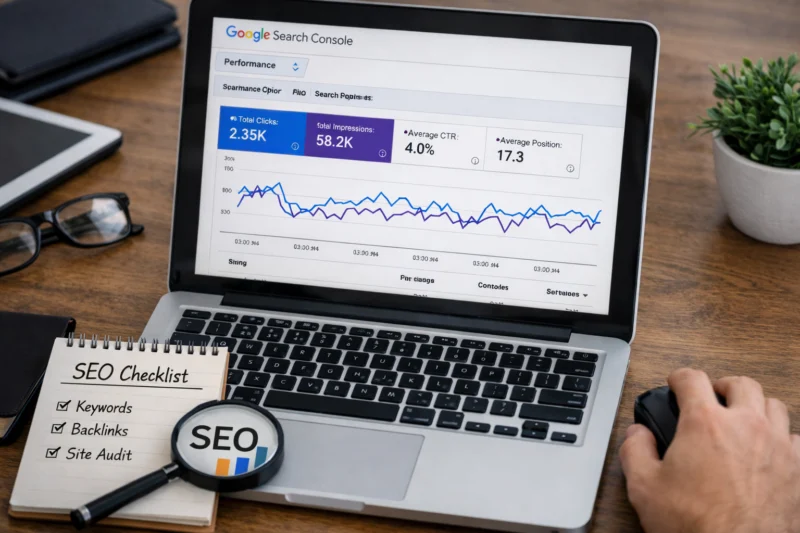
First, review the Performance and Pages reports. Then segment by page type, query type, device, and country so you can see where the pattern lives. After that, prioritize by business value, search intent, and how feasible the improvement is. A page that ranks on page 2 for a high-value service query deserves more attention than a blog post with lots of low-intent impressions. This is where editorial planning and content strategy planning intersect with SEO operations.
Once you decide what to change, create a hypothesis before editing. For example: “Improving the title and intro on this service page should increase CTR for nonbranded queries.” Or: “Adding supporting sections and related internal links should improve relevance for a cluster with moderate impressions.” That documentation matters because SEO changes are often indirect and delayed. If you do not log the reason for the change, you will not know whether the result came from the edit, the season, or a broader algorithmic shift.
After implementation, recheck on a sensible cadence. Weekly reviews work for active content, larger sites, or pages under test. Monthly reviews are better for slower-moving pages and stable portfolios. After any major release, monitor the affected page groups more closely. The most effective teams connect GSC findings to supporting work like improving search rankings, featured snippet opportunities, and internal linking strategy, then measure the result using the same query and page groups they started with.
Comparing the main ways to use GSC for optimization
There are several practical ways to use GSC for optimization, and the best one depends on the problem you are solving. Performance-led analysis is best when you already have indexed pages and want more traffic or better CTR. Indexing-led diagnosis is best when pages are missing, excluded, or underrepresented in search. Page-level optimization works well when one URL needs better alignment, while query-level optimization is better when many pages respond to the same theme or intent cluster.
Performance-led analysis is often the fastest route for established sites because it points directly to pages with visible opportunity. Indexing-led diagnosis is more technical and usually more important for large sites, new sites, or sites with crawl inefficiencies. Page-level optimization gives you depth, but it can be slower if the issue is actually template-wide. Query-level optimization is powerful for content teams because it reveals the wording, intent, and subtopics users are asking for, which then feeds future content updates and your keyword research process.
The tradeoff is speed versus depth. Broad audits can surface more issues quickly, but they can also hide the reason a problem exists. Deep page review can solve a specific issue thoroughly, but it may not scale well across a large site. Manual review is more accurate for complex cases, while report-driven triage is better when you need a prioritized backlog. Most teams do best with a hybrid approach: use performance data to identify the opportunity, indexing data to confirm the page is eligible, and then page-level review to decide the fix.
The right method also depends on whether the problem is visibility, indexing, relevance, or click-through. That distinction matters more than the report itself. If visibility is low, you may need content expansion or authority building. If indexing is weak, technical cleanup matters. If relevance is off, content alignment matters. If clicks are weak, snippet optimization and search appearance testing matter most.
Common mistakes and misconceptions when using Google Search Console for SEO
The biggest mistake is treating every GSC number as a ranking truth. GSC is a powerful diagnostic system, but it still compresses many query variants, search behaviors, and device contexts into summarized views. If you overreact to a single number, you can change a page that was already performing well for the wrong reason.
Another common error is using tiny sample sizes or short windows to decide what worked. A title change on a low-volume page may show random movement over a few days that has nothing to do with the edit. The same is true for one-off query spikes caused by news, trends, or seasonal demand. This is why changes should be judged over a sensible test window with a baseline and a comparable post-change period.
It is also easy to confuse indexed with ranking. Indexed only means the page is eligible to appear; it does not mean Google sees it as the best result. Likewise, not every exclusion is bad. Some excluded pages are necessary for site quality and crawl efficiency, especially on ecommerce filters, duplicate archives, and utility URLs. The real mistake is not the exclusion itself, but failing to understand whether it matches the site’s intent and architecture.
Finally, more clicks do not always mean better SEO if those clicks do not match user intent or support conversions. A page can gain traffic and still underperform the business. That is why search optimization should be interpreted alongside analytics, content goals, and conversion data, not in isolation. If you want the most reliable outcome, connect GSC to broader seo performance metrics instead of chasing isolated wins.
Advanced considerations most guides get wrong
Advanced GSC use becomes important on large sites, international sites, parameter-heavy sites, and sites with content that changes frequently. Large sites often face crawl prioritization issues, so Google may spend more time on certain sections and less on others. International sites can show different query behavior by country or language, which means one report view can hide important regional differences. Parameterized URLs can create duplicate or nearly duplicate paths that inflate exclusions and blur indexing patterns.
Fresh content also needs careful interpretation. A new page may show impressions before it earns stable clicks, and a refreshed page may temporarily fluctuate while Google reassesses its relevance. Mixed-intent pages are another tricky case. A single URL might rank for informational and commercial terms at the same time, which makes average position and CTR harder to interpret. In those cases, use query grouping rather than one-query thinking, and evaluate whether the page is serving the primary intent clearly enough.
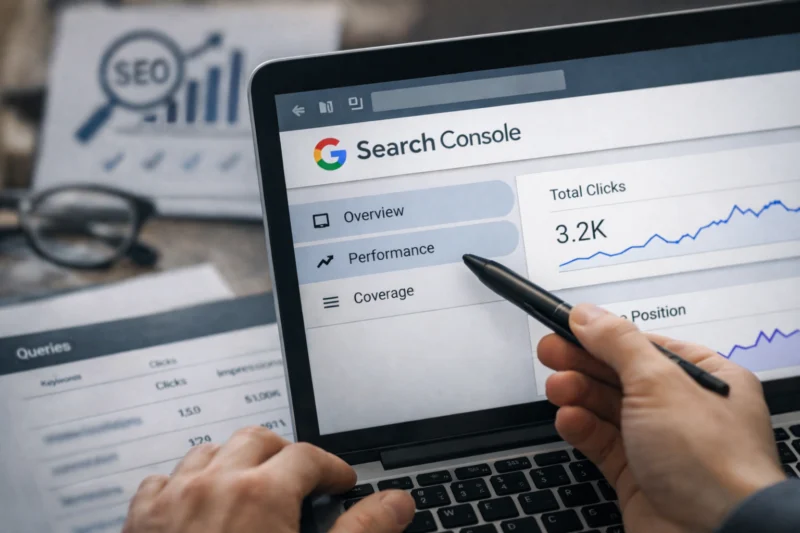
Most guides also miss the need to combine GSC with analytics, crawls, and business outcomes. GSC can tell you what happened in search, but not always why it happened or whether it mattered commercially. A site crawl can show why a page is excluded or duplicated, analytics can show whether traffic converted, and business goals can tell you whether a query is worth chasing. That combination is especially important for featured snippet opportunities and schema markup implementation, where visibility gains may not translate to the same lift for every page type.
Some SEO improvements also move slowly. Content quality updates, internal linking changes, and technical corrections may improve visibility over weeks or months rather than days. Success should be judged by trend direction and query-group behavior, not only immediate movement. That is especially true for competitive topics and pages that need stronger authority signals before Google shifts them materially.
What to look for in Google Search Console before and after SEO changes
Before making edits, capture a baseline for clicks, impressions, CTR, average position, index status, and the specific page or query groups you plan to change. Without a baseline, you cannot tell whether a result is improvement or random variation. The strongest baseline is narrow enough to be actionable but broad enough to smooth out noise.
After the change, compare the same page group over a sensible window. For many pages, that means comparing a few weeks before and a few weeks after, while keeping major site changes in mind. If the page is highly seasonal or news-driven, compare against the same period in a prior cycle where possible. This helps separate the effect of your edit from broader demand shifts.
Good improvement is not always a straight upward line. A page may gain impressions before clicks, or clicks before average position improves. It may also improve on one device and decline on another if the snippet appeals differently by screen size. The point is to evaluate the whole pattern, not one metric in isolation. A page can become more visible but less efficient, or more efficient but visible for a narrower set of queries.
That is why documentation matters. When you record the baseline, the hypothesis, and the action taken, you make it possible to connect SEO work to outcomes. Whether you are changing metadata, strengthening internal links, or revising content around improving search rankings, GSC gives you the after-state only if you know exactly what you changed before.
Frequently Asked Questions About using Google Search Console for SEO search engine optimization
How do I use Google Search Console for SEO beginners?
Start by adding and verifying your property, then open the Performance report and the Pages report. Look at which queries bring impressions, which pages get clicks, and whether any important pages are excluded from the index.
For a beginner, the first useful habit is checking whether your key pages are indexed and whether the snippets are earning clicks. That gives you a practical starting point before you worry about advanced segmentation or technical diagnosis.
What is the most important report in Google Search Console for SEO?
The most important report depends on your goal. If you want content optimization, the Performance report is usually the most valuable because it shows queries, pages, clicks, impressions, and CTR.
If you are troubleshooting crawl or indexing problems, the Pages report matters more. For technical issues, you should look at the report that matches the problem instead of assuming one dashboard answers everything.
How often should I check Google Search Console for SEO?
Most sites benefit from a weekly review of major changes, indexing issues, and traffic patterns. Larger or more active sites may need daily checks for critical pages, while smaller sites can often review monthly if they are not publishing frequently.
After a release or content update, monitor the relevant page group more closely for a few weeks. That keeps you from missing a real issue while still avoiding overreaction to short-term volatility.
Why are my pages showing impressions but no clicks in GSC?
This usually means the page is appearing in search results but is not compelling enough to earn the click, or it is ranking for a query that does not match the page well. Weak title tags, bland meta descriptions, and intent mismatch are common causes.
It can also happen when the page ranks below more visible results or when the search results page includes features that reduce clicks. The right fix depends on whether the issue is snippet appeal, relevance, or rank depth.
How do I know if Google Search Console indexing issues are serious?
Indexing issues are serious when they affect important pages, page templates, or content types you want to rank. Exclusions that match your site’s architecture, like intentional noindex pages or duplicate archive handling, are often normal.
If critical pages are excluded, canonicalized away, or repeatedly crawled without indexing, investigate quickly. The key is whether the pattern affects revenue, discoverability, or core content—not whether the status label sounds alarming.
Can Google Search Console improve rankings by itself?
No. Google Search Console does not change rankings directly, but it shows you where to focus SEO work that can improve rankings over time.
Use it to find pages that need better content, stronger internal linking, cleaner indexing, or improved snippet presentation. In other words, GSC informs the actions that can improve performance, but the improvement comes from the changes you make.
Conclusion
Google Search Console is most valuable as a decision tool. It shows where your SEO effort is likely to matter most, which pages deserve attention, and whether Google is actually indexing and surfacing the content you care about.
The three core uses are straightforward: find opportunities, diagnose indexing and performance issues, and validate the impact of your changes. The best results come from reading GSC with context rather than reacting to one metric in isolation. If you want a practical next step, open the Performance report, choose one page group with clear business value, make one focused improvement, and recheck the same metrics after a defined test window.
Updated April 2026