

The best WordPress plugins for SEO are the ones that match your site’s size, workflow, and technical needs while helping you control titles, metadata, sitemaps, schema, and indexation without creating new problems. In practice, that means choosing a plugin stack that improves rankings, indexing, content optimization, and site health instead of loading WordPress with overlapping tools. In this guide to The Best WordPress Plugins for (SEO) Search Engine Optimization, you will learn how to choose the right option, what features actually matter in 2026, which mistakes to avoid, and when one plugin is enough versus when a stack makes more sense.
Contents
- 1 What Makes a WordPress SEO Plugin Worth Installing?
- 2 How to Choose the Right SEO Plugin for Your WordPress Site
- 3 Core Plugin Categories to Compare Before You Decide
- 4 The Best WordPress SEO plugin features to Prioritize
- 5 Common Mistakes People Make When Choosing SEO Plugins
- 6 Advanced Considerations Most Guides Get Wrong
- 7 Recommended Plugin Approach by Use Case
- 8 Plugin Setup and Configuration Priorities After Installation
- 9 When a WordPress SEO Plugin Is Not Enough
- 10 Frequently Asked Questions About the Best WordPress Plugins for SEO Search Engine Optimization
- 10.1 What is the best WordPress SEO plugin for beginners?
- 10.2 Are free WordPress SEO plugins enough for most websites?
- 10.3 Do I need more than one SEO plugin on WordPress?
- 10.4 Which WordPress SEO plugin is best for small business websites?
- 10.5 What SEO plugin features matter most for rankings?
- 10.6 How do I know if an SEO plugin is slowing down my site?
- 10.7 Can an SEO plugin fix duplicate content issues?
- 10.8 What is the best WordPress SEO plugin for ecommerce sites?
- 10.9 How often should I review my SEO plugin settings?
- 10.10 Which WordPress SEO plugin is best for my site if I want the simplest setup?
- 11 Conclusion
What Makes a WordPress SEO Plugin Worth Installing?
A WordPress SEO plugin is worth installing when it gives you direct control over the technical and on-page elements that search engines use to understand, crawl, and display your content. At minimum, it should handle title tags, meta descriptions, XML sitemaps, canonical tags, noindex controls, and basic schema markup without forcing you into code edits for every page. The best plugins do more than expose settings. They reduce implementation errors by making it easier to set defaults correctly across posts, pages, archives, and custom content types. That matters because many SEO issues are not caused by weak content alone; they come from duplicate titles, thin archive pages, broken canonicalization, or indexing rules that were never configured after launch. A plugin that makes those settings clear can save hours during publishing and help prevent cleanup work later. Usability matters as much as feature depth. A plugin can be powerful and still be a poor choice if it buries critical settings, encourages duplicate schema output, or floods editors with simplistic scores that create false confidence. In real projects, that often means the plugin looks helpful in the dashboard but quietly creates technical debt underneath. A strong SEO plugin should make search visibility easier to manage, not add more ambiguity to the site. This is also where broader site strategy comes in. If your pages are weak at the structural level, the plugin cannot compensate for poor SEO web design basics or missing content hierarchy. Search optimization works best when the plugin supports a clean architecture instead of trying to replace it.
How to Choose the Right SEO Plugin for Your WordPress Site
The right SEO plugin depends on what kind of site you run and how much control your team needs. A personal blog, a local service website, an ecommerce store, and a multi-author publisher do not need the same settings, dashboards, or workflow tools. The best choice is the one that fits your publishing model without adding unnecessary complexity. Start by considering whether you need a comprehensive suite or a more flexible setup with individual tools. A unified plugin is often ideal when a team wants a single interface for managing titles, metadata, sitemaps, schema basics, and content guidance. However, a modular approach might be more effective if you aim to distribute responsibilities across areas like SEO, redirects, schema, analytics, and editorial review. This is particularly beneficial for organizations already conducting SEO audits and examining how users interact with your site to optimize page structure and prioritize content.
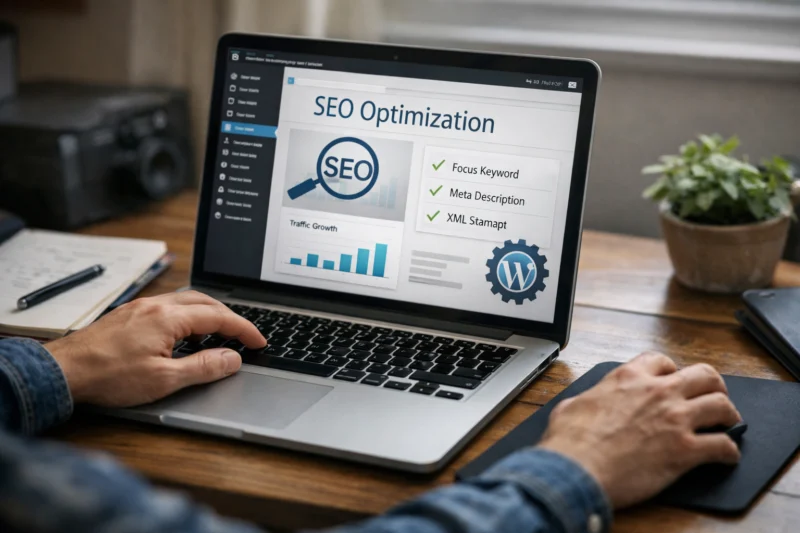
When selecting a plugin, consider its performance, compatibility, and support. A plugin that functions seamlessly with one theme might cause issues with another, particularly when dealing with page builders, custom post types, or advanced schema features. Additionally, assess how frequently the plugin is updated, the quality of its documentation, and its history of adapting to current WordPress workflows. If your website relies on enhancing loading times for better user experience and SEO, opting for the lightest plugin that still meets your necessary SEO needs is likely the wisest choice. For more insights, check out tips on optimizing your WordPress for speed. For teams that care about Google Analytics insights and content iteration, the best plugin is often the one that supports editorial decisions without turning every edit into a technical task. For teams focused on designing for SEO, the SEO plugin should complement page structure, not fight it. And if your site is maintained by outside help, alignment with WordPress maintenance support can matter as much as feature count.
Core Plugin Categories to Compare Before You Decide
Before you pick a tool, compare the three main WordPress SEO plugin categories: all-in-one suites, lightweight essentials, and specialized add-ons. Each one serves a different operational style, and the best choice is usually the one that creates the least friction for your specific site. All-in-one SEO suites are designed for users who want a centralized dashboard. They usually cover titles, meta descriptions, XML sitemaps, schema basics, social metadata, and content recommendations. Lightweight plugins focus on the essentials and try to stay out of the way, which is ideal for smaller sites or teams that do not want an extensive settings surface. Specialized add-ons handle specific tasks such as redirects, schema, image optimization, or internal linking assistance, and they work best when paired carefully rather than installed randomly. The reason stacks sometimes outperform a single plugin is simple: one plugin may do the basics well but still leave gaps in areas like redirect management or advanced schema. The risk, however, is overlap. Two plugins trying to control canonical tags or schema output can conflict, and that creates the kind of hidden technical issue that makes SEO harder to diagnose. Many guides get this wrong by treating more plugins as more power, when in reality more plugins can mean more collisions. Use this comparison as a decision frame before installation:
| Category | Best for | Main advantage | Main risk |
|---|---|---|---|
| All-in-one SEO suites | Beginners, small teams, publishers | Centralized control | Feature bloat if underused |
| Lightweight SEO plugins | Simple sites, performance-sensitive projects | Low overhead | May need add-ons later |
| Specialized add-ons | Complex or mature sites | Granular control | Overlap and conflicts |
For sites focused on efficient sustainable design, a lean stack often wins because fewer scripts and fewer settings usually mean fewer problems. That is especially important for sites that already invest in content structure, internal linking, and SEO-driven UX.
The Best WordPress SEO plugin features to Prioritize
In 2026, the most important SEO plugin features are sitemap control, schema support, canonical handling, noindex options, and flexible snippet editing. Those are the functions that most directly affect how search engines discover, interpret, and present your pages. Easy XML sitemap control matters because it helps you decide what should and should not be surfaced to crawlers. Canonical tags and noindex settings are equally important because they help prevent duplicate content problems, thin archive pages, and unnecessary indexing of pages that add little value. Snippet editing remains useful because it allows you to shape how a page is introduced in search results, which can influence click-through behavior when used well. Good schema support is also essential, but only when the plugin outputs clean, valid structured data and does not duplicate what your theme already generates. Helpful features include redirection management, social metadata, breadcrumb controls, and block editor integration. These do not usually drive rankings by themselves, but they reduce friction for editors and help keep implementation consistent. The problem is that many plugins market extra dashboards or optimization scores as if they were ranking signals. Most guides get this wrong by confusing convenience with causation. A green score does not guarantee better search performance if the page still has weak intent match, poor internal links, or diluted topical focus. Two authoritative references help frame these choices: Google Search Central for crawling, indexing, and structured data guidance, and WordPress Developer Resources for compatibility and modern block-based workflows. For security and plugin hygiene, CISA is also a useful reminder that installed tools should be maintained and minimized where possible. In SEO implementation, quality beats quantity, especially when a plugin can create bloated code or duplicate schema if configured badly.
Common Mistakes People Make When Choosing SEO Plugins
The most common mistake is installing multiple SEO plugins that overlap in functionality. When two tools both try to manage titles, meta robots, redirects, or schema, it can lead to conflicts that are hard to spot until pages start behaving strangely in search results.

A second mistake is choosing a plugin because it is popular instead of because it fits the site’s actual needs. Popularity does not account for theme compatibility, content workflow, custom post types, ecommerce settings, or performance sensitivity. A tool that is ideal for a large publishing team may be unnecessary and cumbersome for a local business site. The third mistake is over-trusting automated SEO scores. Those scores can help editors catch basic issues, but they do not replace judgment about search intent, audience needs, or page quality. A page can score well in the plugin and still underperform because it targets the wrong query, lacks depth, or has weak internal links. The deeper mistake, though, is believing the plugin can fix everything. It cannot repair poor architecture, weak navigation, or broken crawl paths. It can only support the implementation of a better strategy. This is why plugin selection should sit alongside broader content and technical work such as SEO web design basics, site hierarchy, and crawlability. If the site architecture is flawed, even the best plugin will only help at the margins.
Advanced Considerations Most Guides Get Wrong
The best SEO plugin for a small blog is often not the best one for a multilingual site, an ecommerce store, or a highly customized theme. That sounds obvious, but most comparisons flatten every use case into one list and ignore implementation complexity. In real projects, the right plugin is the one that adapts to your site’s structure instead of forcing you to redesign the workflow around it. Advanced edge cases matter. Schema duplication can happen when both the theme and the plugin output structured data. Pagination can become messy if archives are indexed too aggressively. Canonical tags can be inconsistent if a builder creates dynamic pages that the plugin cannot fully interpret. These are not theoretical issues; they are the kinds of problems that show up during large content migrations or after theme changes. If you are working on website performance improvements at scale, small configuration mistakes can create many extra URLs that are difficult to clean up later. Another nuance is control versus automation. Advanced users often prefer granular settings because they need to manage edge cases manually. Teams with many editors may prefer automation because it reduces human error and standardizes output. The best guides get this wrong by assuming one approach is universally better. In practice, the “best” plugin can simply mean the most stable and least intrusive one. Stability is especially valuable when your site already depends on careful WordPress maintenance support and ongoing technical oversight. For sites that rely on deep content analysis and audience signals, it can help to connect plugin decisions with broader content planning and website user behavior. If users repeatedly abandon a page type, the issue may be structure or intent, not the SEO plugin. The plugin should support the fix, not be mistaken for the fix itself.
Recommended Plugin Approach by Use Case
For beginners, the best approach is usually a straightforward all-in-one SEO plugin with clear defaults and minimal setup friction. You want something that handles core metadata, sitemaps, and basic schema without requiring a technical deep dive on day one. For content publishers, the better choice is a plugin that supports editorial workflows. That means easy control over titles and descriptions, clean schema basics, strong block editor integration, and support for scalable content optimization. Publishers often benefit from tools that help enforce consistency across many articles, especially when multiple editors are involved and sitewide quality control matters more than one-off customization. For ecommerce or complex sites, the priority shifts to technical controls. Product schema, category indexing rules, canonical management, and redirect handling become more important because inventory, filters, and archive pages create edge cases that simple blogs rarely face. In those situations, the best setup may be a modular stack rather than a single everything-plugin, especially if the store relies on precise technical SEO and regular updates. For advanced users, a lighter, more modular approach often works best. That allows you to choose the exact tools you need for schema, redirects, and analytics without forcing unnecessary dashboards into the admin area. The real decision factor is operational complexity, not traffic volume. A small site with complicated workflows may need more control than a larger site with a simple publishing model. The same logic applies when balancing designing for SEO against speed, because the leanest workable stack often performs best.
Plugin Setup and Configuration Priorities After Installation
After installation, the first priority is to configure titles, meta descriptions, indexation rules, XML sitemap behavior, and canonical preferences before you publish at scale. These settings determine what search engines can crawl, what they should ignore, and how they should understand your preferred versions of content.
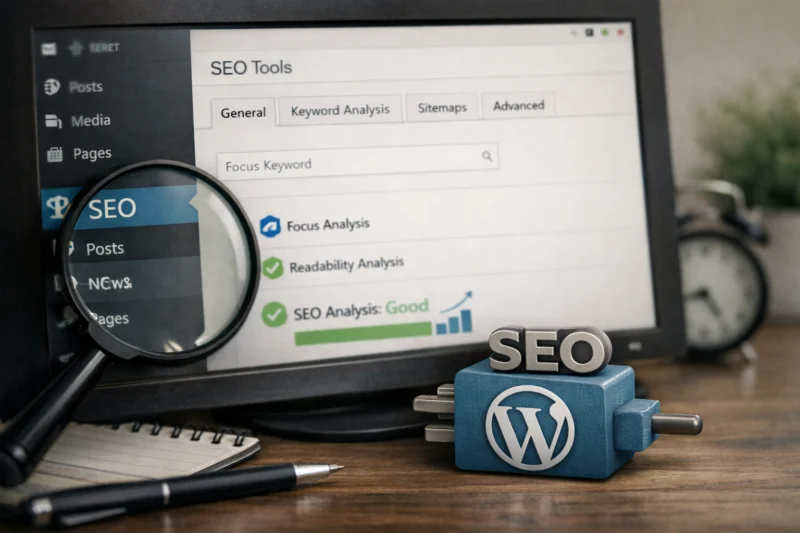
You should also review archive behavior carefully. Category pages, tag archives, author archives, date archives, and search result pages can create a lot of thin or duplicate content if they are left indexable without a clear purpose. A strong SEO setup reduces that risk by making default rules explicit instead of leaving them scattered across theme settings, builder settings, and plugin settings. That is particularly important on sites with hundreds or thousands of URLs, because small configuration issues multiply quickly. Another priority is verifying that your plugin works cleanly with breadcrumbs, schema output, and any structured content generated by your theme. If the theme already outputs schema or breadcrumbs, you may need to disable duplicated features in one place to avoid conflicts. This is one reason the setup phase matters so much: good configuration prevents technical debt that becomes harder to unwind after a site grows. It also helps align the plugin with your broader content operations, including performing SEO audits and maintaining clear internal navigation. If your site is built around efficient sustainable design, this is the stage where you keep the stack lean and avoid unnecessary modules.
When a WordPress SEO Plugin Is Not Enough
A WordPress SEO plugin is necessary for implementation, but it is not enough to create good SEO by itself. It can help you manage metadata, indexing, and schema, but it cannot make weak content useful, improve site architecture, or create search demand where none exists. You still need keyword research, internal linking strategy, editorial quality, and technical audits. You also need outside tools or manual review for larger problems such as crawl diagnostics, log analysis, migration QA, and performance bottlenecks. For example, if a site has indexing issues, the plugin may show the controls, but the real solution may involve fixing template logic, pruning duplicate content, or improving page relationships. That is where Google Analytics insights and website user behavior data become valuable because they show how people actually move through the site, not just how the plugin labels the page. Most SEO failures come from strategy and structure, not from missing plugin features. A plugin cannot compensate for pages that do not satisfy the query, weak category architecture, or content that is too shallow to compete. It also cannot replace strong page-level relevance or meaningful site navigation. In other words, the plugin is an implementation layer, not an SEO strategy. The strongest results usually come from combining technical controls with content planning, SEO web design basics, and a site maintenance process that keeps changes intentional rather than reactive.
Frequently Asked Questions About the Best WordPress Plugins for SEO Search Engine Optimization
What is the best WordPress SEO plugin for beginners?
The best option for beginners is usually an all-in-one plugin with clear defaults, guided setup, and simple controls for titles, descriptions, and sitemaps. Beginners should avoid enabling every advanced feature at once because unnecessary settings can create confusion and accidental duplication.
Are free WordPress SEO plugins enough for most websites?
Yes, free versions are enough for many small and mid-size websites because they typically cover metadata, sitemap basics, and essential indexing controls. Paid versions become more useful when you need redirection management, multiple schema types, editorial workflow tools, or advanced support.
Do I need more than one SEO plugin on WordPress?
Usually no, unless you are intentionally splitting tasks across specialized tools. One main SEO plugin is enough for most sites, and adding overlapping plugins can create conflicts in schema, redirects, or metadata output.
Which WordPress SEO plugin is best for small business websites?
Small business sites usually do best with a lightweight all-in-one plugin that balances ease of use with solid technical controls. The right choice should support local landing pages, basic schema, and clean metadata without requiring a lot of maintenance.
What SEO plugin features matter most for rankings?
The most important features are the ones that help you implement SEO correctly: sitemaps, canonical tags, noindex controls, snippet editing, and structured data support. Features that only generate scores or suggestions are less important than tools that actually shape how search engines interpret your pages.
How do I know if an SEO plugin is slowing down my site?
Check whether it adds heavy front-end scripts, extra database queries, or a crowded admin interface that makes editing slower. You can compare page output before and after installation, then review performance in a real testing tool instead of guessing based on dashboard impressions.
Can an SEO plugin fix duplicate content issues?
It can help prevent some duplicate content problems by controlling canonical tags, noindex rules, and archive indexing. It cannot fix weak site architecture or bad publishing habits, so the underlying content structure still has to be corrected.
What is the best WordPress SEO plugin for ecommerce sites?
Ecommerce sites usually need strong product schema, category control, and clean handling of filters and faceted navigation. The best plugin is one that works well with your shop platform and does not create conflicting schema or indexing rules.
How often should I review my SEO plugin settings?
Review settings whenever you change themes, update major plugins, restructure content, or launch new sections of the site. A quick audit after major WordPress updates is smart because defaults or compatibility can shift over time.
Which WordPress SEO plugin is best for my site if I want the simplest setup?
The simplest setup is usually a single reputable all-in-one plugin with strong defaults and minimal add-ons. Choose the one that covers your essential needs without pushing you to configure features you do not understand or need.
Conclusion
The best WordPress SEO plugin is the one that fits your site type, team workflow, technical depth, and performance goals. For some sites, that means a simple all-in-one plugin; for others, it means a modular stack with carefully chosen add-ons. What matters most is not the longest feature list but the best fit, stable output, and minimal conflict. Choose one main SEO path, configure it carefully, and review it as your site grows so you do not accumulate preventable technical debt. If you are deciding between options, start with your actual publishing needs, compare plugin categories, and audit the setup after installation. That approach is more reliable than chasing popularity, and it gives you a cleaner foundation for long-term search performance. Updated April 2026