
Visual design affects SEO by shaping how users read, trust, and interact with a page, and those behaviors influence the signals search engines can measure. In practice, The Importance of Visual Design in SEO – Search Engine Optimization comes down to making content easier to understand, faster to use, and more likely to keep visitors engaged on the page.
That matters more in 2026 because modern SEO is increasingly influenced by mobile usability, accessibility, engagement, and page experience, not just keywords and backlinks. Strong visual design and SEO work together when layout, typography, imagery, and hierarchy support both human comprehension and crawlability. This article explains why visual design matters, how to align it with search goals, and what to change when design is helping or hurting organic growth.
Contents
- 1 Why Visual Design Matters to Search Performance
- 2 How to Align Visual Design with SEO Goals
- 3 Core Design Elements That Influence SEO
- 4 Visual Design, Mobile Usability, and Core Web Vitals
- 5 What to Look for in an SEO-Friendly Visual Design Approach
- 6 Common Mistakes That Weaken SEO Through Design
- 7 Advanced Considerations: What Most Guides Get Wrong
- 8 How to Improve Visual Design for Better SEO Results
- 9 Measuring Whether Design Changes Help SEO
- 10 Frequently Asked Questions About the Importance of Visual Design in SEO
Why Visual Design Matters to Search Performance
Visual design matters to search performance because it affects whether people trust a page, understand it quickly, and keep interacting with it. Search engines do not rank a page simply because it looks good, but they do evaluate the behavioral and usability outcomes that design influences, including engagement, clarity, and page experience.
Good design can improve click behavior, reduce early exits, and encourage users to continue into related content or conversion paths. Poor design can create friction before a user ever gets to the value of the page. That is why page aesthetics and SEO-effective design are not the same thing: a visually impressive homepage can still perform poorly if the message is unclear, the text is hard to read, or the mobile layout is frustrating.
This is especially important for landing pages, service pages, ecommerce categories, blog posts, and homepage navigation paths. These page types depend on fast comprehension and trust, and visual design either supports those goals or blocks them. The most useful way to think about design is not “Does this look modern?” but “Does this help users understand the content and act on it?”
Modern SEO increasingly intersects with aspects of user experience, particularly on pages where users seek specific solutions or comparisons. A thoughtfully designed page can enhance the time users spend on it, facilitate internal navigation, and increase the chances that they will delve into additional content. This illustrates the importance of design choices aligning with the page’s informational and conversion objectives, rather than detracting from them. Understanding how user experience impacts search rankings can further guide these design efforts to optimize for both user satisfaction and SEO success.
How to Align Visual Design with SEO Goals
Visual design should start with audience intent, because the best layout depends on what the visitor is trying to accomplish. A user looking for a definition, a quote request, or a product comparison needs a different structure, visual hierarchy, and call to action than someone browsing a brand story or portfolio.
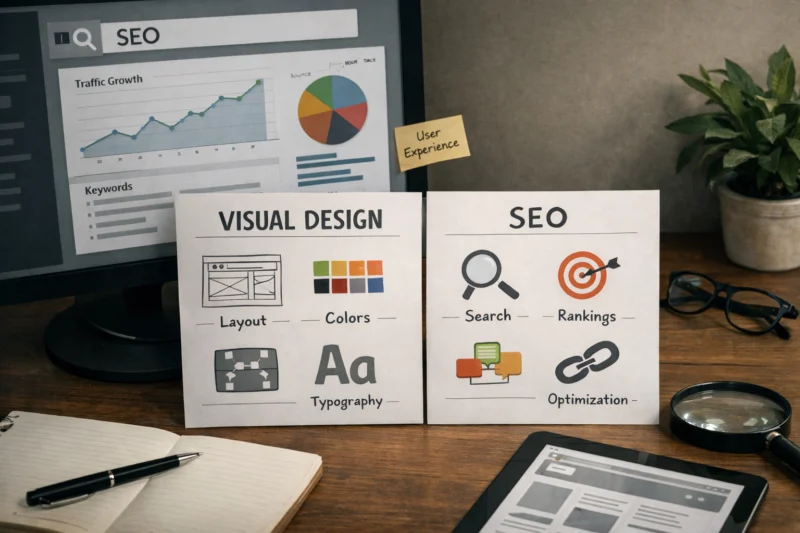
The strongest approach is to build design around crawlability, indexability, engagement, and conversion support at the same time. That means using headings that reflect the page structure, spacing that improves scannability, and visuals that reinforce meaning instead of distracting from it. When design is aligning with intent, users find the answer faster and search engines get a clearer signal about the page topic.
There is also a practical tradeoff between rich visuals and performance. On some pages, a simpler design is better because it loads faster, reads better, and keeps the message focused. On other pages, richer visuals are justified if they clarify a complex concept, demonstrate a product, or build trust in a service offering. The key is to choose design elements that improve comprehension, not just decoration.
Branding consistency should support the page, not dominate it. A strong brand system can reinforce trust, but overly stylized layouts can bury important copy or confuse the user journey. For teams working on on-page SEO best practices, the most reliable rule is to design for the task first, then layer brand expression around that structure.
Core Design Elements That Influence SEO
Typography is one of the most underrated SEO design factors because it changes how much effort a visitor must spend to read. Font size, line length, spacing, and contrast all affect reading ease, and when text feels tiring, users are more likely to leave before engaging with the content. That can raise bounce risk and reduce the likelihood that the page supports deeper SEO goals.
Layout and hierarchy determine whether users and crawlers can quickly interpret what matters most. Headings should create a clear narrative, whitespace should separate ideas, and sectional flow should make the page feel intentional. When visual hierarchy is weak, even strong content can feel disorganized, which hurts confidence and comprehension.
Images and media also matter because they influence both usability and page speed. Relevant images can clarify concepts, support product decisions, or increase trust, but oversized files, poor dimensions, or decorative media that adds no value can slow the page and distract from the message. That is why clean design principles and responsive image handling are part of SEO, not separate from it.
Color and contrast affect accessibility and attention guidance. If key text, buttons, or navigation elements are hard to distinguish, users make more errors and interact less confidently. Above the fold, the design should immediately tell the visitor what the page is about, what the main action is, and why the page deserves attention; if it does not, engagement often drops before the first scroll.
Visual Design, Mobile Usability, and Core Web Vitals
Responsive design is essential because most search journeys now happen on smaller screens, where spacing, tap targets, and content density matter more than on desktop. A layout that looks polished on a large monitor can fail on mobile if text wraps awkwardly, important content gets clipped, or navigation becomes difficult to use.
Image-heavy and animation-heavy designs can create problems with load time, input delay, and layout shift. Those issues affect Core Web Vitals, which are part of how search engines evaluate user experience at scale. For teams focused on mobile search, the practical lesson is simple: optimize for what loads fast and behaves predictably, not just what looks impressive in a pitch deck.
This is where mobile optimization essentials become directly connected to SEO outcomes. Touch targets need enough space, sticky elements should not cover primary content, and mobile navigation should help users move through the site without friction. If a mobile design looks fine but forces repeated zooming, scrolling, or accidental taps, it will undercut the page’s ability to satisfy search intent.
There are also edge cases where a desktop-first redesign performs well visually but weakens mobile performance because of hidden content, collapsed sections, or excessive visual padding. That is a common mistake: teams evaluate the design from a presentation standpoint instead of testing the actual browsing experience on a phone. A good mobile design should make the page easier to understand in less time, not merely smaller.
What to Look for in an SEO-Friendly Visual Design Approach
The right visual design approach depends on the page type, the business goal, and the user’s intent. A minimalist layout can work well for informational content, a content-first layout is often best for blogs and guides, conversion-focused layouts suit service pages and landing pages, and media-rich layouts make sense when visuals are necessary to evaluate products or demonstrate outcomes.
Minimalist layouts help when the goal is speed, clarity, and low distraction. They are useful for technical articles, resource pages, and pages where the content itself is the primary value. Content-first layouts are better when the user needs education, comparison, or sequential explanation. Conversion-focused layouts are appropriate when the page must support a form fill, purchase, or consultation request, and media-rich layouts are most effective when imagery is part of the decision-making process.
The tradeoff is always the same: visual appeal versus speed, brand expression versus clarity, and complexity versus crawl efficiency. The best design is not the most elaborate one; it is the one that improves comprehension and makes the next step obvious. That is why many teams studying high-performing web design eventually discover that the simplest page is not the weakest page, especially when the content is strong.
| Design approach | Best for | Main SEO advantage | Main tradeoff |
|---|---|---|---|
| Minimalist | Informational pages, technical pages | Fast loading and easy scanning | Can feel sparse if content is too thin |
| Content-first | Blogs, guides, resource hubs | Strong readability and topic clarity | Requires disciplined hierarchy to avoid clutter |
| Conversion-focused | Service pages, landing pages | Supports action and engagement | Can overpower informational intent if too aggressive |
| Media-rich | Ecommerce, portfolios, product pages | Improves trust and decision confidence | Risk of slower load times and distraction |
Common Mistakes That Weaken SEO Through Design
One of the biggest mistakes is overusing large images, videos, sliders, or decorative effects that slow the page and distract from the content. These elements can make a site feel polished, but if they push key information below the fold or increase load time significantly, they can hurt both usability and organic performance.
Another common problem is hiding important content behind tabs or accordions without considering discoverability and confidence. While collapsible content can improve organization, it should not be used to bury critical information that users need immediately to evaluate the page. Search engines may be able to process some hidden content, but users still need to trust that the page is complete and useful.
Poor contrast, tiny text, dense layouts, and cluttered navigation create friction that weakens readability. A page can have excellent keyword targeting and still perform poorly if the visual experience makes it difficult to read or act. This is where design, content strategy, and technical SEO must be treated as one system instead of separate disciplines.
Another misconception is that “modern” design automatically means better SEO performance. In reality, design trends age quickly, and some trendy layouts reduce clarity or create more complexity than value. The safer approach is to use clean design principles and test whether the page gets easier to understand, not just more fashionable.
Advanced Considerations: What Most Guides Get Wrong
Many guides overstate the direct ranking power of design changes. Visual improvements can absolutely help SEO, but usually through better engagement, clearer content delivery, stronger usability, and more efficient page behavior rather than as a direct ranking factor. That distinction matters because it keeps teams focused on measurable outcomes instead of cosmetic redesigns.
Accessibility is another area where SEO discussions are often too shallow. Screen reader compatibility, keyboard navigation, semantic structure, and color contrast all influence whether more users can successfully consume the content. Accessible pages are not just better for compliance; they are more robust, more understandable, and more likely to work well across devices and assistive technologies.
Image alt text, semantic HTML, and visual hierarchy should work together. Alt text supports meaning when images cannot be seen, headings define structure, and layout shows how the content should be read. If those elements conflict, the page becomes harder for both users and crawlers to interpret. Official guidance from Google Search Central — and accessibility standards like W3C WCAG — make this point clear: structure and accessibility are part of quality, not an afterthought.
One of the most important edge cases is a bold redesign that hurts traffic because it changes internal linking patterns, hides familiar navigation, or reduces content visibility. Even if the design looks better, the site can lose performance if users no longer recognize how to move through it. That is why testing matters, especially when changes affect established pages with proven search traffic.
How to Improve Visual Design for Better SEO Results
Start with an audit of the pages that matter most: high-traffic landing pages, top service pages, strong-ranking blog posts, and pages with conversion potential. Look for weak engagement, slow load times, poor mobile readability, or sections where users may be dropping off before reaching the main value.
Then review structure before styling. Check headings, spacing, CTA placement, image usage, and the hierarchy of information so the page presents the right idea in the right order. This is where many teams make the biggest gains, because a clearer structure often improves both usability and content performance without needing a full redesign.
Improve visually in stages rather than changing everything at once. Adjust typography, simplify clutter, refine image treatment, and fix mobile issues before introducing more complex visual elements. This incremental approach makes it easier to understand what changed and whether the change was beneficial.
To make the process practical, combine analytics with user behavior tools. Heatmaps, scroll data, session recordings, and conversion tracking can reveal whether users are engaging more deeply or abandoning the page earlier. When teams are serious about tracking SEO performance, they usually find that small design corrections create more reliable gains than dramatic visual overhauls.
Measuring Whether Design Changes Help SEO
The most relevant metrics for judging design impact include organic CTR, engagement, scroll depth, conversion rate, bounce behavior, and page speed indicators. Together, these metrics show whether the page is attracting clicks, holding attention, and helping users take the next step.
Some of these metrics are directional rather than definitive. For example, better engagement may suggest the design is helping, but it does not prove that the design alone caused the change. SEO is a multi-variable environment, so content updates, ranking shifts, seasonal trends, and traffic mix can all influence the numbers at the same time.
Whenever possible, use before-and-after testing, A/B testing, or controlled rollouts. If full testing is not possible, change one meaningful variable at a time so you can infer what likely moved the needle. It is also important to recognize that a redesign may improve conversion even if rankings remain flat, and that still matters because SEO is ultimately about business outcomes, not vanity metrics alone.
Mixed results should be analyzed with caution. A design modification might help retain visitors on your site for one type of page but have no impact on another, especially when user intent varies. Thus, it's essential to assess each page as a unique experience rather than assuming a single design principle applies universally.
Frequently Asked Questions About the Importance of Visual Design in SEO
Does visual design directly affect Google rankings?
Not directly in the sense of “better-looking pages rank higher.” Visual design influences rankings indirectly by shaping usability, engagement, accessibility, and clarity, which can affect how well a page performs in search.
If users can read and navigate the page easily, search engines are more likely to see strong satisfaction signals. That makes design an important SEO input even though it is not a standalone ranking factor.
How does visual design improve SEO?
Visual design improves SEO by making content easier to scan, understand, and trust. It can also help users stay longer, click deeper, and complete actions that support business goals.
Good design also supports mobile usability and page speed, both of which affect how well a page serves searchers. When the page feels effortless to use, its content has a better chance to perform.
Is a minimalist design better for SEO?
Minimalist design can be better for SEO when it reduces clutter and improves loading speed. It is especially effective for informational pages where the main value is the content itself.
However, minimalism can go too far if it hides key information or makes a page feel thin. The best choice is the one that improves comprehension for that specific search intent.
What visual design mistakes hurt SEO the most?
The most damaging mistakes are slow-loading media, weak contrast, cluttered layouts, and poor mobile presentation. These issues make it harder for users to consume the content and interact with the site.
Another major issue is overdesigning a page so much that the message becomes unclear. If users cannot quickly tell what the page is about, engagement usually suffers.
How do I know if a redesign helped SEO?
Compare organic traffic, CTR, engagement, scroll depth, conversion rate, and page speed before and after the change. Those metrics show whether the redesign improved both visibility and user behavior.
For cleaner results, use A/B tests or controlled rollouts where possible. If that is not possible, watch several weeks of data instead of reacting to short-term fluctuations.
Can images and graphics hurt search performance?
Yes, if they are too large, poorly optimized, or irrelevant to the page’s purpose. Heavy visuals can slow the page and distract from the content users came to see.
Well-chosen images, on the other hand, can improve clarity, support product evaluation, and increase trust. The difference is whether the visuals help the page communicate faster.
Visual design supports SEO by improving usability, clarity, engagement, and technical performance. It is not decoration; it is part of how content earns trust and gets used, which is why strong design and SEO strategy should never be separated.
The best visual choices are intent-driven, mobile-friendly, accessible, and measurable. If you want better organic results, start by auditing your top pages, removing friction, and testing improvements against both SEO metrics and user behavior. That is the most reliable path to stronger organic growth in 2026.
Updated April 2026