

SEO should be built into your site structure, templates, content hierarchy, and technical framework from the start, not added after launch. In practice, How to Integrate SEO into Your Website Design comes down to making design decisions that help search engines understand your pages faster while also making the site easier for real visitors to navigate, scan, and convert. That is the core of SEO-friendly website design: the layout, information architecture, and code all work together instead of competing with each other.
That matters more in 2026 because search systems reward clear site architecture, fast indexing, and pages that satisfy intent without friction. A site designed with SEO in mind is usually easier to crawl, easier to expand, and less likely to need expensive fixes after launch. This article focuses on practical design decisions, not a generic marketing overview or a full SEO audit tutorial, so you can apply the ideas during a redesign, a new build, or a template refresh.
Start with the SEO goals your website design must support
The first step is to define what the site needs to rank for, convert on, and be understood as by search engines. If the design does not support those goals, even a polished interface can underperform because the content hierarchy, page emphasis, and navigation do not match real search intent.
Design choices should follow audience intent. A service business may need short paths to high-value service pages, while a publisher needs strong category organization and scannable article templates. This is where keyword research planning and content strategy alignment influence design decisions before a wireframe is finalized, because the structure of the site should reflect the topics that matter most to the business.
The tension is often between brand-led design and search-led structure. A brand team may want a visually unconventional homepage or a minimalist menu, but search engines and users still need clear labels, logical page relationships, and visible content cues. A visually impressive site can still lose organic traffic if its pages do not communicate purpose quickly or if important content is buried below decorative elements.
Effective SEO-oriented design doesn't have to stifle creativity. It involves selecting layouts that prioritize business goals while effectively showcasing the brand within a framework that both search engines and users can easily navigate. This is where design contributes to SEO: aspects like typography, spacing, and visual hierarchy are essential in ensuring that key information is prominent rather than obscured by stylistic choices.
Build an SEO-friendly site structure before visual design is finalized
Site structure determines how search engines discover your pages and how clearly they understand topical relationships. If the information architecture is logical, crawlers can move through the site efficiently, and users can find related content without guessing where it lives.
The best structure usually keeps primary pages close to the homepage, with supporting pages grouped in sensible sections. A shallow, clear hierarchy often performs better than an overly nested one because it reduces crawl depth and makes internal linking easier to manage. This matters for service sites, ecommerce catalogs, and content-heavy sites alike, though each needs a different version of the same principle.
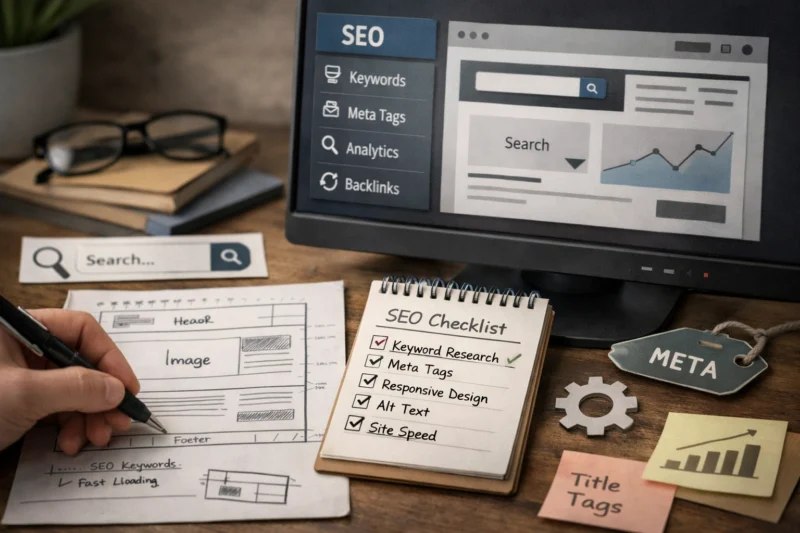
For large sites, structure is not just a navigation choice; it is a control system. Service-area sites need city or region pages organized without thin duplication. Content-heavy sites need topic clusters that reinforce topical authority. Enterprise sites often benefit from section-level hubs that create stronger internal link pathways than a long, overloaded menu ever could.
Many guides mistakenly believe that simply adding “more pages” will enhance coverage. However, poor sectioning can lead to orphan pages, duplicate content on similar topics, and unclear crawl paths. A thoughtfully organized structure is essential for effective discovery, indexing, and maintaining topical relevance, even before any visual enhancements are applied. For WordPress users, it’s crucial to ensure that the optimal SEO approach for your WordPress site aligns with the selected structure rather than being an afterthought.
Choose the right page templates and layout patterns for search visibility
Page templates matter because they determine where critical content appears, how consistent the site feels, and whether important SEO signals are visible in a predictable way. The homepage, service pages, category pages, blog articles, and location pages all need different template logic because each serves a different search intent.
SEO & WORDPRESS DEVELOPMENT
Transform your website into a lead-generating powerhouse with our SEO-friendly designs and tailored WordPress solutions that elevate your online presence.
A strong template usually gives search engines immediate context through a clear heading structure, a useful introductory block, and sections that match how users evaluate the page. For example, a service page often needs a concise overview near the top, proof points lower down, and a conversion area that does not interrupt the content too early. A category page may need a short description, filters, and enough crawlable text to explain the topic cluster without becoming bloated.
Templates should create consistency without making every page identical. That is where flexibility helps SEO: pages can adapt to content depth, audience intent, and conversion goals. But too much flexibility creates inconsistency, duplicate patterns, and pages that no longer communicate a clear purpose. The best template systems give designers room to vary layouts while preserving the essential SEO signals every page needs.
| Template type | Primary SEO job | Design priority | Common risk |
|---|---|---|---|
| Homepage | Define brand and core topics | Clear pathways to key sections | Too broad or too generic |
| Service page | Target one service intent | Focused copy and conversion cues | Overly promotional layout |
| Category page | Organize related content | Strong topical introduction | Thin or duplicated summaries |
| Blog/article page | Capture informational search demand | Readability and internal discovery | Content hidden by decorative modules |
| Location page | Support geo-specific intent | Unique local relevance | Template duplication across locations |
When designing layouts, use heading placement, intro content, media blocks, and sidebar behavior deliberately. These details shape how quickly users and crawlers understand the page. Strong blog content optimization and effective CTA placement both depend on whether the template gives each section enough breathing room without burying the main point. For broader reading, visual design should complement the page story instead of competing with it.
Integrate keyword mapping into the design process, not just the content brief
Each important page should target one clear topic or search intent. If the same concept appears on several pages with slightly different wording, the design may look organized while the site silently creates keyword cannibalization and unclear page priorities.
Keyword mapping should influence navigation labels, page names, section hierarchy, and even the way supporting modules are grouped. If a service page targets a distinct service term, the menu label and page title should reinforce that specificity instead of using vague brand language. This is one of the practical differences between content planning and content strategy alignment: the strategy shapes the whole information model, not just the copy.
A deeper issue is that pages can be optimized in text but still fail if the design signals multiple competing purposes. A page that tries to sell, educate, compare, and capture leads all at once often dilutes its topical clarity. Search engines are more likely to understand the page when the design reinforces a single dominant purpose and the supporting sections do not distract from it.
The pattern of internal links is crucial for SEO success. A well-organized internal linking system should reflect your keyword mapping, ensuring that each page complements the next step in the user's journey. For instance, one page might introduce a topic, another could delve into the service details, and a third might focus on conversions. If the site's structure becomes unclear, you risk negatively impacting both rankings and conversion rates. To enhance your SEO efforts, consider exploring effective internal linking techniques.
Navigation is not just a usability feature; it is one of the clearest signals search engines use to understand your site. Main navigation, footer links, breadcrumbs, and contextual links all help reinforce which pages matter and how topics relate to each other.
Anchor text and link placement matter because they shape expectations. A contextual link inside a relevant paragraph is usually more useful than a random footer link because it appears where the topic is already being discussed. At the same time, too many links in a single area can dilute clarity, while too few links can leave important pages hard to discover. The goal is not maximum linking; it is intentional linking.
Most guides focus on spreading authority, but the better question is whether links support the visitor’s decision path. A visitor comparing services may need to move from an overview page to a case study, then to a pricing or contact page. That is where the design of menus, cards, related-content modules, and breadcrumbs can support both SEO and conversion without feeling forced.
For many sites, the most practical improvements come from small structural changes: adding descriptive breadcrumb trails, placing related-service links near relevant explanations, and using category hubs for topic discovery. If the site is built on a CMS like WordPress, the navigation system should be planned alongside the WordPress SEO setup so it scales cleanly as new pages are added. That approach also supports future support pages, resource hubs, and product/category relationships.
Optimize on-page content areas that designers control
Designers control more content performance than they often realize. Headings, hero sections, intro copy, CTA placement, media blocks, and module order all affect whether the page feels relevant and easy to scan.
The hero section should not be treated as decoration. It needs to tell users what the page is about quickly, ideally with a clear heading and a concise supporting line that reflects the main topic. If the design pushes all meaningful copy below the fold, the page may look elegant but send weaker topical signals and slower comprehension. This is where effective CTA placement and visual design impact intersect with SEO because the page must both inform and guide action.

There is a balance to strike. Minimal layouts can hurt topical signals when they leave too little visible content, while content-heavy layouts can overwhelm visitors and reduce conversions. The best pages present enough text and structure to establish relevance, then use spacing, typography, and section rhythm to maintain readability. On article pages, that means clear subheads and supporting blocks; on service pages, it means concise proof and benefits; on landing pages, it means the content density matches the intent.
Designers should also think about the “scan path” of the page. People rarely read in a straight line. They scan headings, skim bullet-like visual cues, and jump to the part that helps them decide. A page that supports scanning usually ranks and converts better because it answers the query faster and keeps the user engaged longer.
Handle technical SEO requirements in the design layer
Technical SEO is not separate from design; it is often created by design decisions. Mobile responsiveness, Core Web Vitals, image optimization, semantic HTML, and clean code practices all influence whether search engines can render and evaluate the page efficiently.
Design choices can create layout shift, slow loading, and hidden content when oversized images, late-loading fonts, or heavy scripts are introduced without restraint. JavaScript-heavy components such as tabs, accordions, sliders, and popups can be fine for UX, but they need crawlability and accessibility fallback considerations. If important content only appears after user interaction or is blocked by scripts, search engines may have a harder time interpreting the page consistently.
The key principle is that vital content should always be available in the underlying HTML, regardless of how elegantly it is designed. Using semantic headings, appropriate landmarks, descriptive image alt text, and a logical DOM order benefits both search engines and assistive technologies. This is precisely why integrating essential aspects of mobile optimization into the design process is important, rather than treating it as a secondary task to be addressed after the site goes live. For more insights, check out why mobile optimization is crucial for SEO.
For broader technical context, official guidance from Google Search Central and Web.dev is useful because it focuses on how crawlability and performance affect user experience. If your site uses rich dynamic components, plan graceful degradation so the page still makes sense without perfect rendering. That is especially important for content hubs, ecommerce filters, and interactive service pages where usability and indexability need to coexist.
Common mistakes when trying to combine SEO and Web Design
The most common mistake is designing for aesthetics first and retrofitting SEO later. That usually leads to missing headings, weak page purpose, poor internal linking, and content hidden inside visually clever layouts that search engines and users struggle to interpret.
Another frequent issue is vague page purpose. If a page tries to do too many things, the design becomes muddy and the SEO signals become fragmented. This often shows up as duplicated templates, orphan pages, or navigation structures that look polished but do not reflect how people actually search. A page can also have great copy and still underperform if the template makes the content hard to scan.
Elevate Your Websiteto Rank Higher
Integrating SEO into your website design is crucial for attracting visitors and converting them into customers. Request a free consultation to learn how our tailored web design services can seamlessly incorporate SEO from the ground up.
There is also a misconception that SEO means adding more text everywhere. That is not true. The goal is not volume; it is clarity. Similarly, clean design and SEO do not conflict by default. In many cases, the better the design system, the easier it is to create consistent search-friendly pages at scale. The problem is usually not minimalism itself, but the lack of structural thinking behind it.
One practical warning: duplicated templates across categories, locations, or products can cause similar pages to compete with one another. That is especially risky for large websites and service-area businesses. The site may look uniform, but uniformity without differentiation can weaken rankings and confuse both users and crawlers.
Choosing between SEO-first, design-first, and hybrid website approaches
Most teams use one of three approaches: SEO-first, design-first, or hybrid. SEO-first is best when organic visibility is a primary growth channel, the site has many pages, or the content structure is complex enough that mistakes would be expensive to fix later.
Design-first can work when the site is small, the brand experience is the main differentiator, or the business has very simple organic requirements. The risk is that visual direction may outpace search structure, which can create redesign delays later. Hybrid workflows are usually the strongest option because they let SEO define the structural framework while design shapes the experience within that framework.
The right choice depends on site size, content complexity, stakeholder alignment, and launch risk. A local service company with a few core pages may only need a light SEO-led structure. A national brand with product collections, resources, and location pages usually needs a more deliberate hybrid process. In both cases, the goal is the same: reduce rework and make sure design decisions support the business model.
The most overlooked factor is team coordination. SEO, design, content, and development should review the same sitemap, template wireframes, and page-level intent documents before launch. That is where a hybrid approach often outperforms either extreme, because it reduces the chance that one discipline creates problems the others must undo later.
Advanced considerations: what most guides get wrong about SEO and website design
Redesigns can preserve rankings or lose them depending on how carefully the migration is planned. URL consistency, redirect mapping, content parity, and page intent alignment all matter because search engines need to see that the new version still satisfies the same search demand.

Design systems should also support SEO across future pages, not just the initial launch. If the component library is too rigid, teams may create workarounds that weaken headings, duplicate modules, or hide useful content. If it is too loose, consistency breaks down and the site becomes hard to scale. The best systems are flexible enough for different page types but strict enough to protect structure and semantic integrity.
Accessibility and structured content are often treated as separate initiatives, but they reinforce search visibility naturally. Semantic markup, descriptive labels, and logical reading order help crawlers understand the page more reliably. This is especially important for established sites, multilingual sites, and content that changes often, because those environments magnify the cost of weak structure.
One area that gets overlooked is how a redesign should protect high-value pages. Pages with established links, rankings, or conversions should not be redesigned as if they were blank slates. Preserve what works, improve what underperforms, and test the parts of the system that affect discovery most. That mindset makes the redesign less risky and more scalable over time.
How to audit whether your current website design supports SEO
The fastest audit starts with the site hierarchy, template consistency, crawl paths, indexing signals, and content visibility. If those are weak, design is probably contributing to SEO problems even if the site looks polished.
Begin with the pages that matter most: top landing pages, core service pages, and pages with weak performance or unclear intent. Ask whether each page is easy to reach from the main navigation or a logical internal path, whether the template makes the main topic obvious, and whether the content appears early enough to establish relevance. If the answer is no, the design is likely slowing the page down.
Then separate design problems from content, authority, or technical issues. A page that ranks poorly because it has little link equity is a different problem from a page that is buried three levels deep with a weak heading structure. Similarly, if the content is strong but the page loads slowly or hides key information behind scripts, the design layer is part of the cause. This distinction matters because it determines whether you need a content rewrite, a structural change, or a technical fix.
For established sites, a practical audit also checks whether the design system is helping or hurting future expansion. If new pages keep needing special exceptions, the system is too brittle. If every page looks interchangeable, the system may be too generic. The best audit outcome is a roadmap of redesign-first SEO fixes that improve visibility without forcing a full rebuild immediately.
Frequently Asked Questions About Integrating SEO into Website Design
How do I integrate SEO into website design from the start?
Start with business goals, audience intent, site structure, template planning, and technical requirements before visual polish. That sequence helps you make sure the design supports crawlability, clear hierarchy, and conversion paths from day one.
What comes first, SEO or website design?
SEO should usually define the structure, while design defines the experience inside that structure. The best results come from collaboration, especially when page intent, navigation, and template logic need to support both ranking and usability.
Does SEO affect web design choices?
Yes, because search intent and page hierarchy influence layout, headings, navigation, and content placement. If a page needs to answer a query quickly, the design has to make that information visible without forcing users to hunt for it.
How do I design a website for SEO without making it look cluttered?
Use clear spacing, strong typography, and well-ordered sections so the page feels clean while still carrying enough topical structure. The key is to show the most important content early and support it with internal links, not pile on unnecessary blocks.
What are the most important SEO elements in website design?
The most important elements are hierarchy, navigation, headings, mobile usability, page speed, and content placement. Together, they determine whether search engines and users can understand the site quickly.
Can a beautiful website still rank well?
Yes, if the site preserves clear structure, readable content, and fast performance. Beautiful design becomes a problem only when it hides important information or makes pages difficult to crawl and scan.
How do I make my site structure SEO-friendly?
Group related pages logically, keep important pages close to the homepage, and use clear labels that match search intent. Supporting internal links should reinforce the same topical relationships instead of scattering attention randomly.
What website design mistakes hurt SEO the most?
Hidden content, slow-loading pages, weak navigation, poor hierarchy, and duplicated templates are some of the biggest problems. These issues make it harder for search engines to interpret the site and for users to find what they need.
How should SEO be built into a website redesign?
Protect high-value pages, map redirects carefully, preserve content relevance, and test templates before launch. A redesign should improve clarity and performance without erasing the signals the site has already earned.
How do I know if my current design is hurting rankings?
Look for weak indexing, poor internal discovery, low engagement, and pages that are hard to scan or reach from the main site flow. If those problems line up with design choices, the structure is probably part of the ranking issue.
SEAMLESSLY INTEGRATE SEO INTO DESIGN
Transform your website with SEO-friendly design that attracts traffic and converts visitors into customers. Request a free consultation today to see how our expert services can elevate your online presence.
REQUEST A FREE CONSULTATIONSEO works best when it is embedded in structure, templates, content hierarchy, and technical decisions from the beginning. Good website design should make it easier for both users and search engines to understand what the site offers, which pages matter most, and how to move through the experience.
The strongest approach is usually a hybrid one: SEO input before launch, design refinement during wireframing, and ongoing checks during redesigns and content expansion. If you are planning a new site or improving an existing one, start by reviewing the current structure, auditing your key templates, and identifying the pages that need redesign-first SEO fixes.
Updated April 2026