

Web design frameworks are reusable foundations that help you build websites faster, keep layouts consistent, and make updates easier over time. In practical terms, they give you a starting structure for components, spacing, typography, responsive behavior, and workflow, which is why they matter so much for teams and solo creators in 2026. Used well, they reduce repetitive work without forcing every page to look identical, and that balance is what separates a useful framework from a generic one.
Contents
- 1 What a web design framework actually is
- 2 Why web design frameworks matter for modern sites
- 3 How to choose the right framework for your project
- 4 Main categories of web design frameworks to compare
- 5 Key features to evaluate before committing
- 6 How to use a framework effectively without making a generic site
- 7 Common mistakes and misconceptions about web design frameworks
- 8 Advanced considerations most guides overlook
- 9 When a framework is the wrong choice
- 10 How to evaluate web design framework options in practice
- 11 Frequently Asked Questions About web design frameworks
- 11.1 What is the difference between a framework and a template?
- 11.2 Are web design frameworks good for beginners?
- 11.3 Which type of framework is best for responsive websites?
- 11.4 Do web design frameworks hurt SEO?
- 11.5 How do I choose a framework for a small business website?
- 11.6 What should I look for in a modern web design framework?
- 11.7 Can I customize a framework without losing its benefits?
- 11.8 What are the most common mistakes when using frameworks?
- 11.9 How do web design frameworks affect site speed?
- 11.10 What is the best web design framework for a content-heavy site?
- 12 Conclusion
What a web design framework actually is
A web design framework is a reusable system for building websites, usually made up of layout rules, prebuilt components, styling conventions, and implementation patterns. It can be as narrow as a CSS toolkit for grids and buttons or as broad as a front-end structure that shapes how a project is organized from the first mockup through deployment. The key idea is simple: instead of starting from a blank page every time, you start from a tested foundation that handles common interface problems.
This is different from a template, which is usually a finished or nearly finished page design you drop content into, and different from a theme, which often changes a site’s visual presentation without giving you a deeper workflow. A full design system goes further than many frameworks because it defines tokens, governance, patterns, and usage rules for an entire product. If you are comparing options, the distinction matters; many buyers search for custom design versus templates and then realize they actually need a framework that sits between both extremes.
For teams and solo creators, the real problem frameworks solve is decision fatigue. You do not need to decide the spacing scale, the grid behavior, or the button states from scratch every time, which speeds up planning and production. That said, “framework” can mean different things in different contexts: sometimes it refers to a CSS/UI toolkit, and other times it means the broader architecture a front-end team uses to keep code and design consistent. If you need a practical starting point, think of it as a system that helps you make fewer repeated choices while preserving enough flexibility for brand expression.
Why web design frameworks matter for modern sites
Frameworks matter because modern sites are built and maintained under tighter timelines, across more devices, and with more collaboration than most teams had to manage a few years ago. They reduce repetitive work in planning and production by giving you reusable patterns for navigation, cards, forms, grids, and responsive sections, which means less time spent rebuilding common UI from scratch. That is especially valuable when a site has multiple page types or when content changes often.
The consistency benefit is just as important. A framework can standardize spacing, typography, alignment, and interactive states so pages feel coherent even when different people create them. That consistency supports a better user experience, but it also helps teams work faster because they are not debating every margin, breakpoint, or hover state. For project leads who care about responsive design best practices, a framework can provide a stable base for consistent mobile and desktop behavior.

Frameworks also improve collaboration between designers and developers because they create a shared language. A designer can specify a component pattern, while a developer implements it with less ambiguity and fewer one-off decisions. The tradeoff is real, though: if a team leans too heavily on the defaults, the site can feel generic and overly familiar. That is why strong teams use frameworks as a foundation, not as an identity. It is also where supporting topics like mobile friendly layout tips and accessible design for everyone become practical rather than theoretical, because the framework choices directly shape how users experience the site.
How to choose the right framework for your project
The right framework depends first on your site goal. A marketing site needs fast landing pages, strong visual hierarchy, and easy editing. A content site needs typography, readability, and structured article layouts. An app-like experience needs stateful components and interaction patterns. E-commerce needs product grids, filtering, checkout flows, and performance that holds up when pages get heavy. Choosing before you define the use case is one of the most common reasons teams end up dissatisfied later.
Project complexity and team skill also matter. A small team may do best with a lightweight framework that gets out of the way, while a larger product team may benefit from a more opinionated system that enforces consistency at scale. Maintenance needs should not be an afterthought either. If the site will grow frequently or undergo redesigns every year or two, choose something with clear customization paths and a stable upgrade history. For teams planning long-term content expansion, content driven website planning is a better lens than “what is trending right now.”
You should also evaluate accessibility, mobile responsiveness, performance, and how deeply the framework lets you customize without breaking its core advantages. Future content growth is especially important because a framework that looks perfect for five pages can become limiting when you need multilingual layouts, new section types, or more complex forms. A simple comparison table can help narrow the field:
| Project type | Best framework style | Why it fits |
|---|---|---|
| Marketing site | Light CSS/UI framework | Fast build, flexible branding, low overhead |
| Content-heavy site | Typography-friendly framework | Readable layouts, scalable article structure |
| Web app | Component-based UI framework | Reusable interactions and state handling |
| E-commerce site | Opinionated framework stack | Consistent product and checkout patterns |
Main categories of web design frameworks to compare
CSS-first frameworks focus on styling, layout, and responsive structure. They are useful when you want quick control over spacing, grids, and common interface elements without adopting a heavy application architecture. These frameworks are often the most practical choice for brochure sites, editorial sites, and smaller builds where the front end does not need complex logic. They can be a strong fit for teams that care about clean implementation and want to preserve design freedom.
Component-based UI frameworks go further by organizing the interface into reusable parts. They are better for application-like sites, dashboards, and platforms where buttons, forms, modals, and cards repeat often. Utility-driven approaches offer granular control through small classes or atomic styling patterns, which can speed up implementation while keeping custom design flexible. On the other end of the spectrum, more opinionated stacks bundle structure, conventions, and defaults in a way that reduces setup time for teams that want guardrails.
The deeper choice is not simply “which framework has the most features.” In real projects, a lighter option can outperform a feature-rich one because it is faster to load, easier to understand, and less likely to accumulate unused code. That matters for maintainability and performance. A smaller framework can also be easier to hand off when a project changes teams, especially if the site needs fast responsive framework options rather than a large system built for a different kind of product. The best category is the one that matches the complexity you actually have, not the one that looks most impressive in a comparison chart.
Key features to evaluate before committing
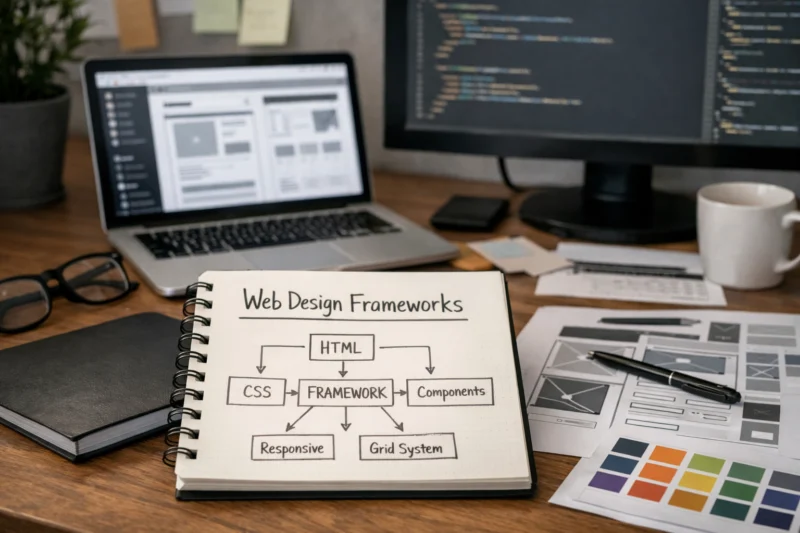
The first feature to check is the grid and layout system. A good framework should make common page structures easy: headers, sidebars, hero sections, card grids, split layouts, and stacked mobile sections. If the layout tools feel awkward early on, that usually becomes a bigger problem later when the site grows. Frameworks should help you build predictable structure without forcing every page into the same mold.
Responsive breakpoints are equally important. A framework should handle realistic device ranges cleanly, not just a few idealized screen sizes. You want to know whether it uses mobile-first logic, whether breakpoint overrides are intuitive, and whether the design collapses gracefully on smaller screens. If you are building for publishing or service businesses, this is where mobile friendly layout tips become a practical decision point rather than a design theory exercise.
Customization depth is another major filter. Look for variables, theming, and design token support if you expect to change colors, spacing, radius, or type scale over time. Also check what comes built in versus what you must create yourself. A framework with strong defaults but weak accessibility can become a hidden problem, so ask whether it encourages accessible patterns by default or leaves keyboard behavior, focus states, and semantic structure entirely to the user. For deeper technical evaluation, it helps to compare options against W3C Web Accessibility Initiative and MDN Web Docs guidance, especially if your team treats accessibility as a baseline rather than a later patch.
How to use a framework effectively without making a generic site
The best way to avoid a cookie-cutter result is to start from brand and content needs, not from the framework’s default look. Framework defaults are useful because they accelerate development, but they should be treated as scaffolding rather than a finished identity. Before styling anything, decide what your content hierarchy needs, what emotional tone the brand should convey, and where the framework should be quietly supporting the design instead of driving it.
Once that is clear, override defaults intentionally. Adjust spacing scale, typography, color usage, and component states so the site reflects the brand instead of the framework demo. Reuse patterns strategically so the experience stays coherent, but do not repeat the same card or section pattern everywhere just because it is convenient. This is also where website speed optimization basics matter, because overly complex customizations can undo the efficiency a framework was supposed to provide.
To avoid lock-in, keep custom styles organized in a portable way. Separate your own component layer from framework utilities, and avoid scattering overrides across unrelated files. That makes future redesigns easier and reduces the risk that a framework upgrade breaks your entire system. This is also a good place to connect with ongoing website maintenance, because the easier a framework is to maintain, the more valuable it becomes over the full life of the site. The common mistake is assuming originality requires ignoring structure; in reality, the most distinctive sites usually combine disciplined framework use with clear brand decisions.
Common mistakes and misconceptions about web design frameworks
The biggest misconception is that a framework automatically makes a site well-designed. It does not. A framework only provides structure, conventions, and tooling; the quality of the final result still depends on information architecture, content clarity, visual hierarchy, and implementation choices. A weak strategy wrapped in a strong framework is still a weak strategy.
Another mistake is choosing based only on popularity. Popular frameworks are not always the best fit for a specific project, especially if your site has unusual content needs or a small team with limited maintenance capacity. Teams also overcustomize too early, which can make the codebase harder to understand and upgrade later. Overengineering is especially common when someone tries to make the framework do every job instead of accepting some of its intended structure.
Performance is another area where assumptions cause trouble. Unused styles, unused components, and unnecessary JavaScript can add weight quickly, which hurts user experience and can complicate SEO-related performance goals. More features do not automatically create a better workflow either; sometimes they create more decisions, more configuration, and more update risk. The best way to avoid these problems is to treat frameworks as tools with tradeoffs, not as universal solutions. If you want a deeper cautionary lens, look at the patterns covered in common web design mistakes, because framework misuse often shows up as those same design failures in a more technical form.
Advanced considerations most guides overlook
Accessibility deserves more attention than it usually gets in framework discussions. Default components may look polished but still have weak keyboard behavior, missing labels, or poor focus management. A framework that advertises “accessible” components is only useful if your team verifies those behaviors in real interaction flows. This matters most for menus, dialogs, accordions, forms, and other interactive patterns where small mistakes can block users.
Performance and bundle size are equally important, especially on content-heavy sites where the front end should stay lean. A framework that ships with too many scripts or styles can slow rendering, increase maintenance, and make routine updates riskier. You should also think about long-term maintainability: version changes, deprecated patterns, and team handoff risk can become serious costs if the project grows. Official guidance from Google Search Central is a good reminder that user experience and technical quality work together, especially when load speed and structure affect discoverability.
Edge cases are where framework choice really proves itself. Multilingual layouts can expose spacing or alignment assumptions. Complex forms can reveal weak validation patterns. Data-heavy dashboards can show whether a component system scales gracefully or becomes messy under pressure. In those situations, a framework should support evolution, not block it. The deeper question is not whether the framework works for the first launch, but whether it can still support the site when design requirements grow beyond the initial build.
When a framework is the wrong choice
A framework is the wrong choice when a fully custom system is simpler, faster, or easier to maintain. That often happens on very small sites, highly experimental prototypes, or projects with an extremely specific brand expression that would be constantly fighting framework defaults. In those cases, the overhead of setup, overrides, and component management can slow down delivery instead of helping it.
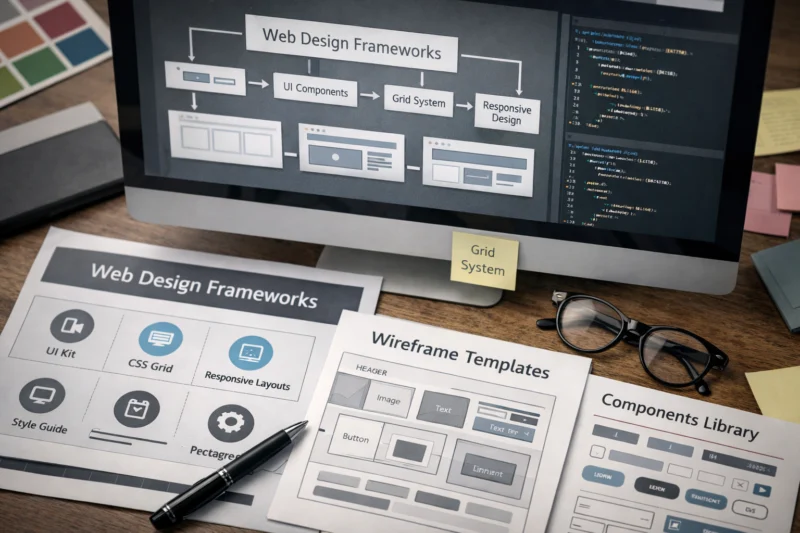
Frameworks can also be a poor fit when the team cannot maintain them properly. The best tool in the world still becomes a liability if nobody understands its conventions, upgrade path, or customization model. That is why evaluating team capability is as important as evaluating features. For some projects, especially small-business builds or limited-scope campaigns, a simpler approach can outperform a bigger system because it is easier to keep stable and easier to evolve. That is a key lesson in custom design versus templates: the right choice depends on maintenance reality, not just visual ambition.
The common edge case is a site that starts small but is expected to grow quickly. If you pick something too lightweight for a future content system, you may end up rebuilding later. If you pick something too heavy for a short-lived campaign, you waste time and increase complexity. The right answer is not always “use a framework.” Sometimes the best outcome is a lean custom build that stays focused on what the site actually needs.
How to evaluate web design framework options in practice
Start by defining success criteria before you compare tools. Decide how important speed, flexibility, accessibility, maintainability, and long-term upgrade safety are for your project. Without those criteria, teams tend to judge frameworks by demos or brand recognition, which rarely predicts how well a framework works under real content and real deadlines.
Next, test a small page or component set instead of relying on documentation alone. Build one responsive page, one form, and one reusable component pattern so you can see how the framework behaves in practice. Pay attention to how much code it takes to create a clean layout, how easy it is to customize defaults, and how clearly the framework handles breakpoints. This is also where responsive design best practices and accessible design for everyone become useful evaluation lenses, not just marketing phrases.
Finally, check documentation quality, community support, and upgrade path. Good docs should explain customization, not just installation. A healthy ecosystem can make troubleshooting easier, but it should not substitute for a framework that fits your workflow. If you are evaluating content-driven builds, compare the options against content driven website planning so you are not optimizing for the wrong use case. A clean test project usually reveals more than a long feature list ever will.
Frequently Asked Questions About web design frameworks
What is the difference between a framework and a template?
A framework is a reusable structure for building pages and components, while a template is usually a finished design you fill with content. Frameworks give you flexibility and workflow consistency; templates give you speed for a specific layout.
If you need multiple page types or long-term scalability, a framework is usually the better foundation. If you need a one-time launch with minimal customization, a template may be enough.
Are web design frameworks good for beginners?
Yes, but the best choice for beginners is usually a simpler framework with clear documentation and limited overhead. A beginner benefits most when the framework reduces repetitive decisions without forcing them to learn a complicated architecture immediately.
The learning curve is lower when the system matches the project size. For a first business site, a lightweight framework is often easier than a heavy component stack.
Which type of framework is best for responsive websites?
The best type is one that uses mobile-first layout logic and gives you clear breakpoint control. CSS-first and utility-driven frameworks often make responsive work efficient because they let you adjust structure without rebuilding every component.
What matters most is whether the framework handles real device ranges cleanly and allows you to override spacing and layout when needed. Responsive success is less about the category name and more about implementation quality.
Do web design frameworks hurt SEO?
Not directly. They can help or hurt SEO indirectly through performance, accessibility, clean structure, and how much unnecessary code they add to the page.
A bloated framework with poor markup can slow the site down and weaken usability. A lean framework with accessible components and efficient code can support better technical SEO outcomes.
How do I choose a framework for a small business website?
Choose the simplest framework that still gives you the layout, responsiveness, and customization you need. Small business sites usually benefit from lower maintenance overhead, strong branding control, and fast editing workflows.
If the site only needs a few page types, avoid feature-heavy systems that add complexity without a clear payoff. Simplicity usually wins when long-term upkeep matters.
What should I look for in a modern web design framework?
Look for accessibility, performance, flexibility, and solid component quality. A modern framework should support responsive layouts, sensible defaults, and easy customization without creating a large maintenance burden.
You should also check whether the framework makes version updates manageable. A strong upgrade path is often more valuable than an impressive feature list.
Can I customize a framework without losing its benefits?
Yes, if you customize intentionally and keep your overrides organized. The goal is to change what needs to match your brand while preserving the framework’s reusable structure and workflow advantages.
Problems usually start when custom styles are scattered or when the framework is forced into every brand decision. Good customization keeps the system portable and maintainable.
What are the most common mistakes when using frameworks?
The most common mistakes are overreliance on defaults, choosing the wrong framework for the project, and adding too much code too early. Teams also ignore performance costs until the site becomes slower or harder to maintain.
Another frequent error is assuming more framework features always mean a better workflow. In practice, the best framework is the one that fits the project and the team.
How do web design frameworks affect site speed?
They affect speed through stylesheet size, JavaScript overhead, and unused components or utility classes. A framework that ships too much code can slow loading and make optimization harder.
That does not mean frameworks are bad for performance. It means the team needs to choose carefully, remove unused code, and keep the build lean.
What is the best web design framework for a content-heavy site?
The best choice is usually one that prioritizes readability, flexible article layouts, and efficient rendering. Content-heavy sites need strong typography support, clean spacing, and responsive behavior that keeps long-form pages usable on mobile.
There is no single best answer because the right framework depends on content structure, editing workflow, and future growth. For many publishers, a lightweight and typography-friendly option is more effective than a highly feature-rich stack.
Conclusion
The best framework depends on your project type, team skill, and long-term maintenance needs. A framework should be treated as a strategic foundation, not just a shortcut, because the real value comes from consistency, responsiveness, accessibility, and maintainability working together.
If you are comparing options, do not stop at popularity or demo polish. Evaluate flexibility, responsive behavior, accessibility, performance, and how well the framework will handle future growth. The strongest choice is usually the one that fits your actual workflow, not the one with the longest feature list.
The practical next step is simple: shortlist a few candidates, build a small test page or component set, and compare them against your real requirements before committing. That process will tell you more than any marketing page ever will.
Updated April 2026