
Google Analytics helps SEO by showing what happens after searchers land on your site, so you can improve pages, journeys, and conversions instead of chasing vanity traffic alone. Mastering Google Analytics for (SEO) Search Engine Optimization means using behavioral data to understand search-driven visitors, identify content opportunities, and make better decisions about what to fix, expand, or remove.
That matters more in 2026 because organic performance is shaped by more than rankings. Search engines and users both reward pages that satisfy intent, keep people engaged, and support conversion paths, which makes Google Analytics a practical tool for measuring the quality of SEO outcomes. It is especially useful when paired with Search Console, because one tool shows how people find you and the other shows what they do after arriving.
This guide outlines what Google Analytics can reveal about SEO, focusing on how to effectively utilize GA4 reports, establish measurements that align with organic goals, and translate analytics insights into enhanced search rankings without data overfitting. It also delves into aligning SEO content, developing an internal linking strategy, targeting long-tail keywords, optimizing for featured snippets, and implementing WordPress SEO tactics—all with a focus on how mobile optimization's role connects to organic performance.
Contents
- 1 What Google Analytics can and cannot tell you about SEO performance
- 2 How to use Google Analytics to improve SEO: the practical workflow
- 3 Key GA4 reports and metrics every SEO-focused marketer should know
- 4 Setting up GA4 correctly for SEO measurement
- 5 Comparing the best ways to analyze organic traffic in Google Analytics
- 6 Common Google Analytics SEO mistakes that weaken decision-making
- 7 Advanced Google Analytics considerations most SEO guides get wrong
- 8 Turning GA insights into SEO action without overfitting the data
- 9 What to look for when evaluating SEO opportunities inside Google Analytics
- 10 Frequently Asked Questions About Mastering Google Analytics for SEO Search Engine Optimization
- 10.1 What can Google Analytics tell you for SEO?
- 10.2 Is Google Analytics enough for SEO analysis?
- 10.3 Which GA4 metrics matter most for SEO?
- 10.4 How do I see organic traffic in Google Analytics 4?
- 10.5 Why does organic traffic in GA4 not match Search Console?
- 10.6 How can I track SEO conversions in GA4?
- 10.7 What is the best report for SEO in GA4?
- 10.8 How do I know if SEO traffic is actually valuable?
- 10.9 How do I use Google Analytics to find low-performing landing pages?
- 10.10 What are the most common GA4 SEO mistakes?
- 11 Conclusion
What Google Analytics can and cannot tell you about SEO performance
Google Analytics can tell you how organic visitors behave after they click, but it cannot tell you your exact search rankings. That distinction matters because SEO decisions should be based on both acquisition data and on-site behavior, not on sessions alone.
GA is strong at answering questions like which landing pages attract organic traffic, which pages keep people engaged, which devices convert best, and where users drop off before completing a key action. It is weaker at keyword-level visibility, because many search terms are hidden, aggregated, or unavailable for privacy reasons. That means a page may be “successful” in GA if it drives conversions or assists later revenue even when the keyword data is incomplete.
One of the most common mistakes is reading a traffic increase as proof of SEO success. A spike in sessions may come from branded searches, a seasonal topic, a referral campaign, or even measurement changes. Privacy controls, consent mode, and data thresholds can also reduce visibility into smaller segments, so low-volume SEO pages can appear noisier than they are. In practice, you want to interpret organic traffic quality in context, using GA as a behavioral lens rather than a ranking report.
That's why Google Analytics should complement, rather than replace, tools like Google Search Console and its help documentation. Search Console provides insights on impressions, queries, and click-through rates, while Analytics reveals the true value of that traffic. By integrating both, you can link your keyword exploration techniques to actual post-click outcomes, ensuring you’re not just optimizing for better rankings but also for tangible business success. For effective strategies, explore keyword exploration techniques to enhance your SEO efforts and drive traffic.

How to use Google Analytics to improve SEO: the practical workflow
The best SEO workflow in Google Analytics starts with a question, not a report. Define the outcome you want to improve, choose the right metric, inspect the right report, and then validate the change after you act.
For example, if the question is “Which organic landing pages deserve refreshes?”, the right starting point is landing-page performance for organic sessions, not total site traffic. If the question is “Why is a blog post getting traffic but no leads?”, you need downstream events, engagement signals, and conversion paths. If the question is “Which content topics deserve more investment?”, you should compare the behavior of different page types rather than looking at one number in isolation.
This workflow becomes far more useful when you segment organic traffic by device, new versus returning users, geography, and content type. A mobile-heavy landing page with weak engagement may point to page speed or layout issues, while a desktop page that converts well may simply need more long-tail keyword targeting. These patterns help you decide whether to revise copy, improve UX, strengthen an internal linking strategy, or create supporting pages that improve SEO content alignment.
The key takeaway is that the most effective workflow integrates Google Analytics with Search Console. This combination is valuable not because either tool is lacking, but because they provide different insights. Search Console reveals opportunities for queries and visibility in search results, while Google Analytics helps determine if those clicks are translating into value. This synergy is particularly crucial for informational content, category pages, and content clusters that can drive more visitors to your site without necessarily being the final step in the conversion process.
Key GA4 reports and metrics every SEO-focused marketer should know
The most useful GA4 reports for SEO are acquisition, landing pages, engagement, pages and screens, conversions, and explorations. Together, they show how organic traffic arrives, what users consume, and whether those visits support key outcomes.
For metrics, sessions tell you how much organic traffic landed on the site, but engaged sessions and engagement rate are often more useful for judging quality. Conversions and revenue matter when your SEO has a commercial goal, while event counts help measure interactions such as scroll depth, CTA clicks, video plays, or file downloads. For many SEO teams, landing-page performance is the most important lens because it connects entry traffic to behavior after the first impression.
Use dimensions such as source/medium, session default channel group, landing page, and device category when you need to separate organic from non-organic traffic or compare performance across device types. A report that looks strong in aggregate may hide a weak mobile experience or an underperforming landing page with high entry traffic and poor downstream engagement. This is where featured snippet optimization and mobile optimization impact often show up indirectly: pages that answer quickly and work well on phones frequently produce stronger engagement and more secondary actions.
One thing many guides get wrong is treating GA4 like Universal Analytics. Metrics are not one-to-one, event logic is different, and engagement is defined differently, so a familiar-looking dashboard can produce misleading comparisons if you assume the old rules still apply. To avoid that trap, judge each report by what it measures now, not by how you used to read it.
| GA4 report | Best SEO use case | Main limitation |
|---|---|---|
| Acquisition | Understand where organic users come from | Weak on landing-page behavior |
| Landing pages | Evaluate first-page performance | Needs context from downstream events |
| Engagement | Measure content usefulness and attention | Can be misread without intent context |
| Conversions | Connect SEO to business value | Misses assisted value in some journeys |
| Explorations | Answer specific SEO questions in depth | Less repeatable for casual users |
Setting up GA4 correctly for SEO measurement
GA4 only becomes trustworthy for SEO when the setup reflects how your site actually works. At minimum, you need a clean account structure, properly configured data streams, filtered internal traffic, and events that map to real SEO goals.
The biggest setup mistake is tracking generic form submissions as if they were the only conversion that matters. A content site may need newsletter signups or return visits, while an ecommerce site may care more about product views, add-to-cart actions, and revenue. An agency or B2B site may want demo requests, qualified lead events, or multi-step engagement that signals commercial intent. If you do not align key events with the business outcome, your SEO reporting will favor shallow actions over meaningful ones.
UTM and channel hygiene matter too. Organic traffic should not be mixed with paid, email, or campaign traffic because mislabeled links can distort what looks like SEO performance. Cross-domain tracking is another frequent failure point: if a user moves from your main site to a checkout, booking, or app domain and tracking breaks, the journey can look shorter, less valuable, or even like a separate visit. That is especially damaging when you are measuring organic conversions across multiple visits.
Documentation also matters. Annotation habits are not just for analysts; they help everyone interpret sudden changes in organic traffic after a content update, migration, template change, or consent-mode adjustment. If you work in WordPress SEO tactics or manage a large content library, keep a simple log of deployment dates so you can distinguish real SEO change from measurement change. For setup validation, official guidance from Google Analytics help and Google Consent Mode is worth following closely because privacy settings can alter what you see.
Comparing the best ways to analyze organic traffic in Google Analytics
The best method depends on the question. Standard reports are fast and reliable for broad checks, while explorations are better when you need deeper segmentation or a custom view of organic behavior.
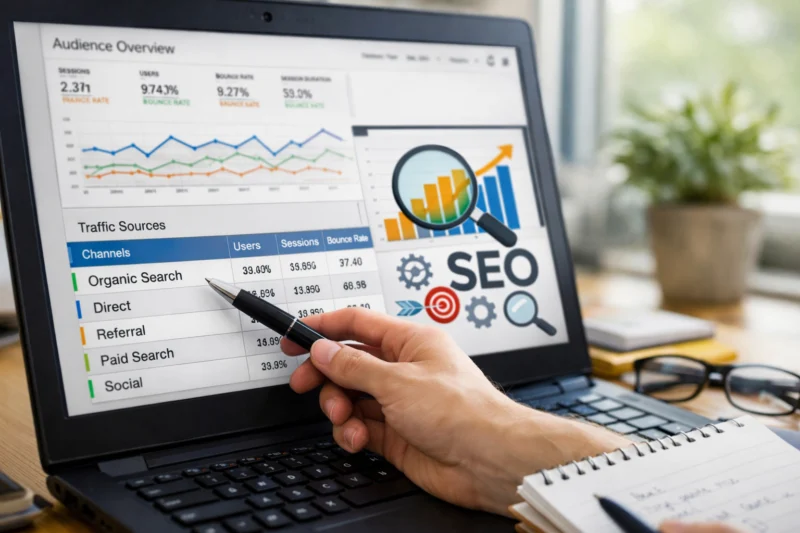
Landing-page analysis is ideal when you want to know which pages create value, especially if you are comparing informational, commercial, and support content. Standard acquisition reports are better for quick health checks, like whether organic traffic is rising or falling by channel group. Exploration reports are more useful when you need to isolate device, location, or audience segments and then compare engagement rate, conversions, and event behavior across them.
Here is the practical rule: choose the simplest report that still answers the question accurately. More detail is not always better. A highly granular exploration can create false confidence if the segment is too small or the filter logic is too complex. In many cases, a clean landing-page table paired with Search Console data provides better decision-making than a heavily customized dashboard. This is one reason many teams combine organic traffic growth analysis with a simple content review process instead of overbuilding reports.
When choosing a method, weigh speed, granularity, repeatability, and stakeholder clarity. A quick report is best for weekly reviews and executives. A deeper exploration is best for diagnosing a problem or validating an SEO hypothesis. For content teams, the most actionable output is often a concise comparison of pages that need SEO content alignment, internal linking updates, or stronger conversion paths.
| Method | Best for | Weakness |
|---|---|---|
| Standard reports | Fast organic traffic checks | Limited flexibility |
| Landing-page analysis | Page-level SEO decisions | Needs contextual metrics |
| Exploration reports | Deep segmentation and testing | Can be overcomplicated |
| Audience/segment views | Comparing user groups | Smaller samples can mislead |
Common Google Analytics SEO mistakes that weaken decision-making
The most damaging mistake is treating organic traffic growth as success without checking quality, intent, or conversions. Traffic can rise while business value falls if the new visitors are poorly matched to the page or arrive on content that does not move them forward.
Another common error is mixing up users, sessions, and events. Users tell you how many people came. Sessions tell you how often they came. Events tell you what they did. If you interpret event counts as traffic growth, or user counts as conversion quality, you can easily make the wrong SEO decision. This is especially risky when comparing pages with different roles, such as educational articles, product pages, and support pages.
Attribution mistakes are also common. GA often reflects the last meaningful interaction in a journey, which means it can undervalue earlier organic visits that introduced the brand or educated the prospect. That matters for pages that support featured snippet optimization, long-tail keyword targeting, or early-stage education. A blog post may not close the sale, but it can still influence the eventual conversion path. Excluding branded traffic context can also distort interpretation, because a branded organic visit often indicates prior discovery elsewhere.
The deeper misconception is that more data automatically means better insight. Poorly filtered data, mismatched date ranges, or inconsistent comparisons can produce confident but wrong conclusions. If you want reliable search ranking improvements, you have to trust the data structure before trusting the pattern. Good SEO analysis is less about collecting everything and more about asking the right question with the right segment.
Advanced Google Analytics considerations most SEO guides get wrong
Advanced SEO analysis in GA needs caution around low-volume pages, multilingual sites, seasonality, and privacy-related data gaps. These cases can be important precisely because they are noisy or incomplete.
Low-volume pages often look unstable in GA because a few visits can swing engagement rate or conversion rate dramatically. That does not mean the page is failing; it may simply need a longer measurement window. Multilingual sites can also create misreadings if language, region, and intent are not separated cleanly. A page performing well in one locale may underperform in another because the query intent, terminology, or conversion expectation is different.
Consent and privacy changes can make direct comparison harder in 2026 than in older analytics setups. If users decline tracking, some sessions and events may be modeled, aggregated, or unavailable, so you should be careful about making precise claims from small changes. The same caution applies to seasonal behavior: a page that performs strongly during a product cycle, holiday period, or annual event should not be judged against an unrelated month without context.
One advanced area many guides miss is assist value. Not every organic landing page should be judged by direct conversion rate alone. A comparison article, educational guide, or glossary page may support later conversions across multiple visits and channels. That is especially true for content clusters built around SEO content alignment and supporting pages that drive return visits, internal navigation, and trust. The page may look average in last-click reporting while being highly valuable upstream.
Turning GA insights into SEO action without overfitting the data
The goal is not to admire the data; it is to act on it. Once you identify a pattern, convert it into a concrete SEO change such as a content update, internal linking adjustment, page speed fix, CTA refinement, or pruning decision.
For example, if a high-traffic landing page has decent engagement but weak conversion depth, the issue may be intent mismatch rather than traffic quality. That could call for stronger calls to action, more specific supporting sections, or better connection to commercial pages. If a page ranks for a topic but users leave quickly on mobile, the fix may involve layout changes, better answer formatting, or improved mobile optimization impact. If a cluster of related posts performs well individually but does not move users deeper, an internal linking strategy can help connect them to a stronger conversion path.
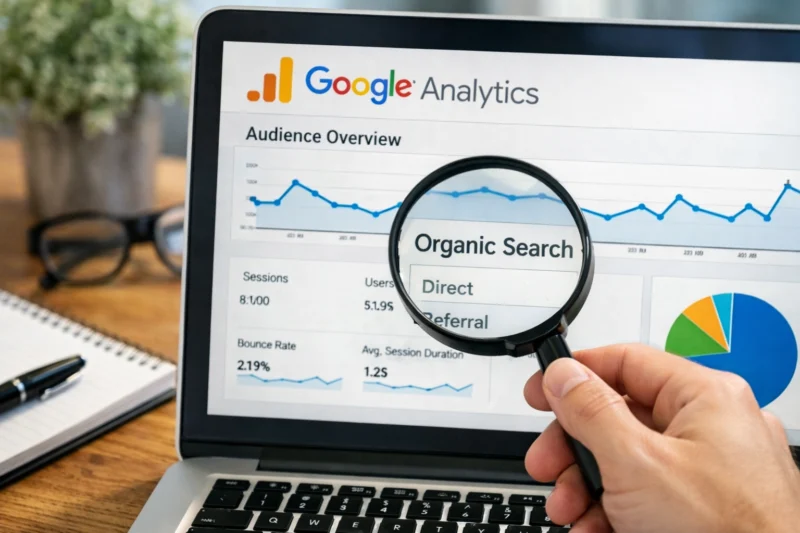
The main tradeoff is avoiding overfitting. A one-week spike may tempt you to rewrite a page too aggressively, but short-term gains can damage long-term SEO if the page stops satisfying intent. This is especially important for informational content where the original answer quality matters more than aggressive promotion. Before making a change, ask whether the pattern is repeatable, whether the sample is large enough, and whether seasonality could explain the result.
In practice, prioritize by impact and feasibility. A page with significant traffic and weak engagement usually deserves attention before a low-traffic page with a perfect ratio but little business value. If you are choosing between several opportunities, use relevance to search intent, expected lift, and implementation effort. That is how SEO teams turn analytics into measurable organic traffic growth without chasing noise.
What to look for when evaluating SEO opportunities inside Google Analytics
The strongest SEO opportunities in GA usually show up as mismatches: high traffic with weak engagement, strong engagement with low conversion depth, or modest traffic with unusually high downstream value. Those gaps tell you where optimization is likely to pay off.
Start by comparing landing pages by organic sessions, engaged sessions, engagement rate, and key events. A page with solid traffic but poor downstream behavior may need rewritten intros, clearer intent matching, or better internal linking to relevant services or categories. A page with low traffic but excellent engagement may deserve more promotion, supporting content, or long-tail keyword targeting because it already proves value once people arrive.
Look for content gaps by grouping pages into informational, commercial, and supporting content clusters. Informational pages can reveal educational topics that deserve deeper coverage. Commercial pages may show where trust or clarity is missing. Supporting content often exposes the hidden winners: pages with modest traffic but strong assist value that help users move toward conversion later. This is where internal linking strategy and SEO content alignment matter most, because the site architecture should reflect how users actually move through related topics.
Also consider feasibility. A page that is structurally weak but high-value may be easier to fix than a page that needs a full strategic rethink. Hidden winners are often the best opportunities because they already demonstrate relevance and user satisfaction. You are not guessing what might work; you are expanding what is already working.
Frequently Asked Questions About Mastering Google Analytics for SEO Search Engine Optimization
What can Google Analytics tell you for SEO?
Google Analytics can tell you how organic visitors behave after they land on your site, including engagement, conversions, and page-level performance. It cannot tell you exact rankings or all the keywords that drove the visit, so it should be used alongside Search Console for a fuller view.
Is Google Analytics enough for SEO analysis?
It is enough for behavioral and conversion analysis, but not for complete SEO diagnosis. You usually need Search Console to understand queries, impressions, and click-through rates, while GA explains whether that traffic was actually useful.
Which GA4 metrics matter most for SEO?
The most useful metrics are sessions, engaged sessions, engagement rate, key events, conversions, and landing-page performance. Together, they help you judge not just volume but whether organic traffic is satisfying intent and supporting business outcomes.
How do I see organic traffic in Google Analytics 4?
Go to acquisition reports and use dimensions such as session default channel group or source/medium to isolate organic traffic. For page-level SEO analysis, add the landing page dimension so you can see which pages are attracting and holding search visitors.
Why does organic traffic in GA4 not match Search Console?
The tools measure different things: Search Console records search performance before the click, while GA records on-site behavior after the click. Differences also come from attribution rules, privacy thresholds, consent behavior, and date or timezone mismatches.
How can I track SEO conversions in GA4?
Set up the right events first, then mark the most meaningful ones as key events or conversions. Choose actions that reflect SEO goals, such as qualified leads, newsletter signups, product interest, or purchases, rather than only generic form completions.
What is the best report for SEO in GA4?
There is no single best report for every question. Standard reports are best for quick checks, landing-page reports are best for page-level analysis, and explorations are best when you need to segment organic behavior more deeply.
How do I know if SEO traffic is actually valuable?
Check whether the traffic engages with the page, moves deeper into the site, and contributes to conversions or assisted conversions. Valuable SEO traffic usually matches intent well, not just volume, and often shows strong downstream behavior even when it does not convert immediately.
How do I use Google Analytics to find low-performing landing pages?
Look for pages with meaningful organic traffic but weak engagement rate, low key event activity, or poor downstream navigation. Separate low performance from low volume, because a page with few visits may simply need more exposure rather than a content fix.
What are the most common GA4 SEO mistakes?
The biggest mistakes are misreading attribution, using the wrong metrics, failing to configure conversions properly, and judging SEO success by traffic alone. Another common issue is comparing reports without accounting for setup changes, privacy effects, or seasonality.
Conclusion
Google Analytics is most useful for SEO when you use it to understand what happens after the click, not to estimate rankings by itself. It helps you measure organic traffic quality, identify valuable landing pages, and decide which pages deserve content updates, internal linking improvements, or UX fixes.
The most reliable workflow is simple: measure the right organic behavior, interpret it in context, and validate the pattern against Search Console and your site setup. If the data looks odd, check for attribution issues, cross-domain problems, consent-related gaps, or mismatched date ranges before you act.
The best next step is practical: audit your top organic landing pages, verify tracking quality, and identify one high-impact SEO improvement to test. If you do that consistently, Google Analytics becomes more than a reporting tool; it becomes a decision system for sustainable organic growth.
Updated April 2026